No Underwater Fog
Bedrock texture pack listed for Minecraft 1.21–26.x. Download on the author's site.
Removes underwater fog and blue tint. Crystal clear ocean visibility for swimming, diving, and building. Essential aquatic utility. Made by LegendWar.
⬇ Download on CurseForge🌊 No Underwater Fog (By LegendWar)
Removes underwater fog and blue tint for crystal clear ocean visibility. See clearly while swimming, diving, or building underwater.
Ocean too murky to see? Underwater builds impossible? This pack clears it completely. No fog, no blue haze, just crystal clear water. Build underwater bases, explore ocean monuments, find shipwrecks with ease.
🎯 Why This Pack Wins
| Feature | Benefit |
|---|---|
| Fog Removed | Crystal clear underwater vision |
| Blue Tint Gone | True colors beneath the waves |
| Building Ready | Construct underwater bases clearly |
| Exploration Easy | Find monuments, ruins, and shipwrecks |
🎯 Perfect For
- Underwater Builders constructing ocean bases
- Explorers finding monuments and shipwrecks
- Treasure Hunters locating buried loot
- Aquatic Players who live beneath the waves
📦 What's Included
- Underwater fog removal texture
- Blue tint reduction for true colors
- Clear visibility at all depths
- Vanilla-friendly design
📸 Preview
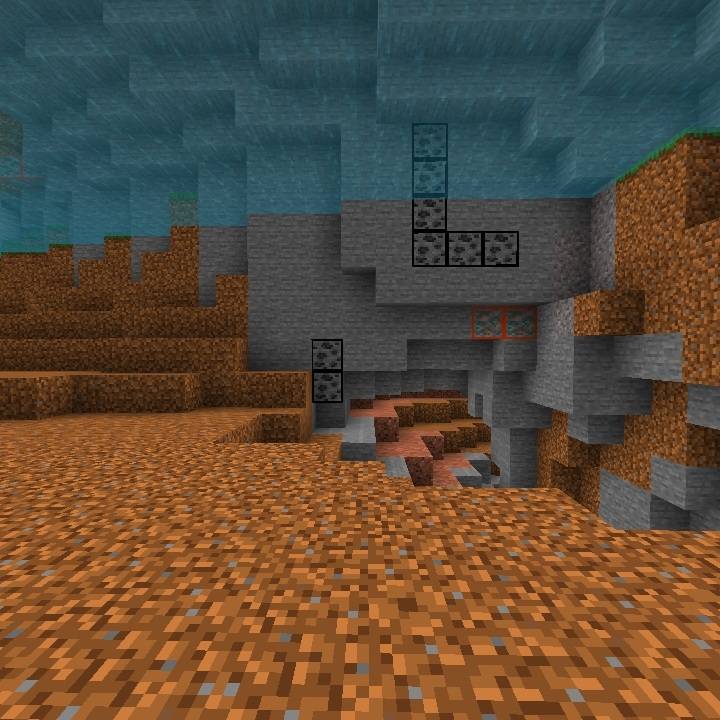
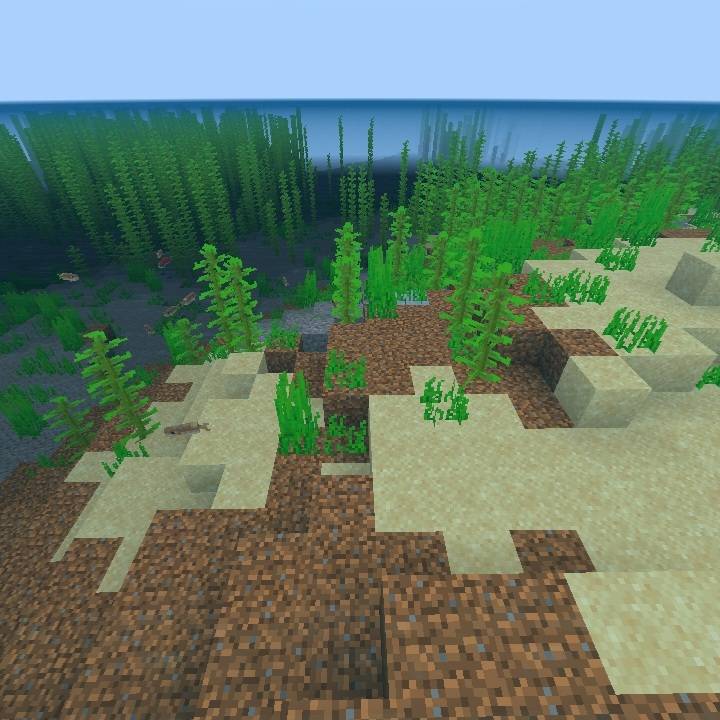
Legend War Pack Library
Known Limitations
Not fully compatible with Enhanced Vibrant Visuals. That add-on overrides fog through custom rendering materials, which cannot be modified by this pack.
🔎 Search Tags
no underwater fog clear water vision ocean visibility pack underwater building bedrock aquatic pack blue tint removal monument finding
⚠️ Important
This pack only modifies textures. Drowning mechanics, swimming speed, and water physics remain unchanged.
🚨 Distribution Notice
Can only be distributed by original link. Reuploads, mirrors, or redistributions are strictly prohibited.
🔗 More From LegendWar
Check out my other aquatic and visibility packs:
- No Lava & Underwater Fog – Dual fog removal
- Outlined Powder Snow – Winter hazard visibility
- Blue Cobweb – Decoration and trap detection
www.curseforge.com/members/legendwar
💖 Made With ♡ By LegendWar
Thank you for downloading! Every download fuels the next pack.
© 2025-2026 LegendWar. All Rights Reserved.
- Edition: Minecraft Bedrock
- File type: .mcpack
- Minecraft versions listed: 1.21.132, 26.0.02, 26.0
- How to install: Download the .mcpack. → Open it — Minecraft imports it under Resource Packs. → Activate it in Global Resources, or for one world under Resource Packs → Available.
- Where to get it: Opens on CurseForge — not every file is mirrored on our own servers.
Install steps are the general flow for this file type — How to install Minecraft Bedrock texture packs walks through it step by step.
No Underwater Fog is a free Minecraft Bedrock texture pack. Compatible with Minecraft 1.21.132, 26.0.02, 26.0. Downloaded 3,591 times (via CurseForge). Download it and open it directly in the game.