Texture packsBedrock
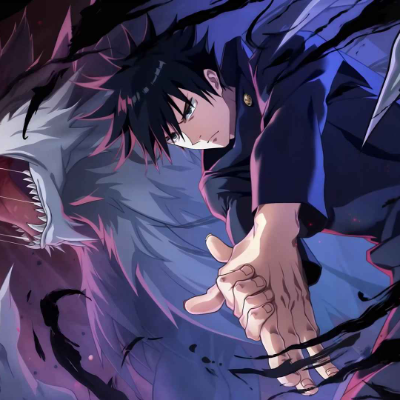
Animated Menu: Megumi Fushiguro
Bedrock texture pack listed for Minecraft 26.x. File opened and checked on 22 Oct 2026; installs from the MC Bedrock Mods app on Android.
Summon the shadows with "Megumi Fushiguro!" Swap your boring panorama for an intense animated background of the Ten Shadows Technique in action. Featuring…
⬇ Download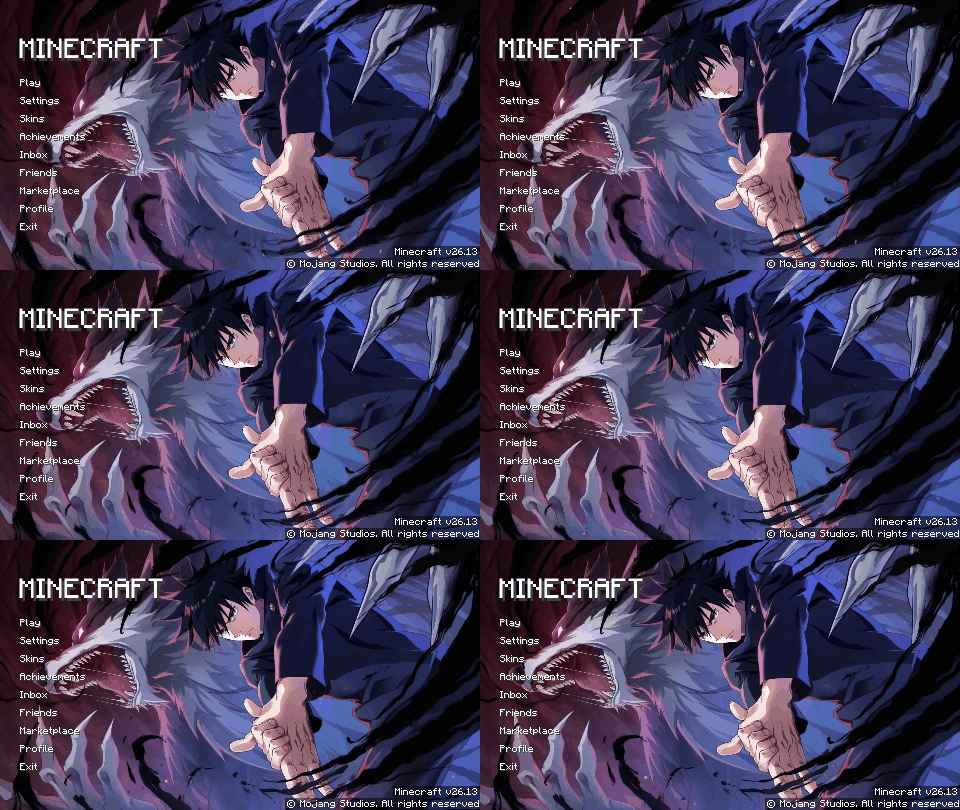
Animated Menu: Megumi Fushiguro
With this treasure, I summon... the Megumi Fushiguro resource pack. Bring the tactical depth and dark shadows of the Zenin bloodline to your Minecraft main menu.
Key Features:
- Ten Shadows Animation: Replaces the boring default panorama with an intense animated scene of Megumi summoning his Divine Dogs amidst swirling cursed energy.
- Sorcerer Minimalist UI: A sleek, dark-themed user interface that perfectly captures the serious and focused aesthetic of a Grade 1 Jujutsu Sorcerer.
- Shadow-Optimized Visuals: High-definition dark particle effects and animations designed to look premium without affecting your game's launch speed.
Master your shadow technique and transform your start screen today!
Quick facts
- Edition: Minecraft Bedrock
- File type: .mcpack
- Minecraft version listed: 26.10
- How to install: Download the .mcpack. → Open it — Minecraft imports it under Resource Packs. → Activate it in Global Resources, or for one world under Resource Packs → Available.
- Where to get it: In MCModsHub, or directly above on this page.
Install steps are the general flow for this file type — How to install Minecraft Bedrock texture packs walks through it step by step.
File checked by MCModsHub
- Pack type: .mcpack — a single pack
- Complete pack — everything it depends on is inside the file
- Download size: 3.9 MB
- Download link checked 6 Oct 2026 — working
These come from our own check of the pack file, not from the source page.