Transparent Touch Controls
Bedrock texture pack listed for Minecraft 26.x. File opened and checked on 13 Oct 2026; installs from the MC Bedrock Mods app on Android.
⬇ Download
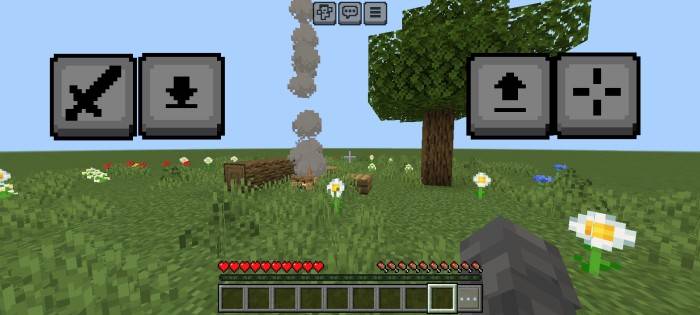
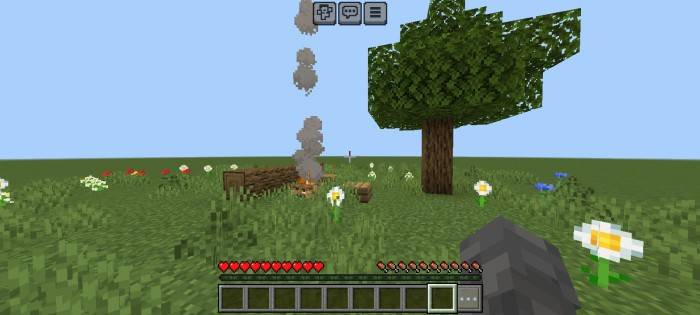
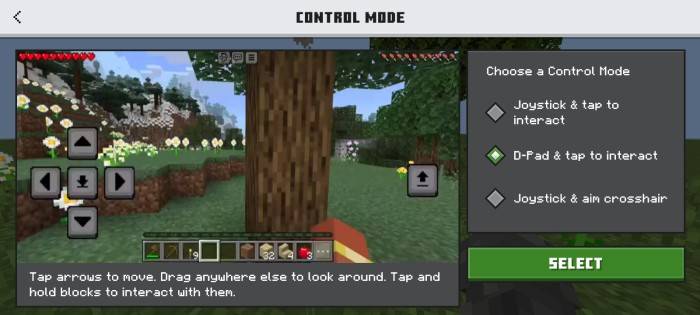
This texture pack completely removes the visual clutter of mobile touch controls by making them fully invisible while keeping all functionality intact. The buttons remain fully responsive - tapping their original positions still works for movement, jumping, inventory, and other actions - but they no longer obstruct your view.
Key Features:
- 100% Invisible Buttons - Touch controls vanish from the screen, eliminating visual distractions.
- Zero Functional Loss - All buttons work exactly as before; only their appearance changes.
- Wide Compatibility - Works seamlessly with default and custom control layouts.
Improved Experience:
- Unobstructed Gameplay - See more of the world without button overlays blocking your view.
- Cleaner Visuals - Ideal for builders, explorers, or anyone who prefers a minimalist HUD.
- No Adjustments Needed - Instantly applies to existing controls - no repositioning or relearning required.
Perfect for players who want the precision of touch controls without sacrificing immersion or screen space.
- Edition: Minecraft Bedrock
- File type: .mcpack
- Minecraft versions listed: 26.3, 26.10, 26.11
- How to install: Download the .mcpack. → Open it — Minecraft imports it under Resource Packs. → Activate it in Global Resources, or for one world under Resource Packs → Available.
- Where to get it: In MCModsHub, or directly above on this page.
Install steps are the general flow for this file type — How to install Minecraft Bedrock texture packs walks through it step by step.
- Save it as TransparentButtons.mcaddon before opening — it downloads as .mcpack, but it is a .mcaddon pack
- Complete pack — everything it depends on is inside the file
- Download size: 152 KB
- Download link checked 5 Oct 2026 — working
These come from our own check of the pack file, not from the source page.