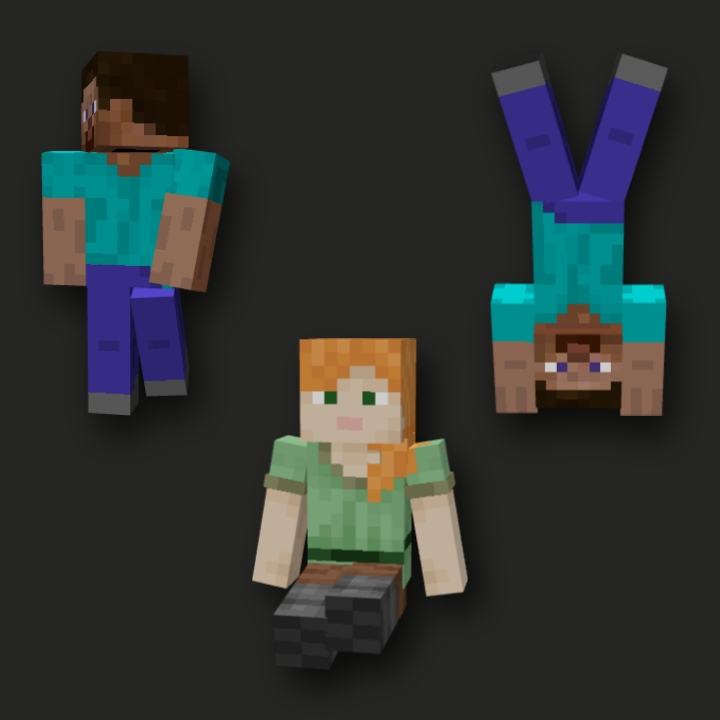
Custom Armor Stand
Turn your armor stand into Steve This resource pack changes the armor stand to look like Steve so it feels more real It also change some animations a…
⬇ Download on CurseForge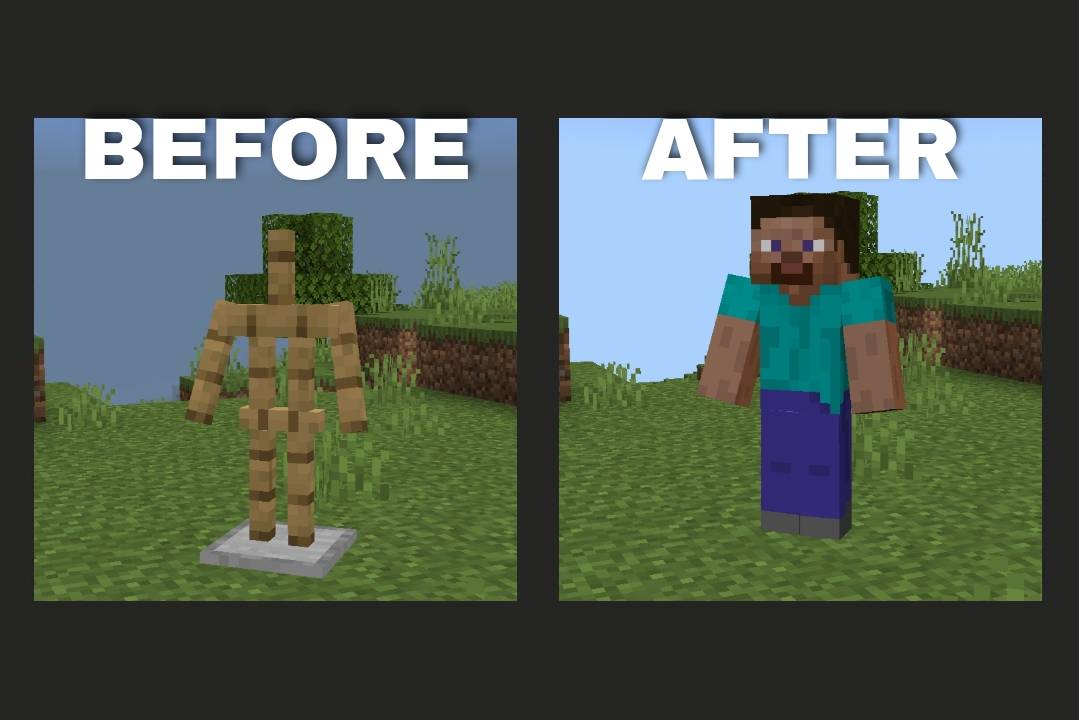
Turn your armor stand into Steve or Alex
This resource pack changes the armor stand to look like Steve so it feels more real
It also change some animations a little
You can use your own skin with the tutorial included
-you can choose slim or classic
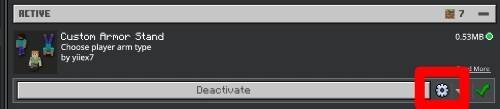
‼️THIS THE TUTORIAL HOW TO PUT YOUR SKIN‼️
-First of all download Zarchive
STEP (1)
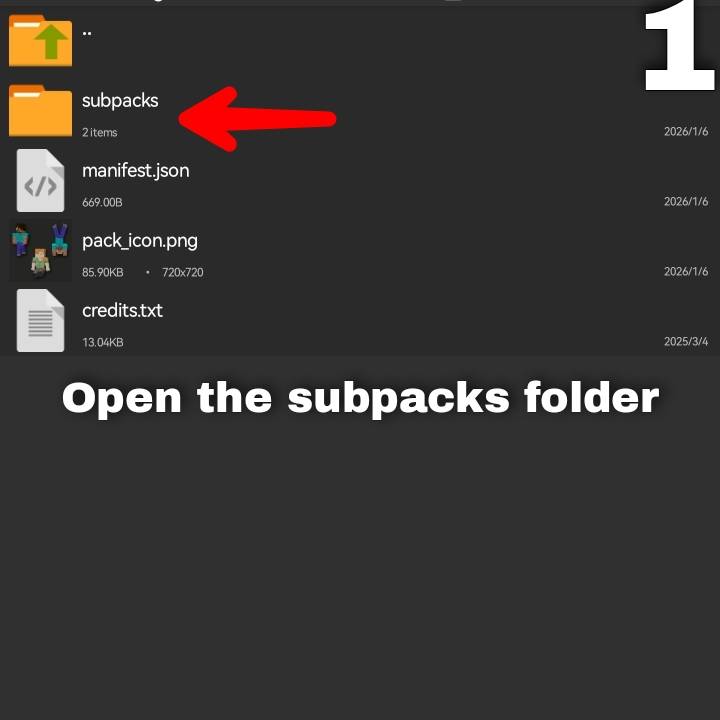
STEP (2)
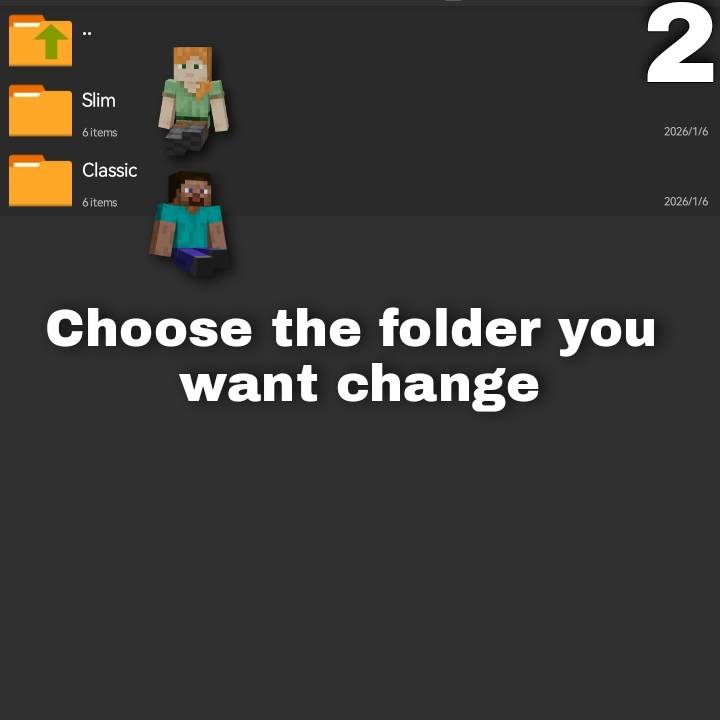
STEP (3)
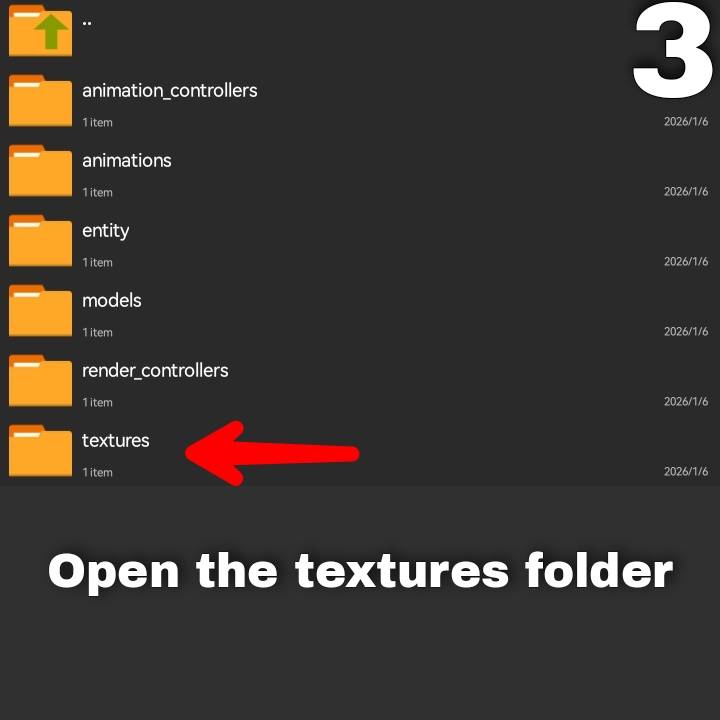
STEP (4)
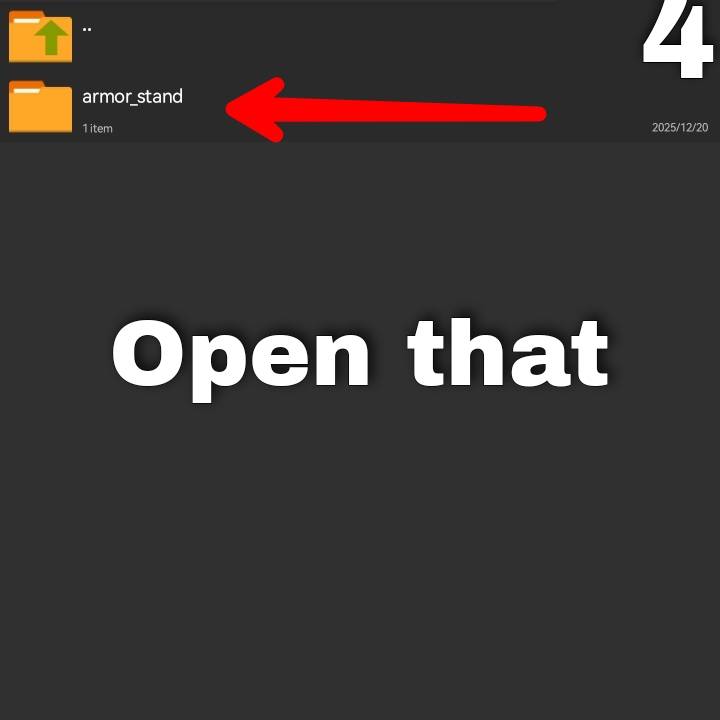
STEP (5)
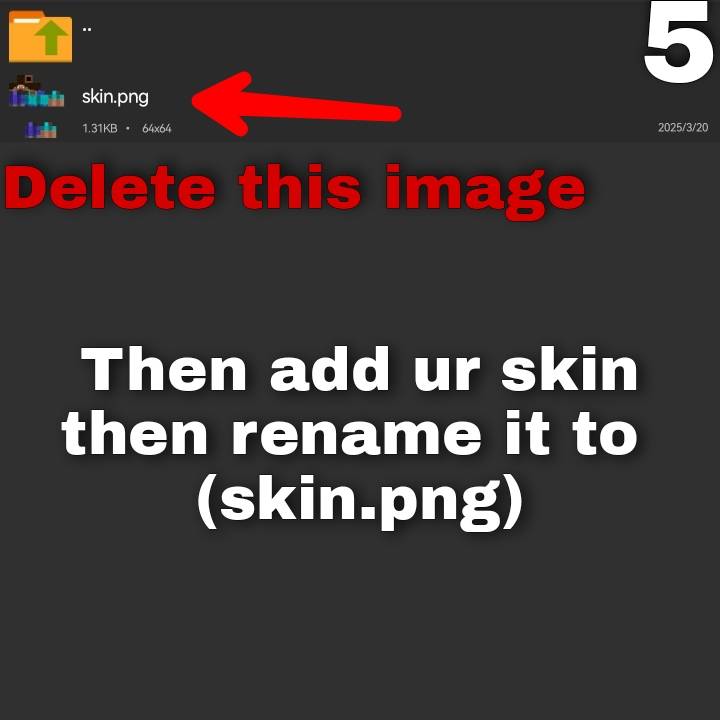
Features:
✔️ Replaces the Armor Stand with Steve
✔️ Fully customizable – use your own skin!
✔️Add some animations
✔️ Perfect for roleplay, decoration, and creative builds
- Edition: Minecraft Bedrock
- File type: .mcpack
- Minecraft versions listed: 1.18, 1.19, 1.20
- How to install: Download the .mcpack. → Open it — Minecraft imports it under Resource Packs. → Activate it in Global Resources, or for one world under Resource Packs → Available.
- Where to get it: Opens on CurseForge — not every file is mirrored on our own servers.
Install steps are the general flow for this file type — How to install Minecraft Bedrock texture packs walks through it step by step.
Custom Armor Stand is a free Minecraft Bedrock texture pack. Compatible with Minecraft 1.18, 1.19, 1.20, 1.21. Downloaded 1,736 times (via CurseForge). Download it and open it directly in the game.