
Better Armor Bar Colors UI
Bedrock texture pack listed for Minecraft 26.x. File opened and checked on 9 Sep 2026; installs from the MC Bedrock Mods app on Android.
Better Armor Bars lets you customize your armor HUD with iconic textures like Netherite, Diamond, and Copper! 🛡️
⬇ Download on CurseForge
Take full control of your survival HUD! Better Armor Bars: Variety Colors UI is an aesthetic and utility resource pack that allows you to replace the boring, default gray iron chestplate icons on your armor bar with beautiful custom styles based on Minecraft's official materials.
Whether you want your HUD to match your late-game Netherite gear, display a clean Diamond aesthetic, or rock a rustic Copper look, this pack has the perfect texture for you. It is 100% compatible with any world, texture pack, or server, making it a must-have for survival players, builders, and PvP competitors.
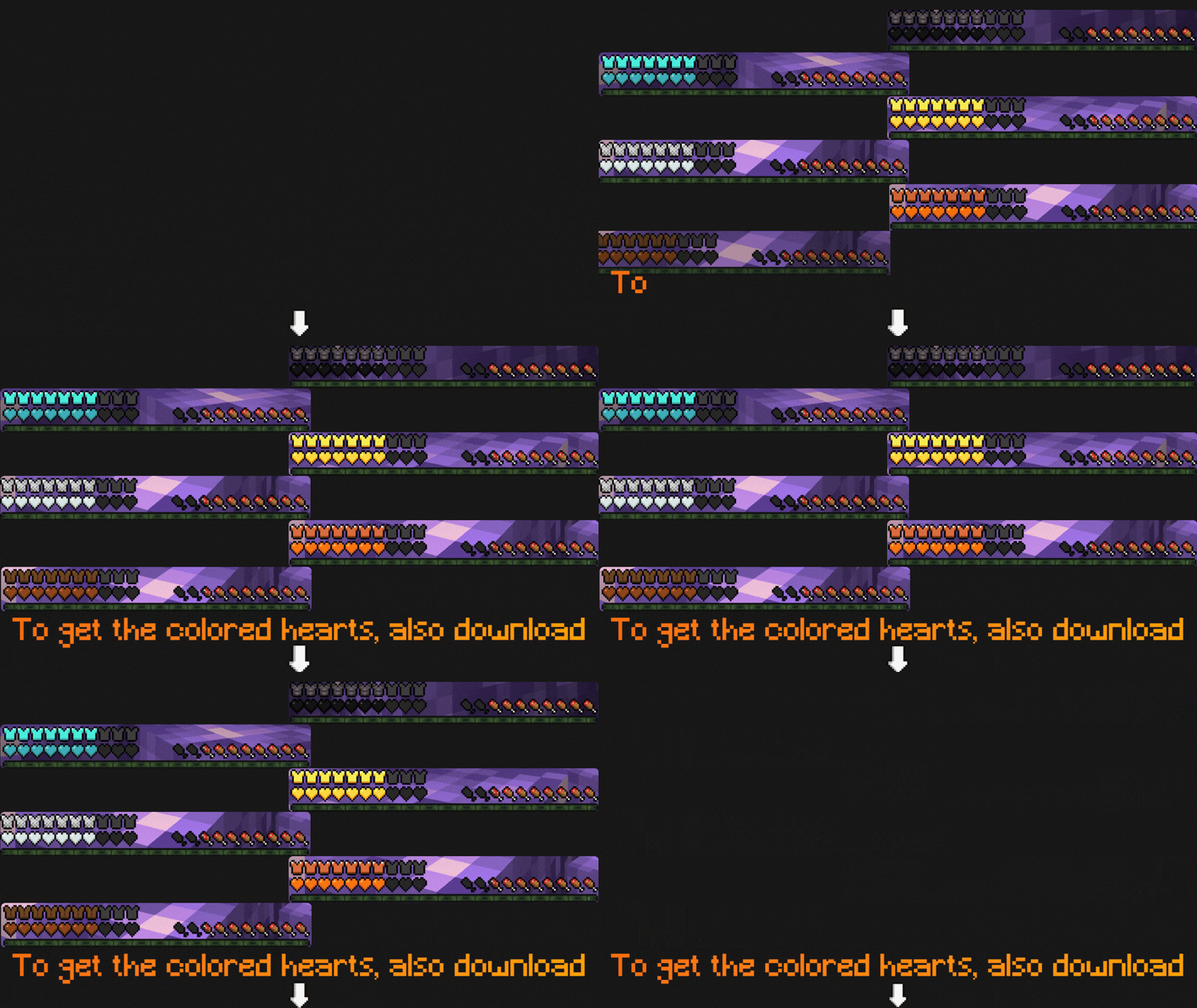

🧱 Available Materials (Subpacks Slider):
You can easily switch between 5 custom styles directly from the pack settings menu using the subpack slider:
- 🟫 Copper Armor Bars: A warm, rustic copper look.
- ⛓️ Chainmail Armor Bars: A classic, clean chain texture design.
- 🦫 Leather Armor Bars: A sleek, brown minimalist style.
- 🟨 Golden Armor Bars: Shiny, high-contrast golden chestplates.
- 💎 Diamond Armor Bars: Vibrant diamond icons perfect for any HUD.
- 🖤 Netherite Armor Bars: The ultimate dark, sleek endgame design.

✨ Key Features:
- 🎨 Official Textures Theme: Icons based on the actual color palettes of Minecraft armor sets.
- 🛡️ Survival & PvP Ready: High-contrast designs that make it easier to read your armor points instantly.
🌿 Check out my other packs!
To fully upgrade your survival interface and make the perfect combo, check out Better Hearts: Variety Colors UI and Hunger Preview: Food Utility on my profile!
🧡SUPPORT THE CREATOR🧡
If you'd like to support my work, you can complete a quick ad step through Linkvertise. It takes just a few seconds and directly supports future project updates!
This is completely optional — no downloads are required here, just a simple way to show your support if you appreciate the content.

- Edition: Minecraft Bedrock
- File type: .mcpack
- Minecraft versions listed: 26.10, 26.11, 26.12
- How to install: Download the .mcpack. → Open it — Minecraft imports it under Resource Packs. → Activate it in Global Resources, or for one world under Resource Packs → Available.
- Where to get it: Opens on CurseForge — not every file is mirrored on our own servers.
Install steps are the general flow for this file type — How to install Minecraft Bedrock texture packs walks through it step by step.
- Pack type: .mcpack — a single pack
- Manifest requires Minecraft 1.26.20 or newer
- Complete pack — everything it depends on is inside the file
- Download size: 59 KB
- Download link checked 26 Oct 2026 — working
These come from our own check of the pack file, not from the source page.