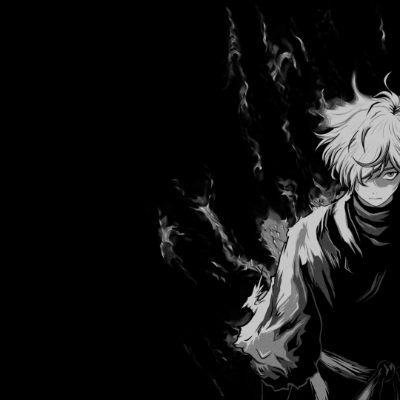
Animated Menu: Gabimaru Hollow Flame
Bedrock texture pack listed for Minecraft 26.x. File opened and checked on 25 Oct 2026; installs from the MC Bedrock Mods app on Android.
Channel your inner shinobi with "Gabimaru Hollow Flame!" Swap the boring panorama for an intense black-and-white animated background of Gabimaru…
⬇ Download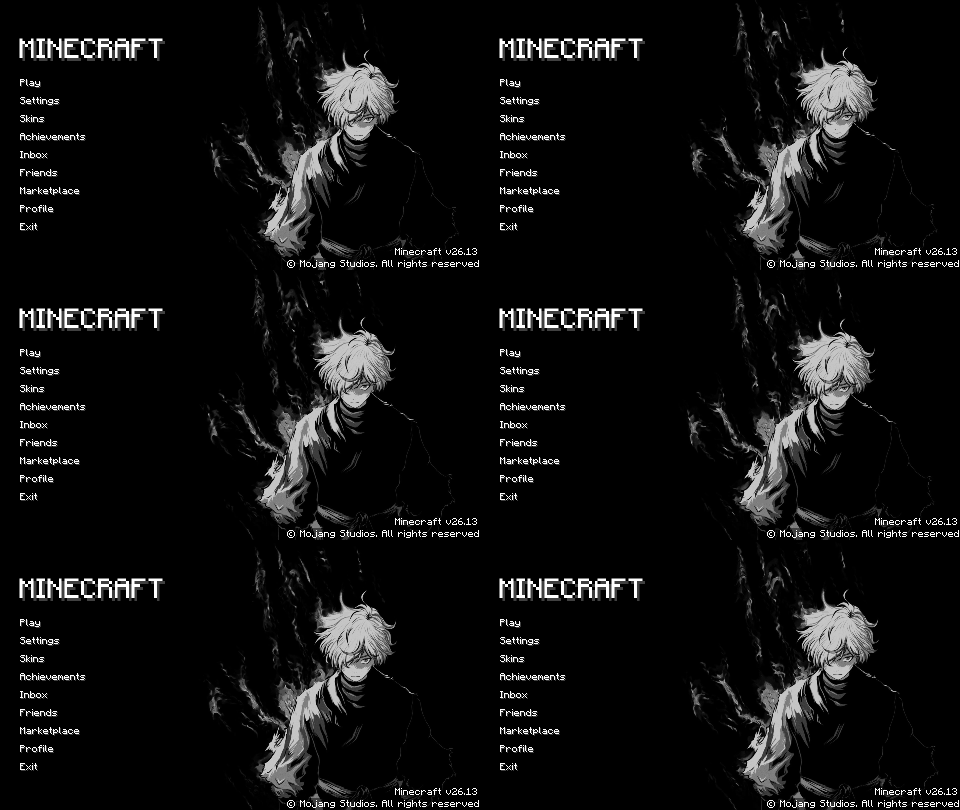
Animated Menu: Gabimaru Hollow Flame
Embrace the internal struggle of the empty shinobi with the Gabimaru Hollow Flame resource pack. This theme brings a stark, high-contrast, and intense atmosphere to your Minecraft start screen.
Key Features:
- Ascetic Shadow Animation: Replaces the boring default panorama with a dramatic black-and-white animated scene of Gabimaru the Hollow, surrounded by dark, flickering flames.
- Monochrome Ninja UI: A sleek, minimalist user interface designed with sharp lines and a grayscale palette to match the brutal aesthetic of Hell's Paradise.
- High-Contrast Visuals: Optimized smoke and flame particles that provide a cinematic, hand-drawn feel without affecting your game's performance.
Survival is everything. Give your start screen a powerful and hollow transformation today!
- Edition: Minecraft Bedrock
- File type: .mcpack
- Minecraft version listed: 26.10
- How to install: Download the .mcpack. → Open it — Minecraft imports it under Resource Packs. → Activate it in Global Resources, or for one world under Resource Packs → Available.
- Where to get it: In MCModsHub, or directly above on this page.
Install steps are the general flow for this file type — How to install Minecraft Bedrock texture packs walks through it step by step.
- Pack type: .mcpack — a single pack
- Complete pack — everything it depends on is inside the file
- Download size: 12.9 MB
- Download link checked 6 Oct 2026 — working
These come from our own check of the pack file, not from the source page.