HomeBedrockTexture packsdynamic visual (bed studio)
dynamic visual (bed studio)
Texture packsBedrock

dynamic visual (bed studio)

by BedrockAddon · on CurseForge

Which Minecraft do you have?

Every version of the game needs its own build. Pick yours, then download — the wrong build installs fine and then does nothing in the game.

⬇ Download for 26.30⬇ Download for 26.0.02⬇ Download for 1.21.132
I don't know my version
Open Minecraft and look at the bottom-left corner of the main screen — the version is printed there, like v1.26.30.
The game writes a 1. in front; the buttons above leave it off. v1.26.30 in the game is 26.30 here.
dynamic visual (bed studio) — screenshot 1dynamic visual (bed studio) — screenshot 2dynamic visual (bed studio) — screenshot 3dynamic visual (bed studio) — screenshot 4dynamic visual (bed studio) — screenshot 5dynamic visual (bed studio) — screenshot 6dynamic visual (bed studio) — screenshot 7dynamic visual (bed studio) — screenshot 8

MY DISCORD


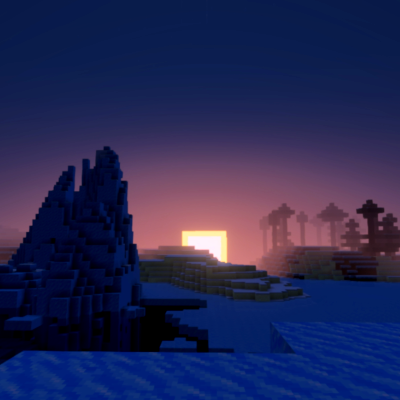
Dynamic Visual makes your world warmer, more saturated, and more dynamic.
You can set the power level you want in the resource pack settings.

For the dynamic effect, you can see it in the picture (that is the 100% version).


Quick facts

Install steps are the general flow for this file type — How to install Minecraft Bedrock texture packs walks through it step by step.

Verified by MCModsHub

These come from our own check of the pack file, not from the source page.

Explore more