
Texture packsBedrock
PixelPulse V1.0
Bedrock texture pack listed for Minecraft 1.20–26.x. File opened and checked on 26 Sep 2026; installs from the MC Bedrock Mods app on Android.
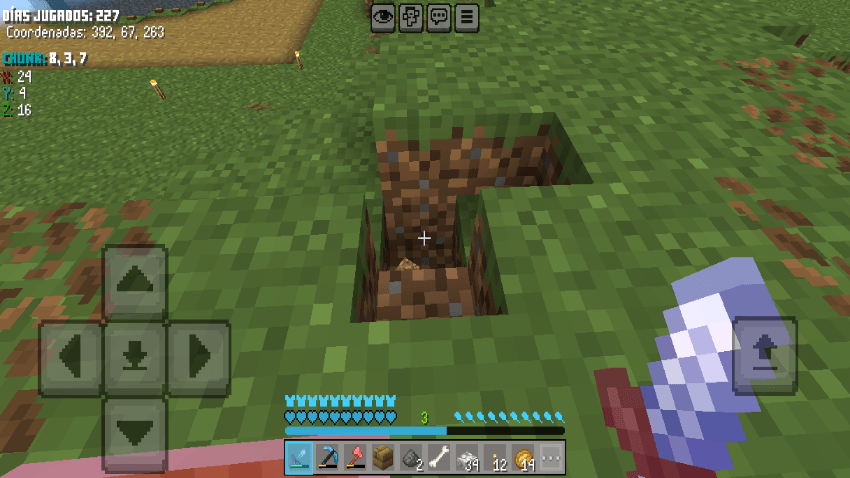
PixelPulse: Total optimization for Minecraft Bedrock. Lightweight textures, no particles, 2-chunk view, on-screen chunk coordinates, and custom totem…
⬇ Download on CurseForge
⚡ PixelPulse – Ultimate Optimization & Chunk HUD
PixelPulse is a complete overhaul resource pack designed to **boost your FPS** and **clean up your HUD** without losing essential information. Inspired by the minimalist and serious aesthetic of Nanami Kento (Jujutsu Kaisen), this pack is perfect for players who want smooth performance and a clean, tactical interface.
 🚀 Features
⚙️ Performance & Optimization
- No Particles: Removes most particles for cleaner visuals and higher FPS.
- Disabled Animations: Blocks and items no longer animate, saving resources.
Lightweight Textures: Mixed 8x8 and 16x16 textures for maximum efficiency.
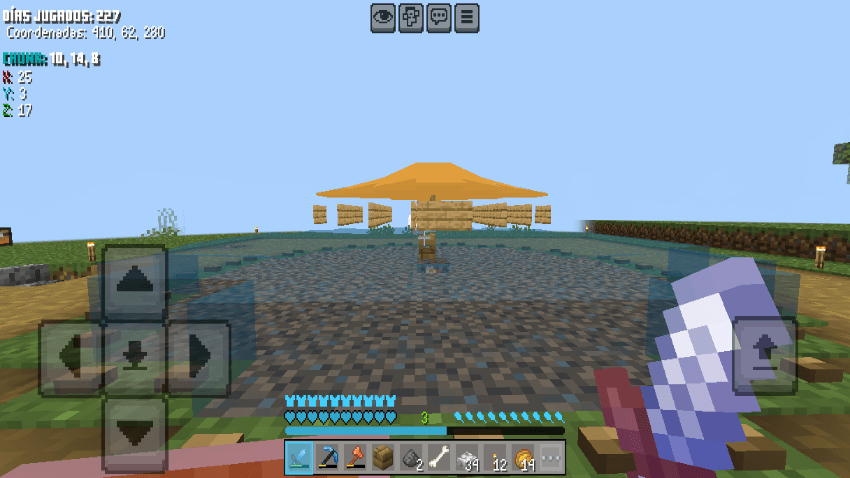
-Chunk View: Fog is set to a fixed 2-chunk render distance – perfect for PvP and exploration without lag.
 🧭 Enhanced HUD & Utility
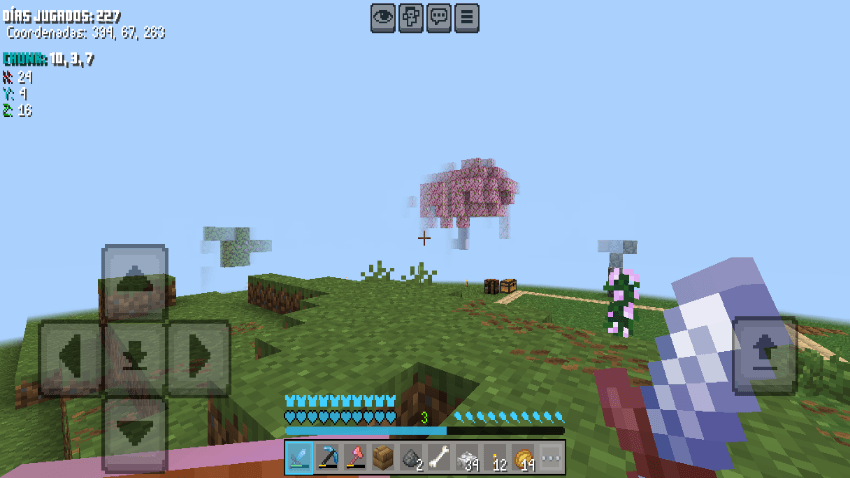
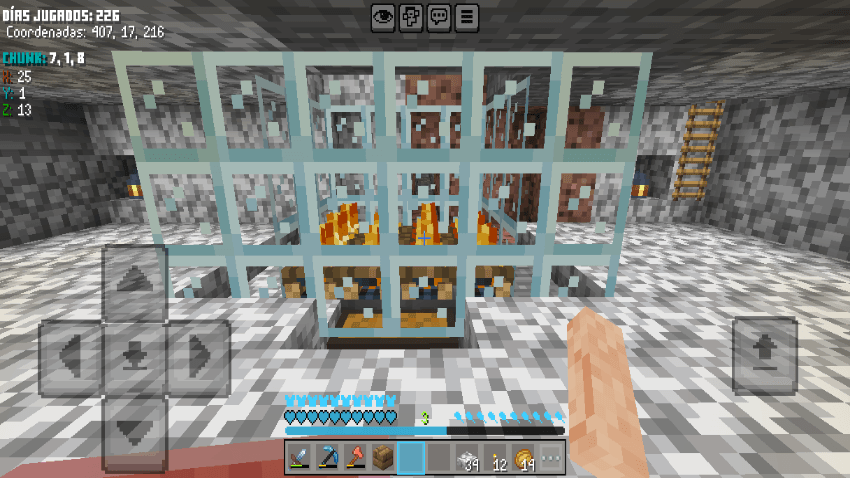
- On-Screen Chunk Coordinates: Displays your current chunk coordinates (X, Y, Z) in real time.
- Chunk Position Info: Know if you're at the **center**, **corner**, or **border** of a chunk.
- Custom Totem of Undying: A unique, exclusive design for your totem.
- Clean Chat Background: Simplified chat UI for better readability.
Visual & Thematic
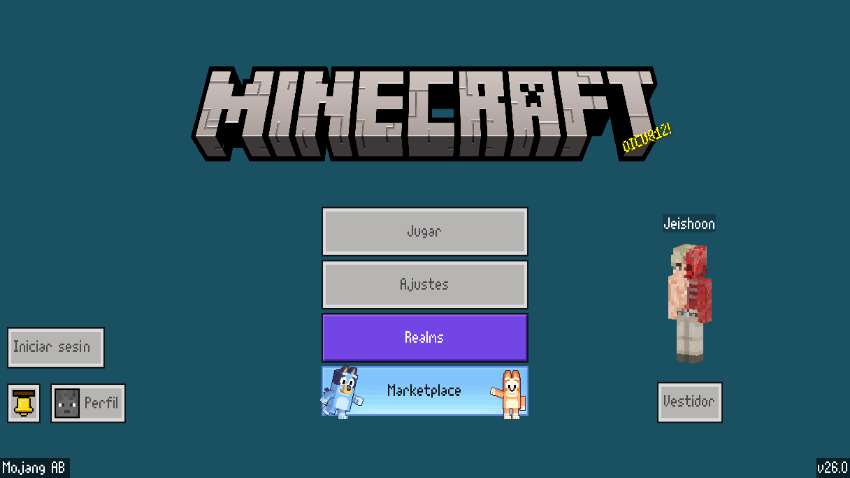
Custom Panorama: A fresh, custom main menu background.
 Installation
1. Download the `.mcpack` file.
2. Double-click to open it. Minecraft Bedrock will launch and import the pack automatically.
3. Go to Settings > Global Resources.
4. Find PixelPulse in "My Packs" and click Activate.
5. Enjoy smoother gameplay!
⚠️ Notes & Compatibility
- Game Version: Compatible with Minecraft Bedrock 1.20+.
- Performance: Designed to improve FPS, especially on low-end devices. For best results, use as your only resource pack.
- Multiplayer: 100% server-safe. No unfair advantages, just visual and performance enhancements.
👤 Credits

🚀 Features
⚙️ Performance & Optimization
- No Particles: Removes most particles for cleaner visuals and higher FPS.
- Disabled Animations: Blocks and items no longer animate, saving resources.
Lightweight Textures: Mixed 8x8 and 16x16 textures for maximum efficiency.
-Chunk View: Fog is set to a fixed 2-chunk render distance – perfect for PvP and exploration without lag.
🧭 Enhanced HUD & Utility
- On-Screen Chunk Coordinates: Displays your current chunk coordinates (X, Y, Z) in real time.
- Chunk Position Info: Know if you're at the **center**, **corner**, or **border** of a chunk.
- Custom Totem of Undying: A unique, exclusive design for your totem.
- Clean Chat Background: Simplified chat UI for better readability.
Visual & Thematic
Custom Panorama: A fresh, custom main menu background.
Installation
1. Download the `.mcpack` file.
2. Double-click to open it. Minecraft Bedrock will launch and import the pack automatically.
3. Go to Settings > Global Resources.
4. Find PixelPulse in "My Packs" and click Activate.
5. Enjoy smoother gameplay!
⚠️ Notes & Compatibility
- Game Version: Compatible with Minecraft Bedrock 1.20+.
- Performance: Designed to improve FPS, especially on low-end devices. For best results, use as your only resource pack.
- Multiplayer: 100% server-safe. No unfair advantages, just visual and performance enhancements.
👤 Credits
- Creator: Jeishoone
Quick facts
- Edition: Minecraft Bedrock
- File type: .mcpack
- Minecraft versions listed: 1.20.40, 1.21.30, 1.21.50
- How to install: Download the .mcpack. → Open it — Minecraft imports it under Resource Packs. → Activate it in Global Resources, or for one world under Resource Packs → Available.
- Where to get it: Opens on CurseForge — not every file is mirrored on our own servers.
Install steps are the general flow for this file type — How to install Minecraft Bedrock texture packs walks through it step by step.
File checked by MCModsHub
- Save it as PixelPulse v1.0.mcaddon before opening — it downloads as .mcpack, but it is a .mcaddon pack
- Manifest requires Minecraft 1.20.0 or newer
- Complete pack — everything it depends on is inside the file
- Download size: 9.3 MB
- Download link checked 26 Oct 2026 — working
These come from our own check of the pack file, not from the source page.