
Cyber UI
Bedrock texture pack listed for Minecraft 1.21–26.x. File opened and checked on 30 Sep 2026; installs from the MC Bedrock Mods app on Android.
Cyber UI is a user interface pack designed to give Minecraft Bedrock Edition a modern, clean, and professional look.
⬇ Download on CurseForge
ADS UI
Do you want your Minecraft to look better?
This is ADS UI. It changes the boring gray buttons and screens in Minecraft. It makes the game look new, clean, and cool with a dark style.
If you want a menu that is easy to use and looks professional, try this pack!
✨ Best Features
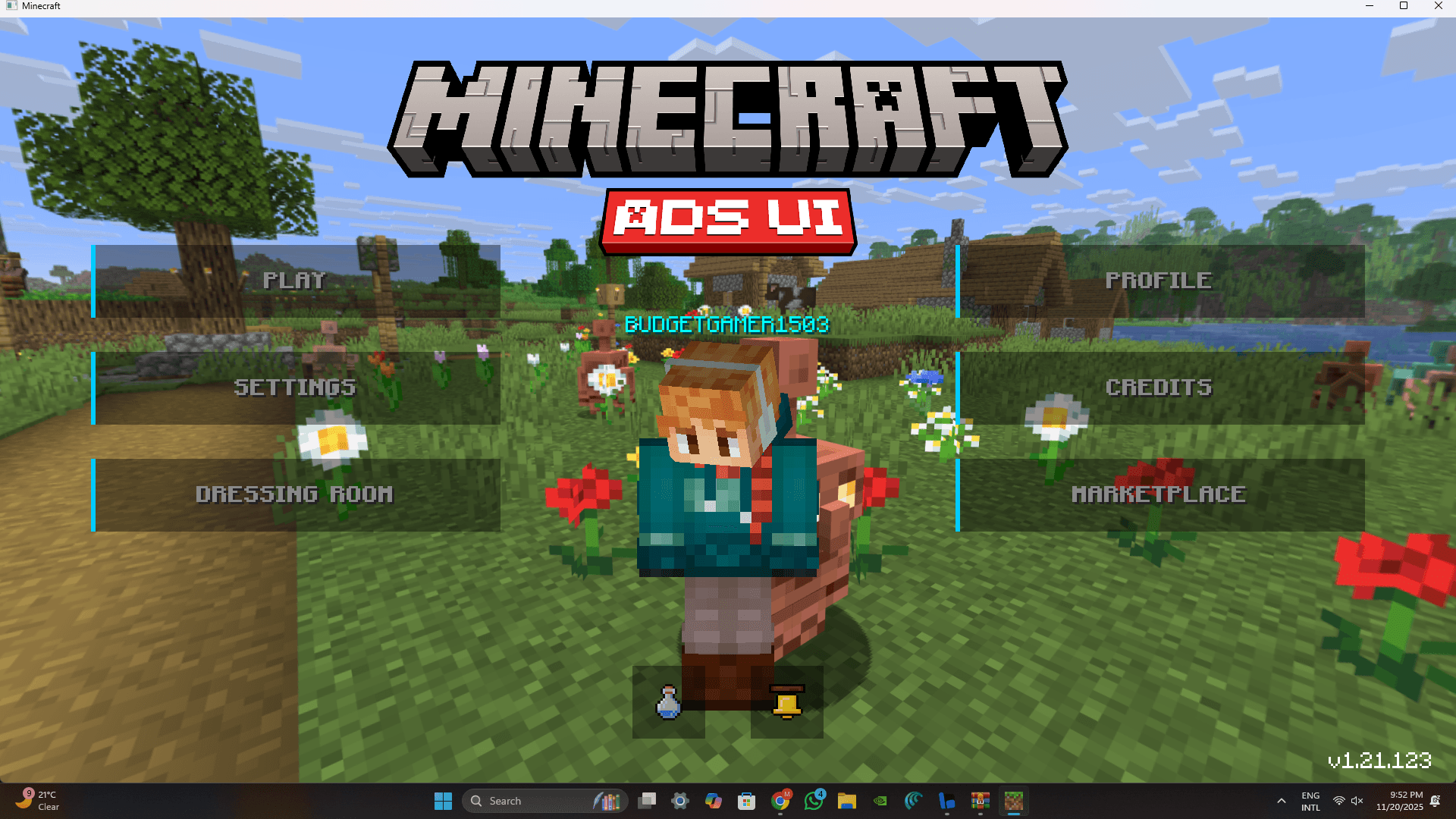
- 🏠 New Main Menu: The start screen looks different. The "Play" and "Settings" buttons are on one side, so they are easy to click. Plus, you can see your skin clearly!
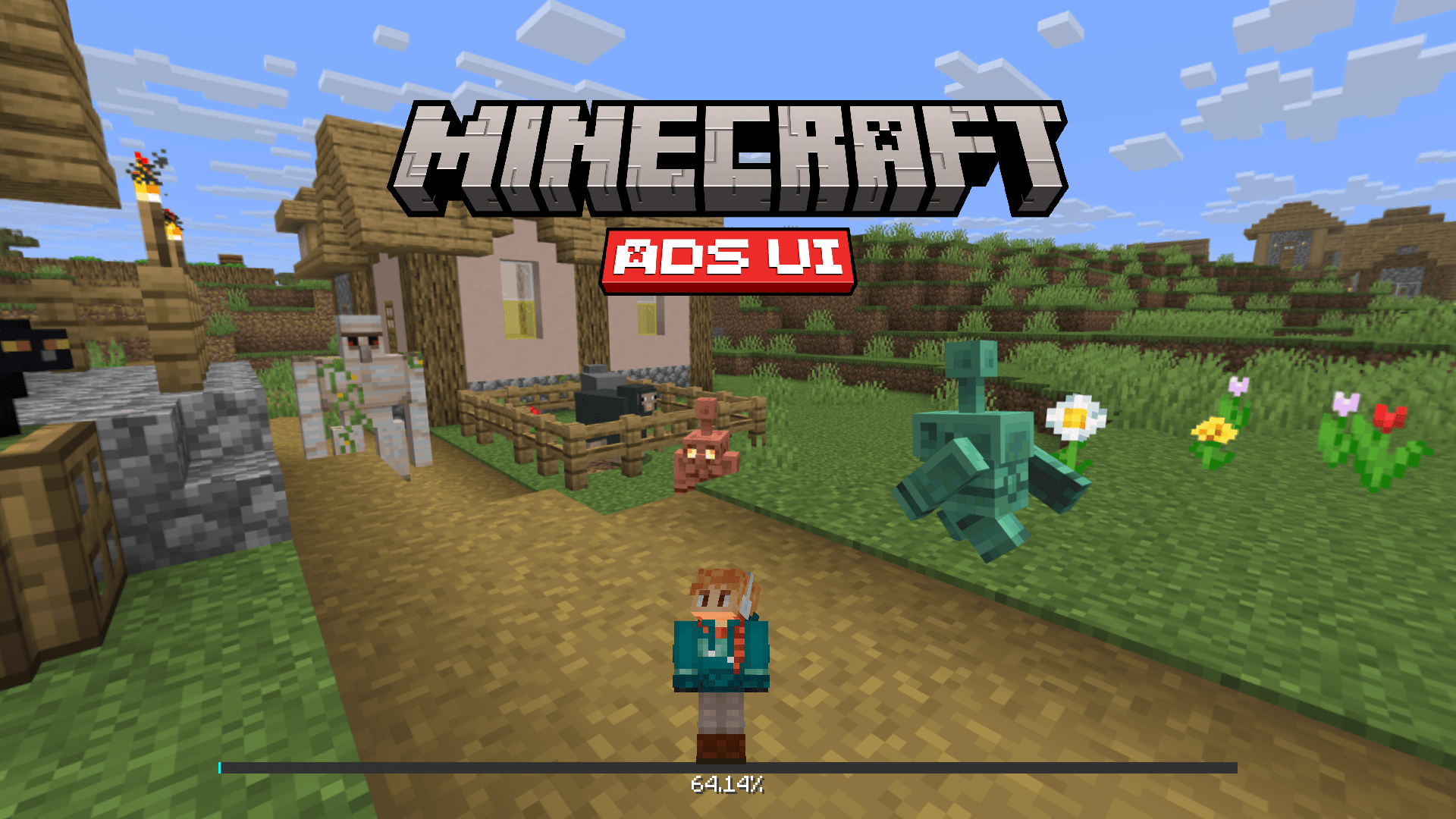
- numbers Loading Bar: No more boring spinning circle. Now you have a bar with numbers. It tells you exactly how fast your world is loading.
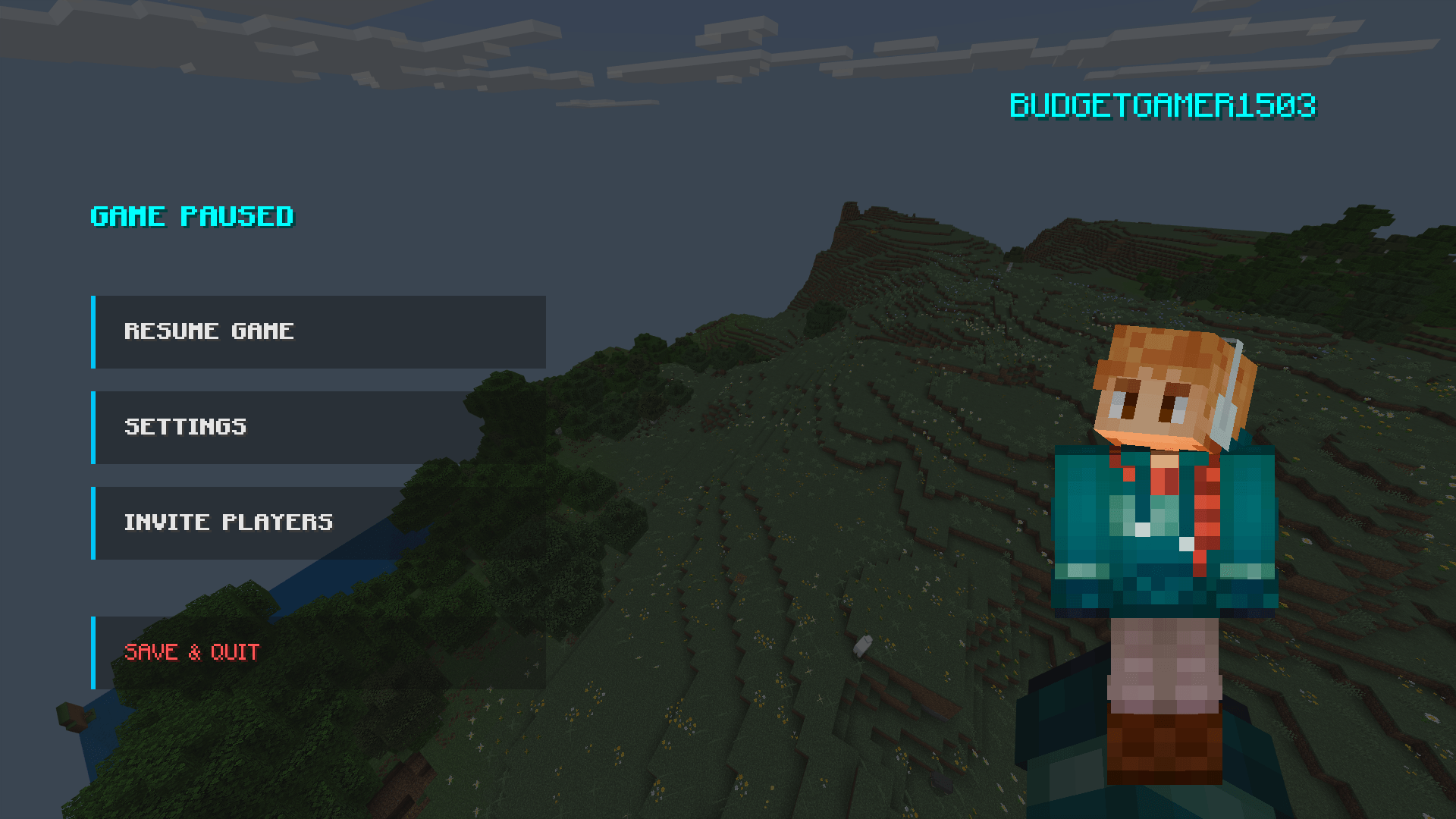
- ⏸️ Simple Pause Screen: When you pause the game, it looks very clean. You can see your player on the right side. The buttons are clear and easy to read.
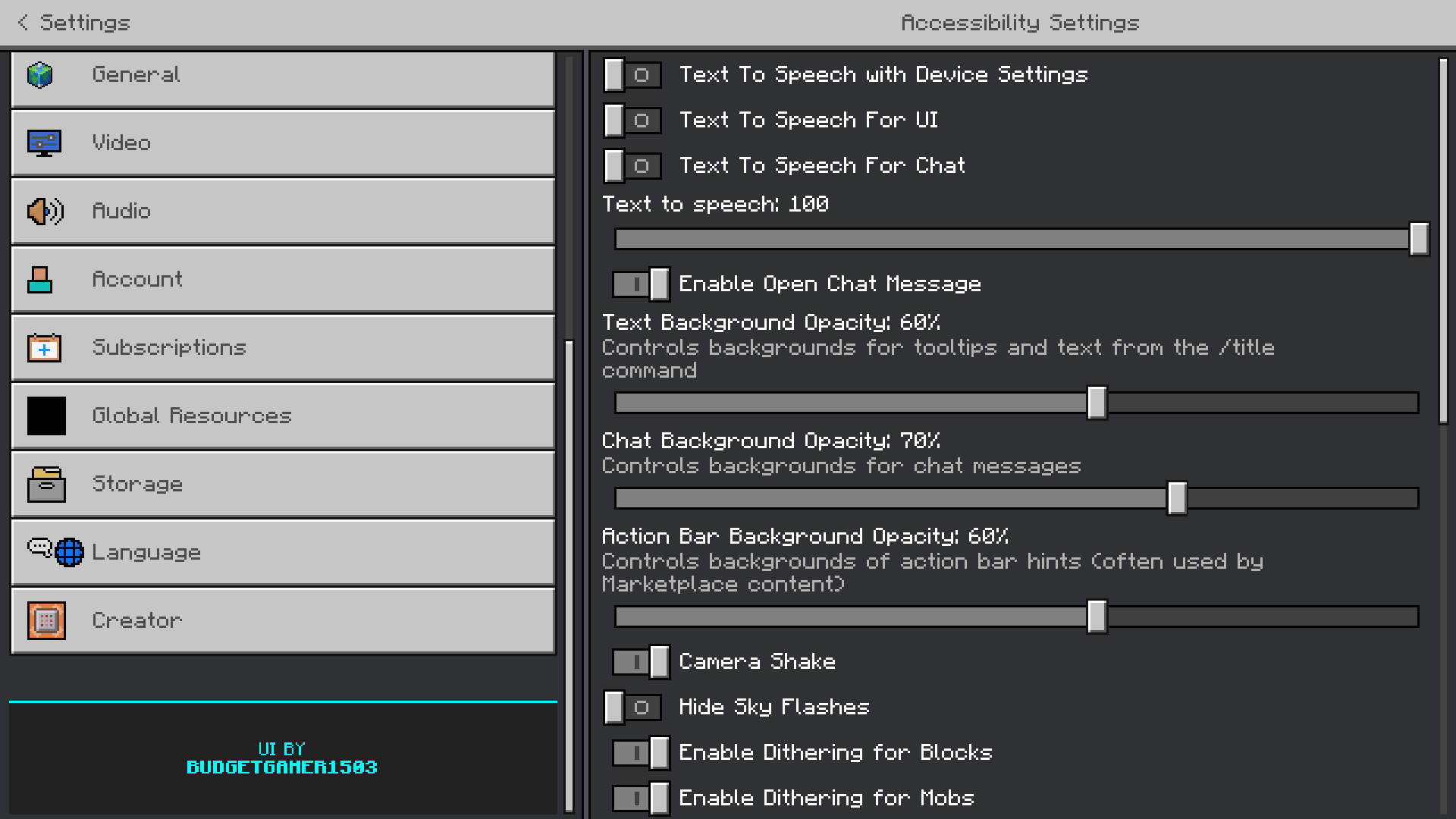
- ⚙️ Easy Settings: We changed the settings menu. The buttons and sliders are easier to see, so you can fix your game options quickly.
📱 Works On
- Version: Minecraft Bedrock 1.21 and newer.
- Devices: Works on Mobile (Android/iOS), PC (Windows), and Consoles (Xbox/Switch/PS).
- Other Packs: You can use this with other texture packs. Just put ADS UI on top.
⚠️ Rules (Terms of Use)
Please read before downloading:
- Do not put this file on other websites or apps.
- Do not say you made this pack.
- For YouTubers: If you make a video, you must put the link to this page in your description.
- Editing: You can change the pack for yourself only. Do not share the edited version.
Pack is underdevelopment new UI element will be added soon.
Creator: BudgetGamer1503
- Edition: Minecraft Bedrock
- File type: .mcpack
- Minecraft versions listed: 1.21.120, 1.21.122, 1.21.121
- How to install: Download the .mcpack. → Open it — Minecraft imports it under Resource Packs. → Activate it in Global Resources, or for one world under Resource Packs → Available.
- Where to get it: Opens on CurseForge — not every file is mirrored on our own servers.
Install steps are the general flow for this file type — How to install Minecraft Bedrock texture packs walks through it step by step.
- Pack type: .mcaddon — behaviour and resource pack in one file
- Manifest requires Minecraft 1.21.120 or newer
- Complete pack — everything it depends on is inside the file
- Download size: 83 KB
- Download link checked 6 Oct 2026 — working
These come from our own check of the pack file, not from the source page.