
Grimveil : Cursed Horror
Bedrock texture pack listed for Minecraft 1.21–26.x. File opened and checked on 27 Sep 2026; installs from the MC Bedrock Mods app on Android.
⬇ Download on CurseForge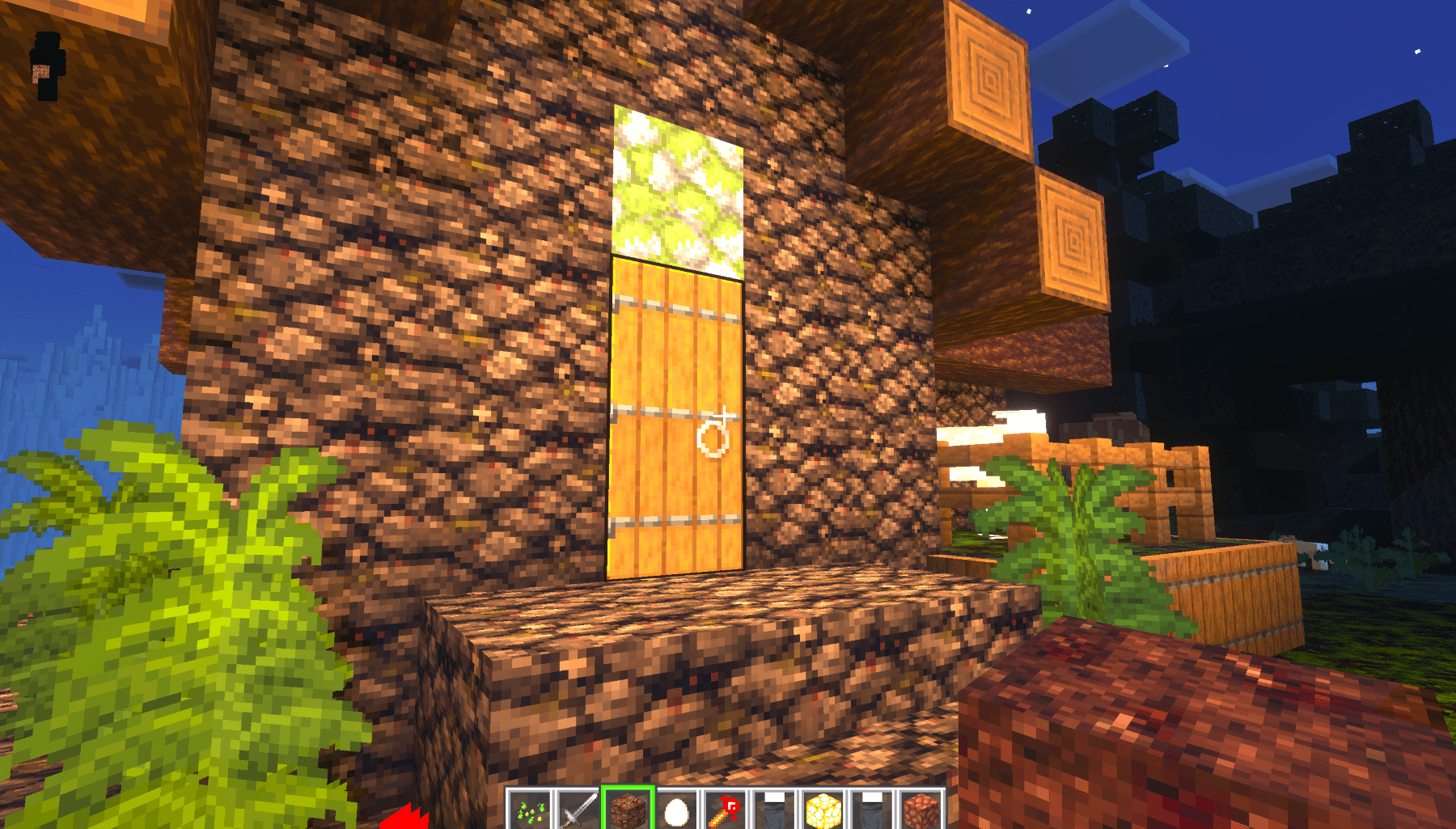
Grimveil
💀 CURSED AS HELL 💀



"Because nightmares are better than dreams."
🎃 About Grimveil
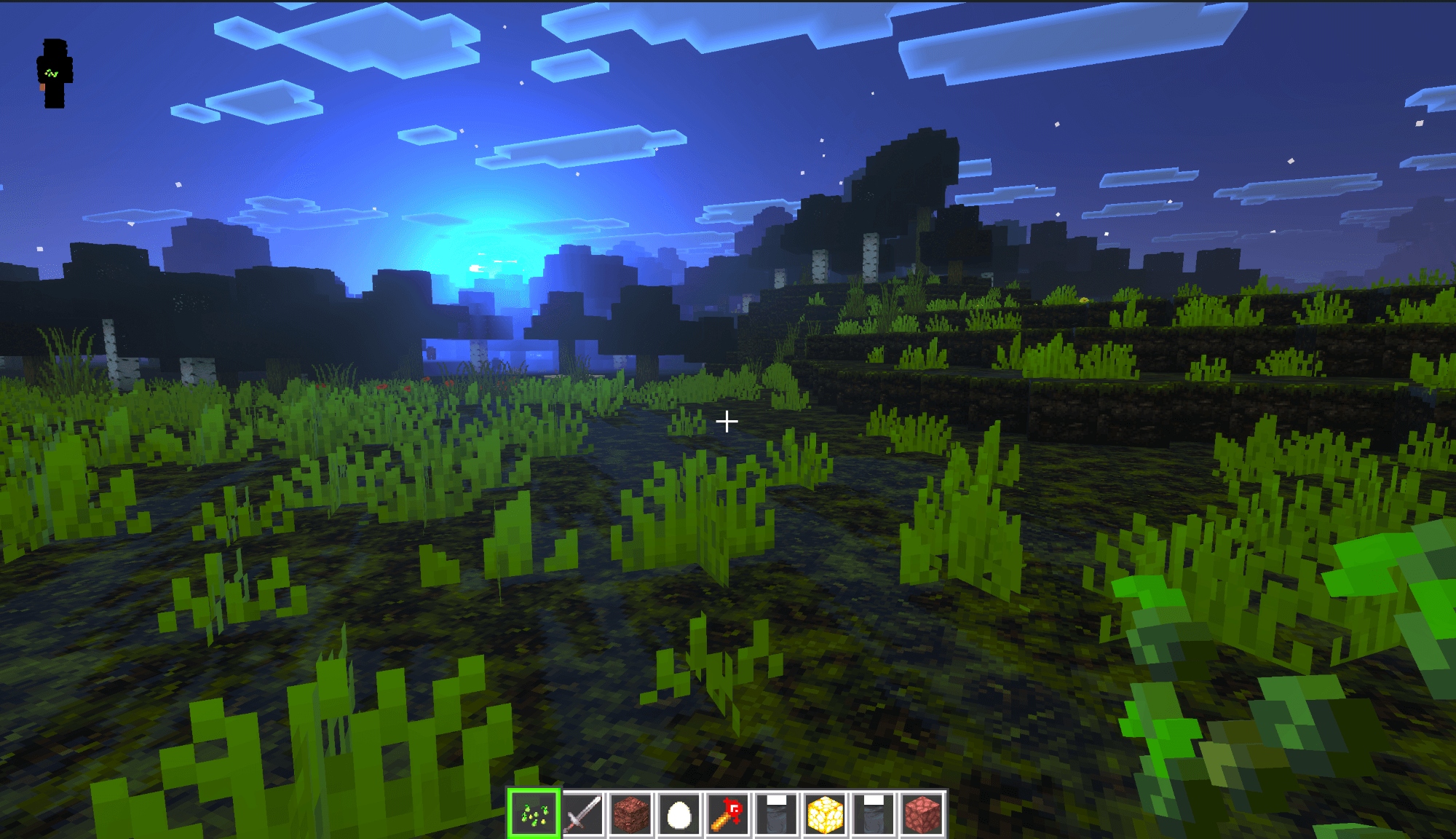
Grimveil is a Minecraft resource pack and datapack by TeamQC , Creators of Project Emberveil and Aeonis : Command Master that transforms your game into a horrifying, cursed experience. This pack is intentionally designed to look and feel unsettling, making it perfect for those who enjoy a spooky and chaotic aesthetic. Built on the foundation of the legendary Faithful resource pack, Grimveil takes a drastically different direction—embracing horror, chaos, and pure visual nightmare fuel.
📜 The Complete History of the Faithful Resource Pack
The Beginning: Vattic's Vision (2010-2011)
The Faithful resource pack was created by a Minecraft player known as Vattic in the early days of Minecraft, around 2010-2011. At a time when most texture packs were either low-quality or completely redesigned Minecraft's aesthetic, Vattic had a simple yet revolutionary idea: create a higher resolution texture pack (32x32) that stayed faithful to the original 16x16 vanilla Minecraft textures.
Vattic's approach was to upscale and enhance the original textures while maintaining the same color palette, style, and feel. This meant players could enjoy crisper, cleaner textures without losing the iconic Minecraft look they loved. The pack quickly gained popularity and became one of the most downloaded texture packs in Minecraft history.
The Golden Era (2012-2015)
Faithful became the gold standard for "vanilla-style" texture packs. It was featured on countless YouTube channels, Minecraft servers, and community forums. The pack was praised for its:
- Consistency: Every texture matched the vanilla style perfectly.
- Quality: The 32x32 resolution offered a noticeable improvement without being too demanding on hardware.
- Accessibility: It was free and easy to install.
- Regular Updates: Vattic kept the pack updated with each new Minecraft version.
During this period, Faithful was hosted on the Minecraft Forums, which was the central hub for all Minecraft community content at the time. The download thread accumulated millions of views and became one of the most popular resource pack threads on the entire forum.
Vattic's Departure (2016)
Around 2016, Vattic stepped away from actively maintaining the Faithful pack. The reasons were never fully disclosed publicly, but like many content creators, burnout and real-life commitments likely played a role. This left a significant void in the community, as Minecraft continued to receive major updates with new blocks, items, biomes, and features that all needed textures.
For a period, Faithful was essentially abandoned, with no official updates for new Minecraft versions. The community was concerned that one of their favorite resource packs would fade into obscurity.
The Community Revival (2017-Present)
After Vattic's departure, the Minecraft community rallied to keep Faithful alive. A group of dedicated texture artists formed the Faithful Team and took over the project with the goal of continuing Vattic's legacy. They:
- Continued updating the pack with each new Minecraft version
- Maintained Vattic's original vision and style guidelines
- Established official channels for distribution and community engagement
- Created a professional organizational structure
The Faithful Website (faithful.team)
The Faithful Team established an official website at faithful.team which became the central hub for:
- Downloads: All official Faithful packs and variants
- News: Updates about new releases and Minecraft version support
- Community: Information about contributing and joining the team
- Add-ons: Official and community-approved additions to Faithful
The Faithful Logo and Branding
The Faithful Team developed professional branding for the project:
- The Logo: Features a stylized creeper face rendered in the Faithful 32x32 style, instantly recognizable to the community
- Color Scheme: Green tones that match Minecraft's iconic creeper and grass colors
- Typography: Clean, modern fonts that reflect the pack's philosophy of enhancement without deviation
Faithful Variants and Spin-offs
Over the years, several official variants have been created:
- Faithful 32x: The original and most popular version
- Faithful 64x: A higher resolution version for players with powerful hardware
- Classic Faithful: Preserving Vattic's exact original textures for nostalgia
- Faithful Tweaks: Minor modifications while maintaining the core style
- Faithful Add-ons: Texture packs for popular mods in the Faithful style
Faithful's Impact on the Community
Faithful has had a lasting impact on the Minecraft resource pack community:
- Established the "vanilla-enhanced" category of resource packs
- Inspired hundreds of derivative works and similar packs
- Set quality standards for community-driven projects
- Demonstrated how community stewardship can preserve beloved content
The Era of Early Minecraft YouTube (2010-2014)
During Minecraft's explosive growth period, YouTube content creators played an absolutely crucial role in the game's success. Channels like:
- AntVenom
- CaptainSparklez
- SkyDoesMinecraft
- Tobuscus
- The Yogscast
- PewDiePie (early Minecraft videos)
- SSundee
- BajanCanadian
These creators introduced millions of viewers to Minecraft and showcased various aspects of the game, including resource packs. A single video from a major creator could result in hundreds of thousands of downloads for a resource pack.
How YouTubers Popularized Resource Packs
Early Minecraft YouTubers frequently featured resource packs in their content:
- Visual Appeal: Higher resolution packs made videos look more professional
- Audience Requests: Viewers constantly asked what packs creators used
- Pack Reviews: Dedicated videos showcasing and reviewing texture packs
- Download Links: Including pack links in video descriptions drove massive traffic
AntVenom's Connection to Faithful
AntVenom, like many prominent Minecraft YouTubers of the era, used and featured various resource packs in his videos. While he wasn't directly involved in creating Faithful, his platform and content helped expose millions of viewers to quality resource packs. The YouTube ecosystem of the early 2010s was instrumental in making packs like Faithful household names in the Minecraft community.
AntVenom's videos exploring Minecraft's history have also helped document the evolution of the game's visual style and the resource pack community's growth over the years.
💀 What Makes Grimveil CURSED
The Cursed Philosophy
While Faithful aims for beauty and consistency, Grimveil embraces the opposite:
- Unsettling Textures: Blocks and items designed to make you uncomfortable
- Horror Aesthetic: Dark, gritty, and disturbing visuals throughout
- Spooky Messages: Datapack-driven advancements that display eerie messages during gameplay
- Intentional Chaos: Nothing looks "right," and that's the point
- Nightmare Fuel: Every texture has been twisted into something unsettling
Cursed Features Table
| Feature | Description |
|---|---|
| 🎃 Horror Textures | Every texture has been twisted into something unsettling |
| 👻 Spooky Messages | Random eerie messages appear as you play |
| 💀 Dark Atmosphere | The entire game feels like a nightmare |
| 🔥 Cursed Mobs | Mob textures that will haunt your dreams |
| ⚡ Disturbing GUI | Even the menus aren't safe from the curse |
| 🌙 Creepy Sounds | Audio that will make you look over your shoulder |
| 💀 Death Messages | Custom messages when things go wrong |
| 🎭 Twisted Items | Nothing is as it seems |
The Most Savage Truths About This Pack
- "This pack is so cursed, even Herobrine left the server."
- "Faithful? More like Faithless."
- "If you think this looks bad, wait until you see the Nether."
- "Grimveil: Where your nightmares come to life, and your dreams go to die."
- "This pack is so bad, even the Ender Dragon refuses to spawn."
- "We didn't make mistakes. We made 'artistic choices.'"
- "Every texture is a cry for help."
- "This is what happens when you let chaos take the wheel."
- "Warning: May cause spontaneous screaming."
- "Rated E for Everyone who wants nightmares."
- "Not responsible for any lost sleep or sanity."
- "Faithful would be disappointed. We're okay with that."
🛠️ Installation Guide
Resource Pack Installation
- Download the latest release from the Grimveil GitHub Repository.
- Open Minecraft and go to Options > Resource Packs.
- Click Open Pack Folder to open the resourcepacks directory.
- Place the
Grimveil.zipfile into the folder. - Return to Minecraft and enable Grimveil in the resource pack menu.
- Move it to the top for full effect.
- Prepare yourself mentally for what's to come.
Datapack Installation
- Open your Minecraft world save folder:
- Windows:
%appdata%\.minecraft\saves\[YourWorld]\datapacks - macOS:
~/Library/Application Support/minecraft/saves/[YourWorld]/datapacks - Linux:
~/.minecraft/saves/[YourWorld]/datapacks
- Windows:
- Place the
Grimveildatapack folder inside. - Load your world.
- Type
/reloadin chat if the datapack doesn't activate immediately. - Experience the horror with spooky advancement messages.
Compatibility
- Minecraft Version: 1.21.11 and above
- Pack Format: 57 (Resource Pack), 57 (Datapack)
- OptiFine: Compatible (for additional features)
- Sodium/Iris: Compatible
⚠️ Disclaimer
This pack is INTENTIONALLY designed to look awful and cursed.
If you enjoy a polished and clean aesthetic, this pack is absolutely NOT for you. Grimveil is a parody/horror resource pack meant for entertainment purposes and to provide a unique, unsettling Minecraft experience.
Play at your own risk. We are not responsible for:
- Lost sleep
- Nightmares
- Existential dread
- Questioning your life choices
- Screaming at your monitor
- Uninstalling Minecraft entirely
📄 License & Credits
Credits
- Base Pack: Faithful by Vattic and the Faithful Team
- Cursed Modifications: Grimveil Team
- Original Faithful Creator: Vattic
- Faithful Team: For keeping Faithful alive and well
License
This pack uses Faithful as a base. Many original Faithful textures may still be present. Please see the LICENSE.txt file for full licensing details and attribution requirements.
We fully acknowledge and respect the work of Vattic and the Faithful Team. Grimveil exists as a horror-themed derivative work, not a replacement for Faithful.
🔗 Links & Resources
| Resource | Link |
|---|---|
| 📦 Grimveil GitHub | github.com/TheCorrectSynovian/Grimveil |
| 🎨 Faithful Official | faithful.team |
| 🎮 Minecraft Official | minecraft.net |
| 📺 AntVenom YouTube | youtube.com/AntVenom |
-
1.
- Edition: Minecraft Bedrock
- File type: .mcpack
- Minecraft versions listed: 1.21.101, 1.21.100, 1.21.111
- How to install: Download the .mcpack. → Open it — Minecraft imports it under Resource Packs. → Activate it in Global Resources, or for one world under Resource Packs → Available.
- Where to get it: Opens on CurseForge — not every file is mirrored on our own servers.
Install steps are the general flow for this file type — How to install Minecraft Bedrock texture packs walks through it step by step.
- Pack type: .mcpack — a single pack
- Complete pack — everything it depends on is inside the file
- Download size: 26.3 MB
- Download link checked 6 Oct 2026 — working
These come from our own check of the pack file, not from the source page.