
Pause Marketplace and Settings Swapper
Bedrock texture pack listed for Minecraft 1.19–1.21. File opened and checked on 22 Sep 2026; installs from the MC Bedrock Mods app on Android.
⬇ Download on CurseForgePer the public outcry of many, this tiny texture pack steps in to restore the original pause menu style by swapping the “Browse Addons!” tab in the new pause screen with the original Settings button and vice versa. In addition, it includes a custom icon for the smaller Marketplace button, just to round things out and keep the interface looking clean. It’s a small tweak, but one that brings back a familiar feel without demanding anything more than a quick install.
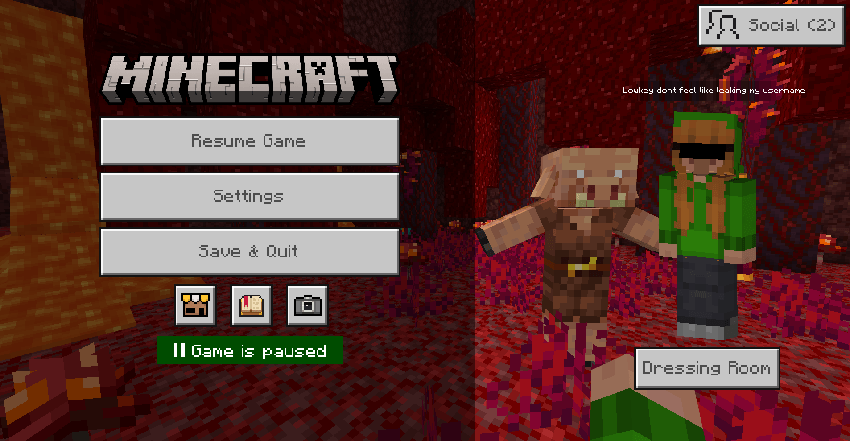
You can also completely remove the marketplace icon under the settings wheel found when applying the pack
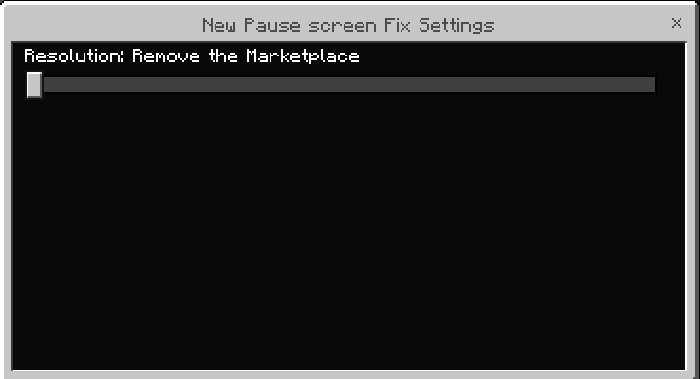
- Edition: Minecraft Bedrock
- File type: .mcpack
- Minecraft versions listed: 1.21.120, 1.21.122, 1.21.121
- How to install: Download the .mcpack. → Open it — Minecraft imports it under Resource Packs. → Activate it in Global Resources, or for one world under Resource Packs → Available.
- Where to get it: Opens on CurseForge — not every file is mirrored on our own servers.
Install steps are the general flow for this file type — How to install Minecraft Bedrock texture packs walks through it step by step.
- Pack type: .mcpack — a single pack
- Manifest requires Minecraft 1.19.50 or newer
- Complete pack — everything it depends on is inside the file
- Download size: 21 KB
- Download link checked 5 Oct 2026 — working
These come from our own check of the pack file, not from the source page.