
Map writing assistance Texture
Bedrock texture pack listed for Minecraft 1.21. File opened and checked on 29 Sep 2026; installs from the MC Bedrock Mods app on Android.
This is a resource pack that makes the map easier to read and makes it easier to find areas you've forgotten to fill in.
⬇ Download on CurseForge
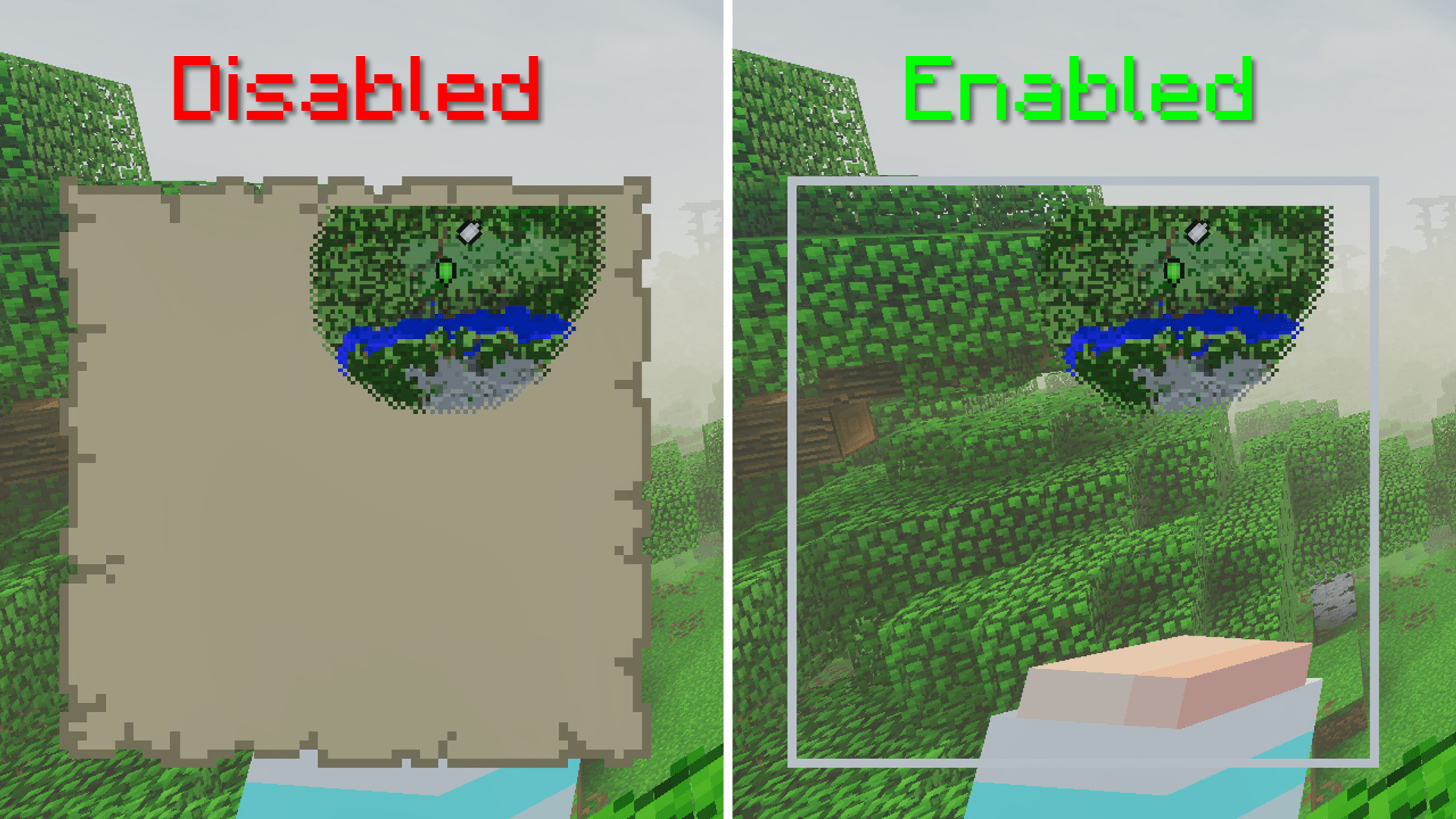
Have you ever been frustrated by not getting the "Map Room" achievement? (I have.) Or have you ever felt nauseous just thinking about the possibility of a single pixel being dead? (Unfortunately, I haven't experienced this yet(?)) This resource pack changes the texture of the map you hold, making it easier to see.
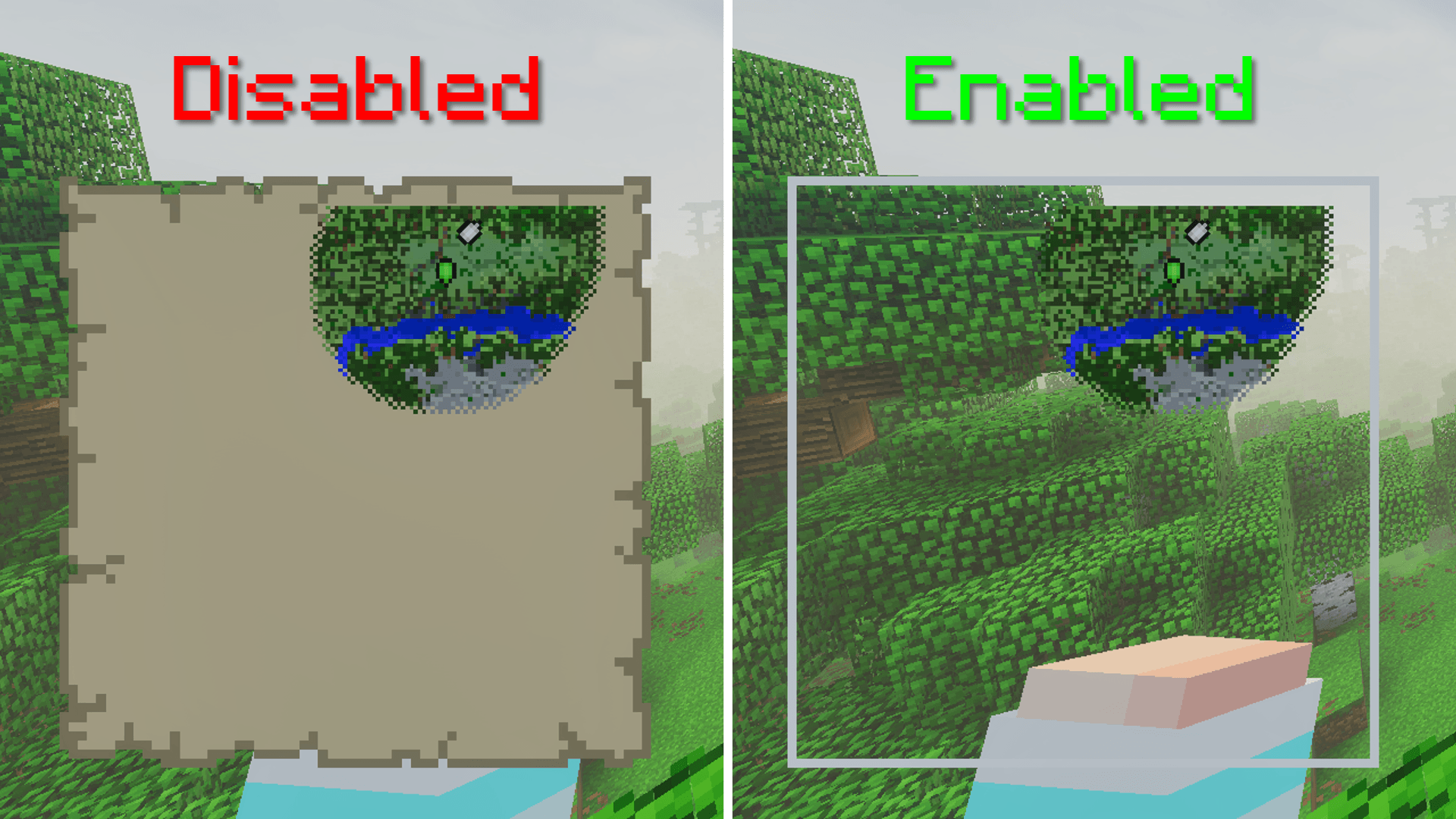
It also changes the magma block texture to make it easier to spot missing pixels in the map when placed in an item frame. We recommend installing a resource pack that hides item frames (e.g., "PandaMine's Invisible Item Frames").
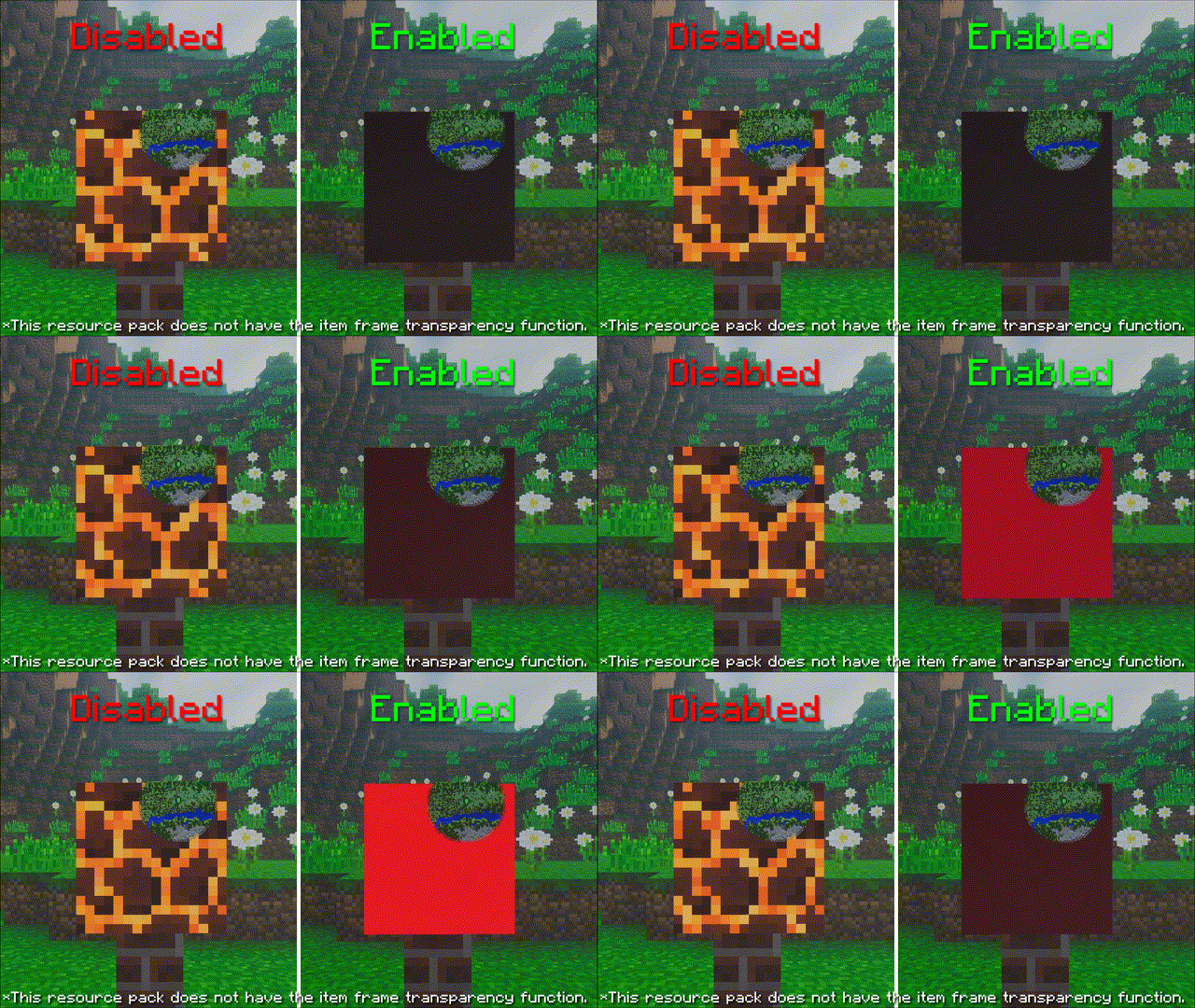
Bonus:
*Since we use Google Translate, there may be some mistranslations in the description.
- Edition: Minecraft Bedrock
- File type: .mcpack
- Minecraft versions listed: 1.21.30, 1.21.50, 1.21.81
- How to install: Download the .mcpack. → Open it — Minecraft imports it under Resource Packs. → Activate it in Global Resources, or for one world under Resource Packs → Available.
- Where to get it: Opens on CurseForge — not every file is mirrored on our own servers.
Install steps are the general flow for this file type — How to install Minecraft Bedrock texture packs walks through it step by step.
- Save it as Map writing assistance - Full.mcaddon before opening — it downloads as .mcpack, but it is a .mcaddon pack
- Complete pack — everything it depends on is inside the file
- Download size: 4 KB
- Download link checked 6 Oct 2026 — working
These come from our own check of the pack file, not from the source page.