Hidden Bedrock
Bedrock texture pack listed for Minecraft 1.21. File opened and checked on 28 Sep 2026; installs from the MC Bedrock Mods app on Android.
Retextures Bedrock to Deepslate. Really useful when playing on a server and you don't want a base to get leaked. Subpacks: Rename Bedrock to Deepslate /…
⬇ Download on CurseForge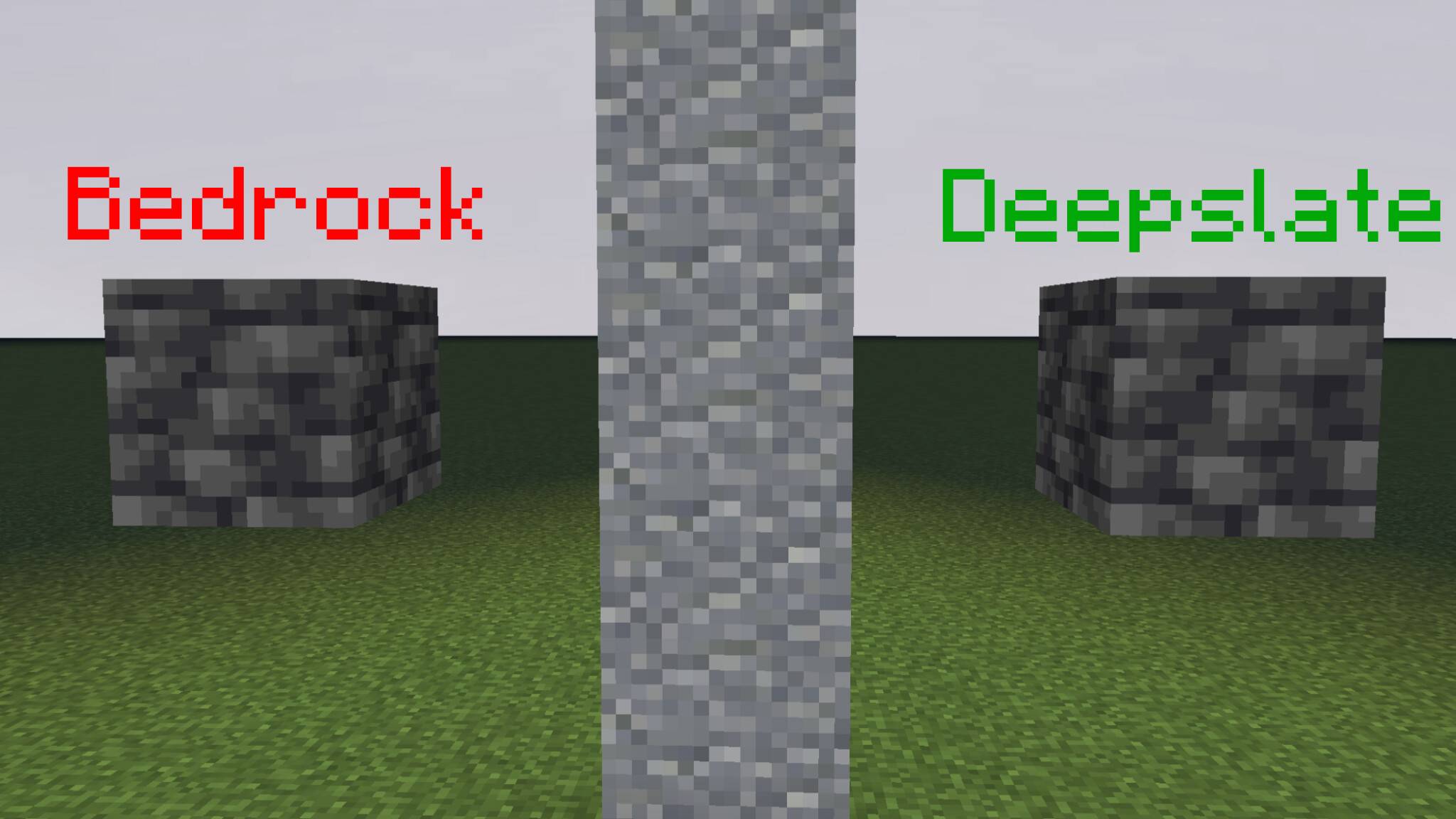
I play on a lot of servers. If you're looking at this, you probably do too. Survival servers are fun, usually you make a base, and you don't want it to get found. One of the most popular ways for a base to get found is by leaking bedrock. Somehow, with hacks (or VERY good math) players can calculate your base coordinates and raid it, blow everything up, stuff you don't want to happen. This pack hides bedrock on your side of the screen, so if you're a streamer or someone with other people around, use this pack. It retextures bedrock to deepslate, and it has texture pack support. its compatible with every texture pack. (ps: i forgot to rename the pack so the name is "Vanilla Resource Pack" sorry)
Subpacks include:
Renaming the Bedrock Block to Deepslate (useful for "What Am I looking At?" mod users)
No renaming of the bedrock block.
- Edition: Minecraft Bedrock
- File type: .mcpack
- Minecraft versions listed: 1.21.130, 1.21.131, 1.21.132
- How to install: Download the .mcpack. → Open it — Minecraft imports it under Resource Packs. → Activate it in Global Resources, or for one world under Resource Packs → Available.
- Where to get it: Opens on CurseForge — not every file is mirrored on our own servers.
Install steps are the general flow for this file type — How to install Minecraft Bedrock texture packs walks through it step by step.
- Pack type: .mcpack — a single pack
- Manifest requires Minecraft 1.21.100 or newer
- Complete pack — everything it depends on is inside the file
- Download size: 70 KB
- Download link checked 6 Oct 2026 — working
These come from our own check of the pack file, not from the source page.