Cartography Guide
Bedrock texture pack listed for Minecraft 1.13–26.x. File opened and checked on 9 Oct 2026; installs from the MC Bedrock Mods app on Android.
Cartography Guide integrates all map recipes directly into the cartography table UI for quick, in-game access without breaking the vanilla experience.
⬇ Download on CurseForge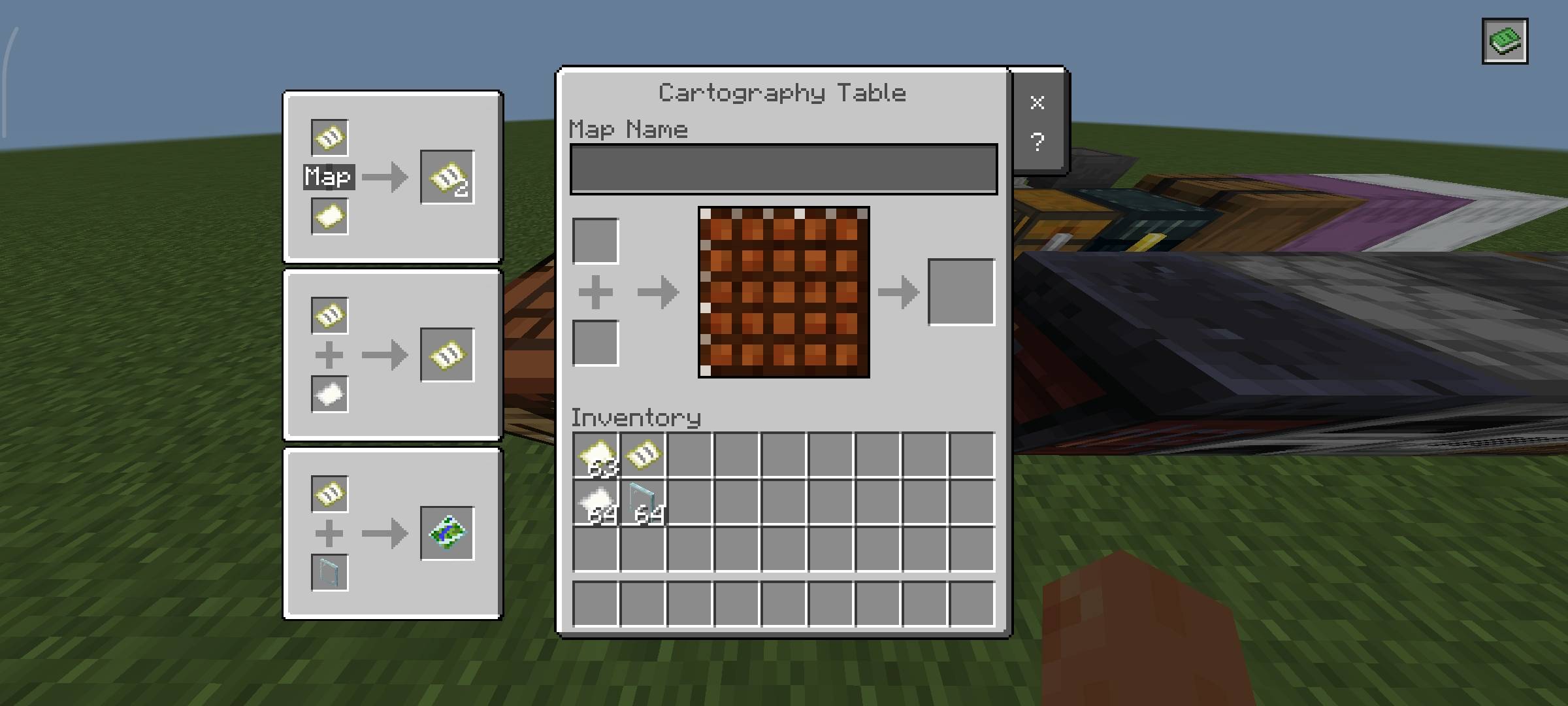
Overview
Tired of switching tabs just to remember how maps work?
Cartography Guide brings all essential map recipes directly into the cartography table interface—cleanly integrated, fast to access, and fully aligned with the vanilla UI style, so it feels like a natural extension of the game.
It’s designed to remove friction from navigation and map management without breaking immersion.
What it Adds
- Recipe Book Integration (Top-Right Button)
A compact recipe book button is added to the top-right of the cartography table screen.
Clicking it instantly reveals all available map recipes—no external lookups needed.
Minimal, consistent, and visually in line with vanilla UI components.
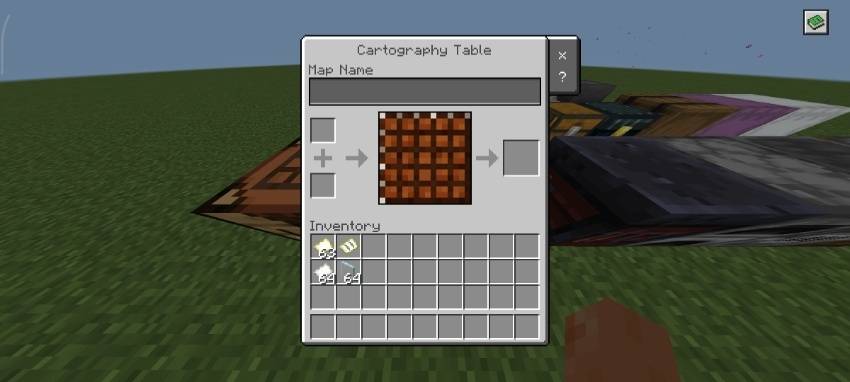
Map Recipe Guide
A focused reference covering all core cartography operations:
- Displays all 3 map-related recipes
- Presented in a clean, structured layout
- Designed for quick recognition and usage during gameplay
UI Layout
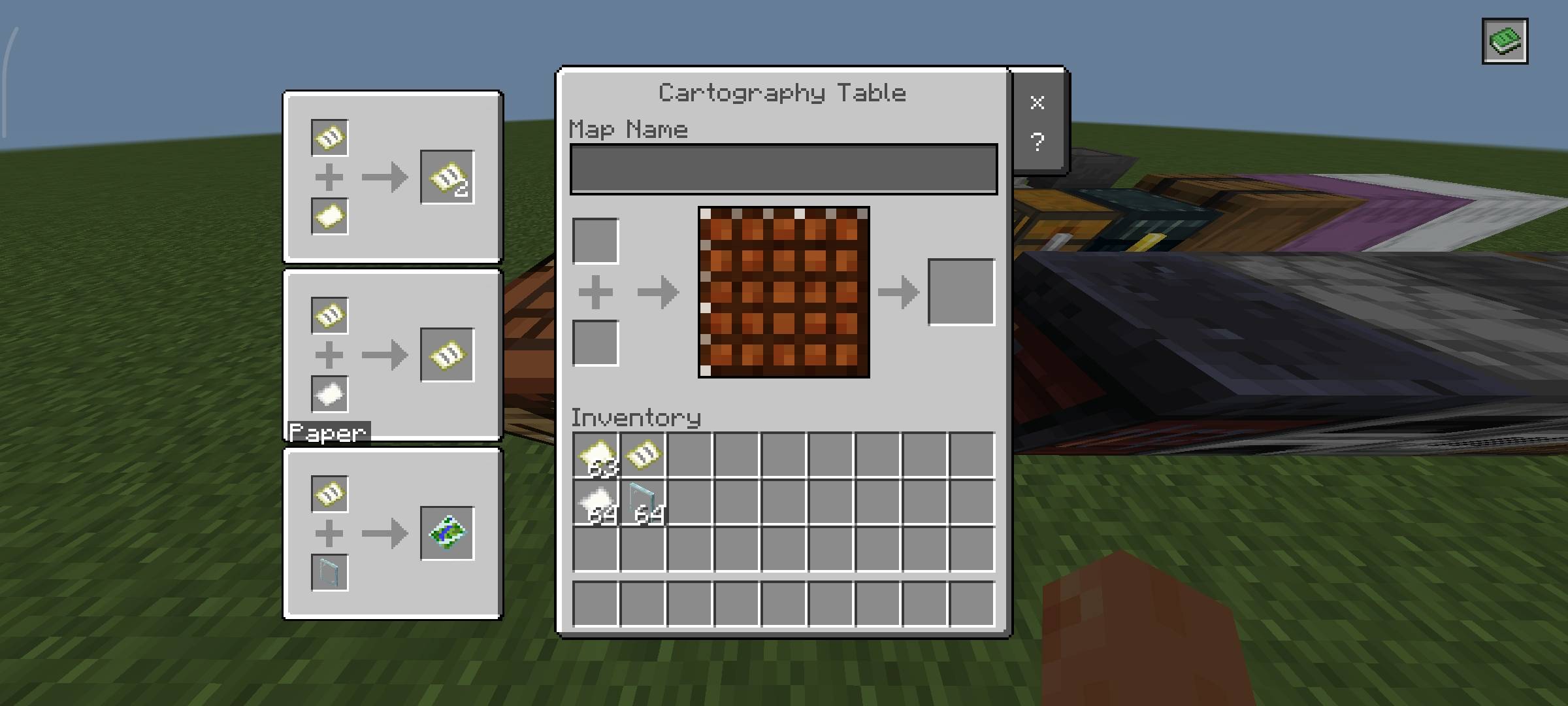
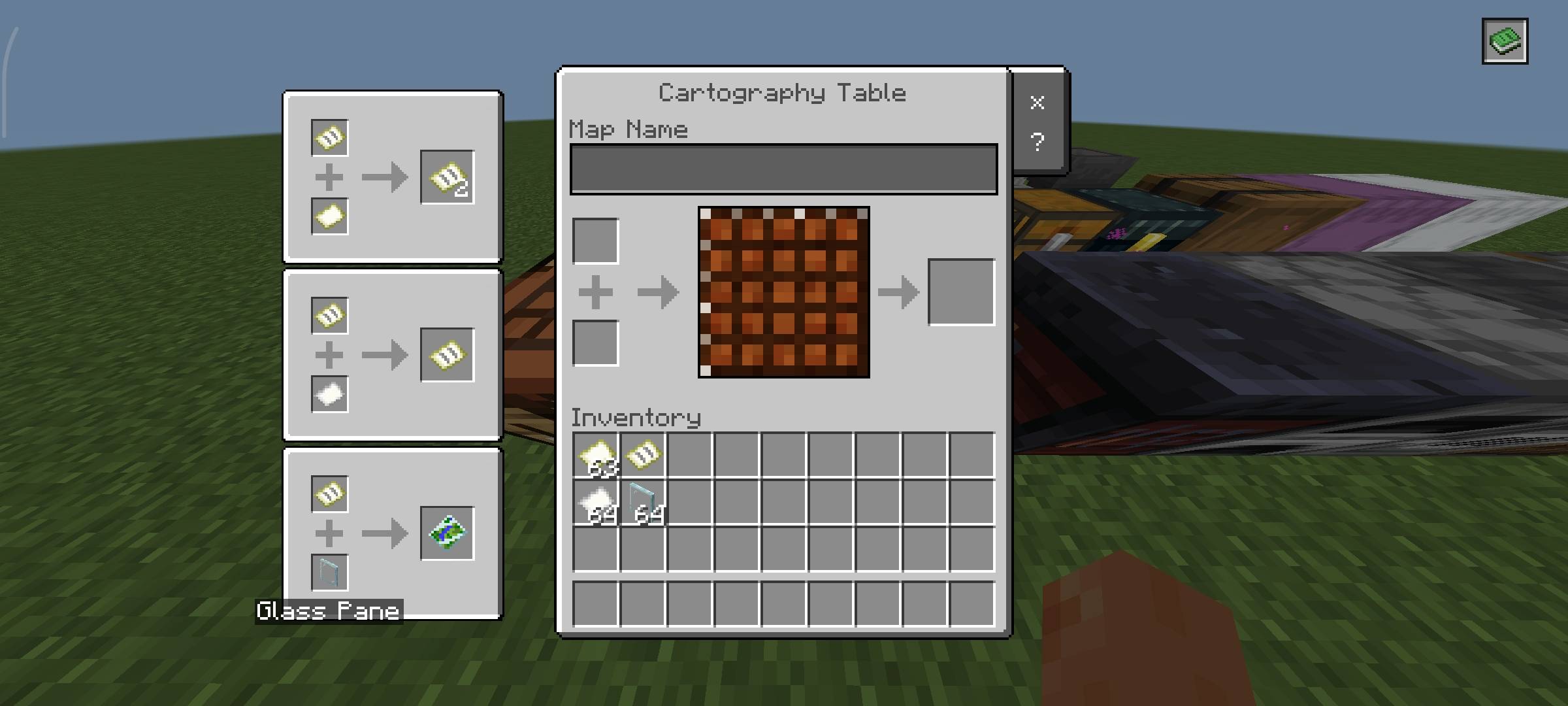
- All map recipes appear on the left side of the screen
- Each recipe is clearly separated for readability
- Panels are styled to match vanilla interface design
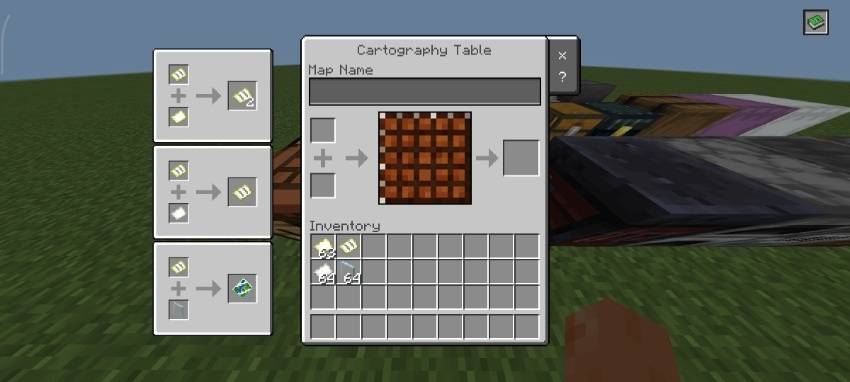
Ingredient Hover System
Built for clarity and usability:
- Hover over any ingredient to view its name
- Eliminates guesswork, especially for less-used components
- Matches native tooltip behavior for consistency
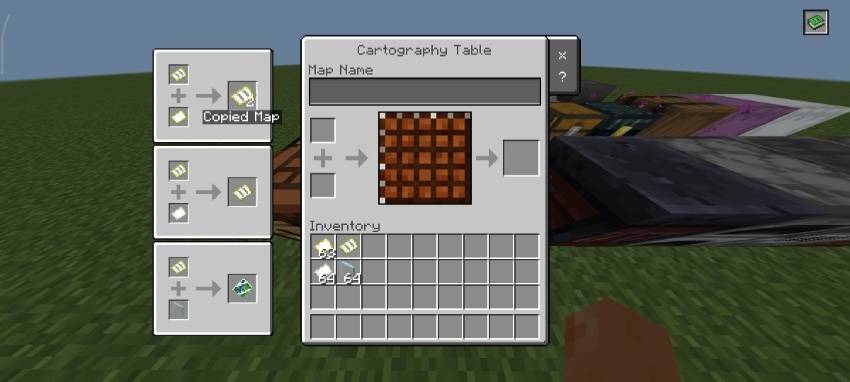
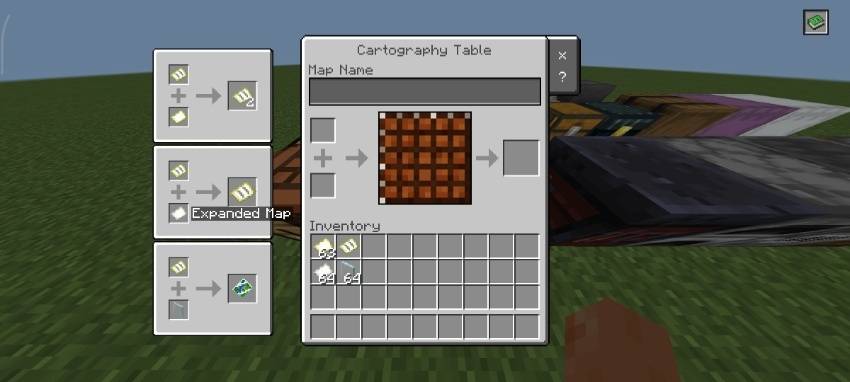
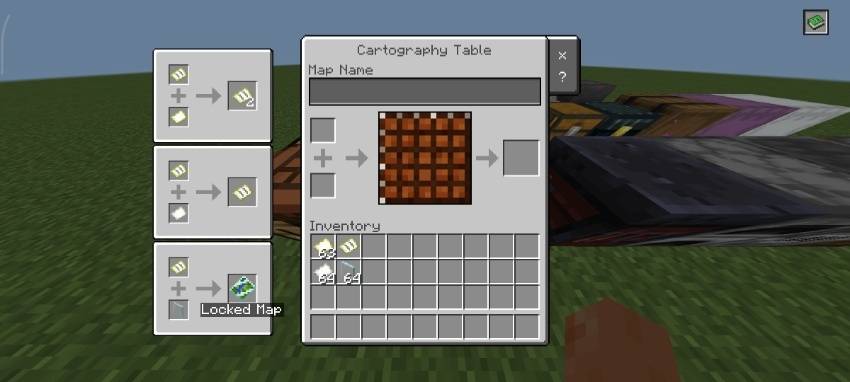
Clean, Vanilla-Consistent Layout
- The interface is designed to feel like it was always part of the game:
- Matches vanilla UI styling, spacing, and hierarchy
- Clear separation between recipes and interaction space
- No unnecessary elements—only essential information
- Familiar interaction patterns for fast navigation
Why Use This Pack?
- No more memorizing map recipes
- No need to leave the game for basic cartography info
- Faster navigation and map workflow efficiency
- Maintains full vanilla aesthetic and immersion
- Ideal for exploration-focused survival gameplay
What You Can Do
- Modify the pack for personal use only
- Study, analyze, and learn from the pack’s files, structure, and design techniques
- Use the pack in personal gameplay, videos, or content creation with proper credit to the creator
- Share the official CurseForge download link when recommending or showcasing the pack
What You Cannot Do
- Share or promote any download link other than the official CurseForge link
- Redistribute the original/modified pack in any form (reuploads, mirrors, bundled packs, etc.)
- Claim the pack, its assets, or any part of it as your own work
- Use the pack or its assets in projects intended for distribution without explicit permission
Compatibility
- Designed for Minecraft Bedrock Edition
- Resource pack only — no behavior pack required
Built for players who want instant access to essential cartography recipes without interrupting gameplay flow.
- Edition: Minecraft Bedrock
- File type: .mcpack
- Minecraft versions listed: 1.18, 1.19, 1.20
- How to install: Download the .mcpack. → Open it — Minecraft imports it under Resource Packs. → Activate it in Global Resources, or for one world under Resource Packs → Available.
- Where to get it: Opens on CurseForge — not every file is mirrored on our own servers.
Install steps are the general flow for this file type — How to install Minecraft Bedrock texture packs walks through it step by step.
- Save it as Cartography Guide.mcaddon before opening — it downloads as .mcpack, but it is a .mcaddon pack
- Manifest requires Minecraft 1.13.0 or newer
- Complete pack — everything it depends on is inside the file
- Download size: 18 KB
- Download link checked 11 Oct 2026 — working
These come from our own check of the pack file, not from the source page.