Brighter Nether
Transform your Nether into a brighter, more vibrant dimension! Brighter Nether enhances visibility, boosts colors, and makes the Nether feel alive without…
⬇ Download on CurseForge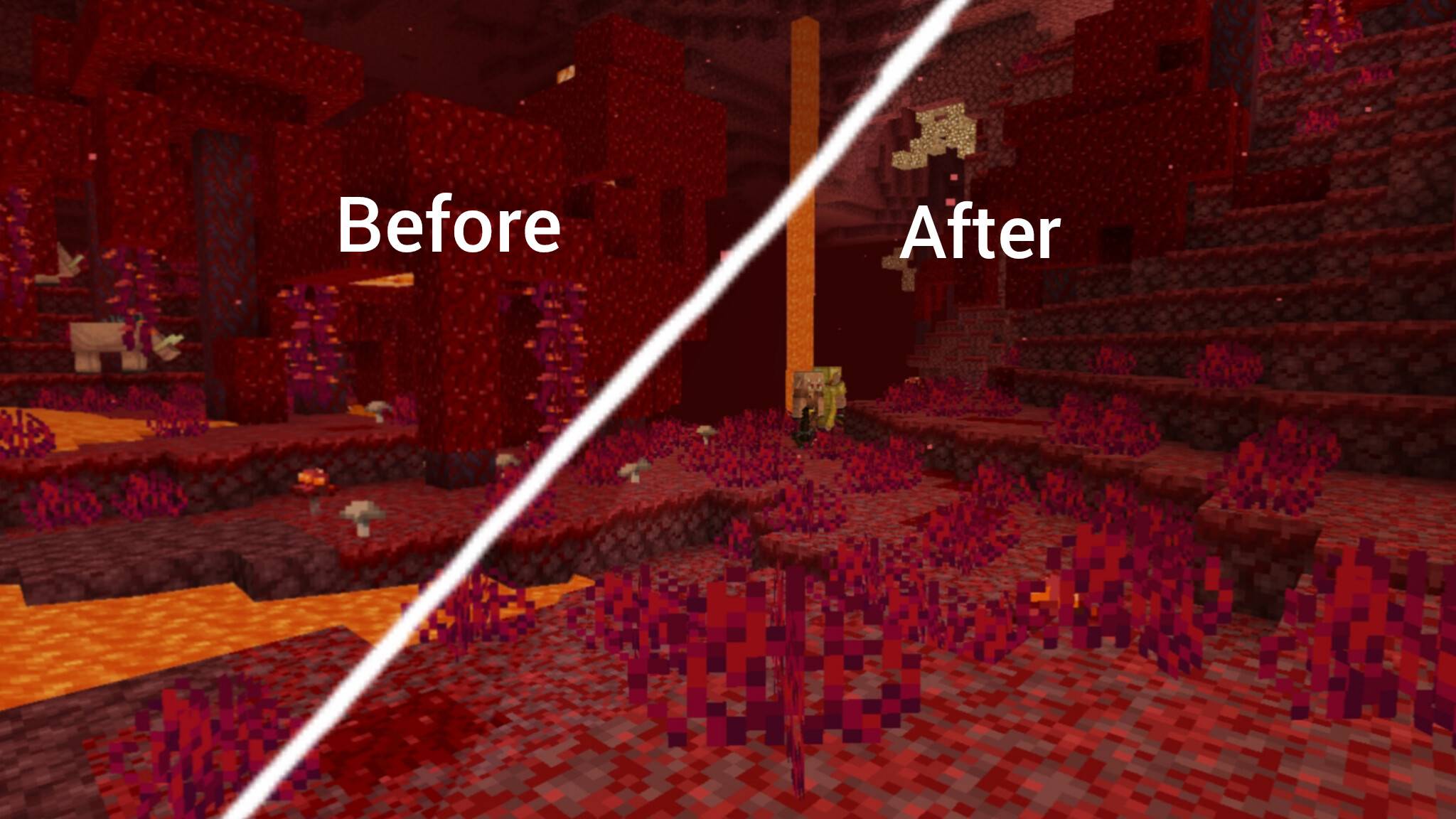
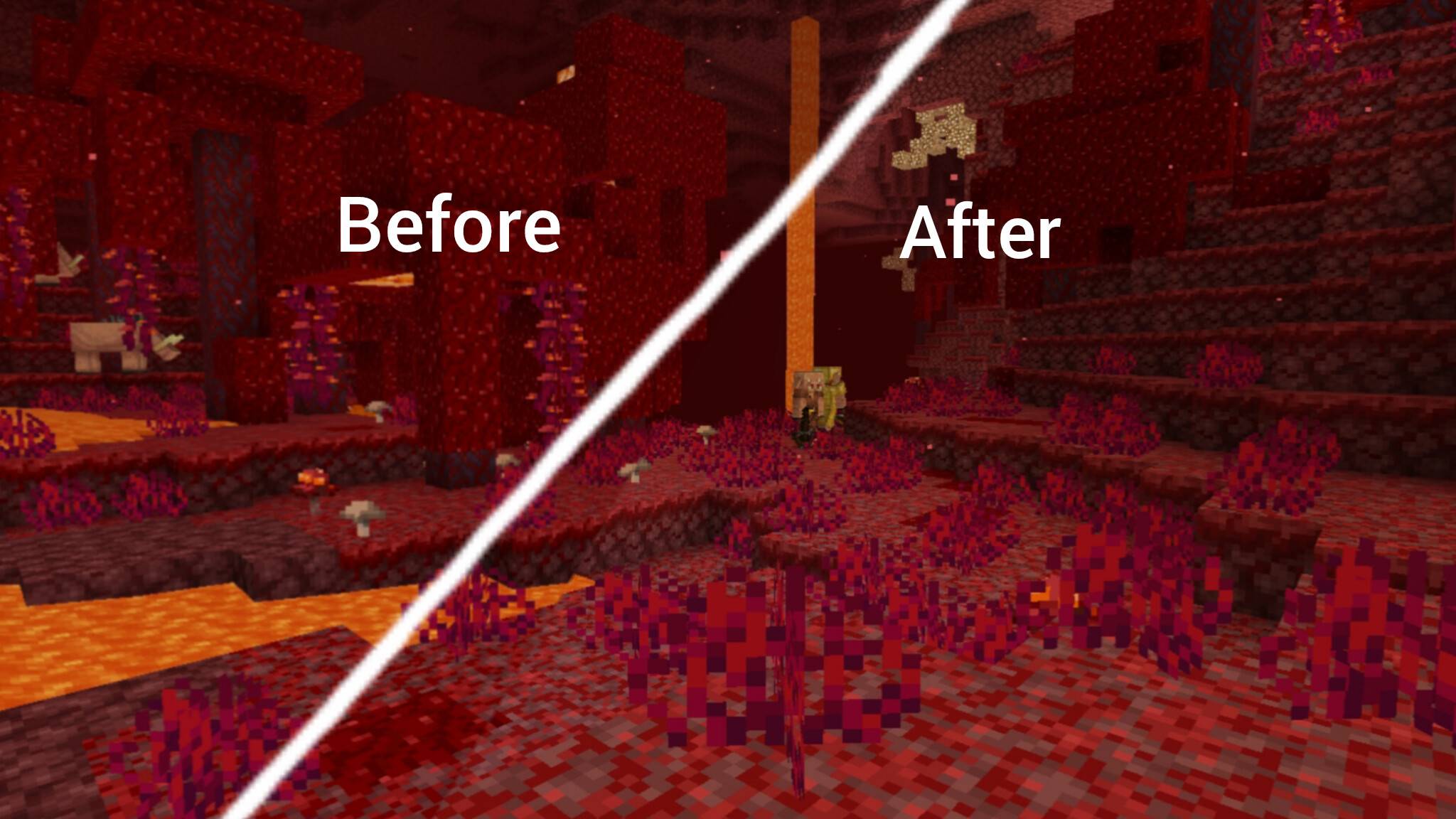
Brighter Nether is a visual enhancement texture pack designed to make the Nether easier to explore and more visually appealing.
The default Nether can feel too dark, dull, and hard to navigate. This pack fixes that by increasing brightness, enhancing colors, and improving overall clarity—while still keeping the original Minecraft atmosphere intact.
✨ Features:
🔥 Brighter lava and glow effects
🌋 Enhanced Nether terrain visibility
🎨 More vibrant reds, oranges, and ambient tones
👀 Easier exploration in dark areas
⚡ Maintains vanilla feel (no heavy changes)
🆚 Before vs After:
Before: Dark, hard-to-see environment, dull colors
After: Bright, colorful, and much clearer Nether
🎮 Perfect For:
Survival players exploring Nether
Speedrunners needing better visibility
Players who want a cleaner and brighter look
⚙️ Compatibility:
Works on Minecraft Bedrock Edition
No lag impact (optimized textures)
- Edition: Minecraft Bedrock
- File type: .mcpack
- Minecraft versions listed: 26.0.02, 26.0, 26.3
- How to install: Download the .mcpack. → Open it — Minecraft imports it under Resource Packs. → Activate it in Global Resources, or for one world under Resource Packs → Available.
- Where to get it: Opens on CurseForge — not every file is mirrored on our own servers.
Install steps are the general flow for this file type — How to install Minecraft Bedrock texture packs walks through it step by step.
- Save it as Brighter Nether.mcaddon before opening — it downloads as .mcpack, but it is a .mcaddon pack
- Manifest requires Minecraft 1.21.100 or newer
- Complete pack — everything it depends on is inside the file
- Download size: 93 KB
- Download link checked 16 Sept 2026 — working
These come from our own check of the pack file, not from the source page.