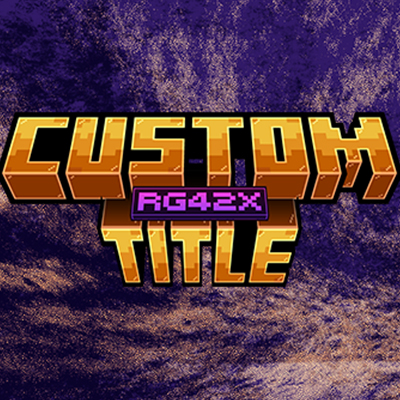
Custom Title by: RG42X
Bedrock texture pack listed for Minecraft 1.16–1.20. File opened and checked on 2 Oct 2026; installs from the MC Bedrock Mods app on Android.
⬇ Download on CurseForge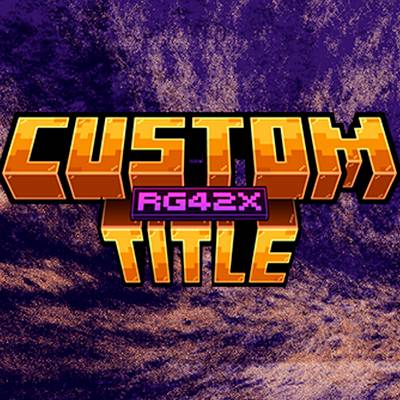

🔷 Custom Title – Bedrock Texture Pack
🎨 Give your Minecraft its own identity from the very start Custom Title is a texture pack that replaces the original Minecraft logo with a custom title, ideal for those who want a unique and professional style. Perfect for Minecraft series, servers, and content creators who want to stand out from the main menu.
✨ Features
🔁 Replaces the original Minecraft logo with a custom title
🎨 Clean and professional design
🎥 Ideal for Minecraft series and gameplays
🌐 Perfect for servers with their own identity
⚡ Lightweight, without affecting performance
📱 Compatible with Minecraft Bedrock
🧩 Works as a Texture Pack / Resource Pack
📦 Compatibility
✔ Minecraft Bedrock Edition ✔ Compatible with most current versions ✔ Works on Windows 10/11, Android, and Consoles (depending on version)
Installation
-
Download the file from CurseForge
-
Open the file (.mcaddon)
-
Minecraft will open automatically
-
Go to Settings → Global Resources
-
Activate Custom Title 🚀
🖼️ Change the logo (Very easy)
-
You can use your own logo without the need for complicated software:
-
Download Custom Title
-
Right-click the .mcaddon file
-
Open it with WinRAR
-
Find the default logo
-
Replace it with your own logo (Use the same name and format)
-
Save the changes
-
Open the .mcaddon file normally and activate it in Minecraft
¡Done! Your logo will appear in the main menu 🔥
(you can watch the video on my channel)
❤️ Credits
Created by RockGame42 If you like Custom Title, leave a ⭐ and a comment on CurseForge That helps a lot to keep creating more content!
ESPAÑOL
🔷 Custom Title – Bedrock Texture Pack
🎨 Dale identidad a tu Minecraft desde el inicio Custom Title es un texture pack que reemplaza el logo original de Minecraft por un título personalizado, ideal para quienes quieren un estilo único y profesional.
Perfecto para series de Minecraft, servidores y creadores de contenido que buscan destacar desde el menú principal.
✨ Características
🔁 Cambia el logo original de Minecraft por un título personalizado
🎨 Diseño limpio y profesional
🎥 Ideal para series de Minecraft y gameplays
🌐 Perfecto para servidores con identidad propia
⚡ Ligero, sin afectar el rendimiento
📱 Compatible con Minecraft Bedrock
🧩 Funciona como Texture Pack / Resource Pack
📦 Compatibilidad
✔ Minecraft Bedrock Edition
✔ Compatible con la mayoría de versiones actuales
✔ Funciona en Windows 10/11, Android y Consolas (según versión)
Instalación
-
Descarga el archivo desde CurseForge
-
Abre el archivo (.mcaddon)
-
Minecraft se abrirá automáticamente
-
Ve a Ajustes → Recursos globales
-
Activa Custom Title 🚀
🖼️ Cambiar el logo (Muy fácil)
Puedes usar tu propio logo sin necesidad de programas complicados:
-
Descarga Custom Title
-
Haz clic derecho sobre el archivo .mcaddon
-
Ábrelo con WinRAR
-
Busca el logo que viene por defecto
-
Reemplázalo por tu propio logo (Usa el mismo nombre y formato)
-
Guarda los cambios
-
Abre el archivo .mcaddon normalmente y actívalo en Minecraft
¡Listo! Tu logo aparecerá en el menú principal 🔥
(puedes ver el video en mi canal)
❤️ Créditos
Creado por RockGame42 Si te gusta Custom Title, deja un ⭐ y un comentario en CurseForge ¡Eso ayuda muchísimo a seguir creando contenido!
- Edition: Minecraft Bedrock
- File type: .mcpack
- Minecraft version listed: 1.20
- How to install: Download the .mcpack. → Open it — Minecraft imports it under Resource Packs. → Activate it in Global Resources, or for one world under Resource Packs → Available.
- Where to get it: Opens on CurseForge — not every file is mirrored on our own servers.
Install steps are the general flow for this file type — How to install Minecraft Bedrock texture packs walks through it step by step.
- Pack type: .mcpack — a single pack
- Manifest requires Minecraft 1.16.220 or newer
- Complete pack — everything it depends on is inside the file
- Download size: 572 KB
- Download link checked 6 Oct 2026 — working
These come from our own check of the pack file, not from the source page.