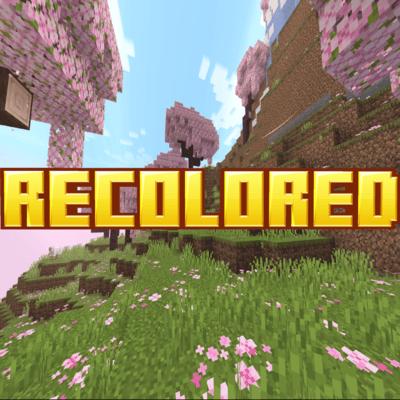

Recolored revamps Minecraft's colormaps, that in a sense it feels more alive and new, while still sticking to that vanilla feel many love!
Recolored changes many biomes colors such as Birch, Flower Forests, Savannahs and, so much more!...
Images:

Cherry Blossom

Flower Forest

Taiga

Jungle

Savannah

Swampland
NOTE: The custom skyboxes and visual effects are assests from Realistic Biomes, by Oreville Studios. All rights belong to Oreville Studios, all assests FROM Oreville Studios in the screenshot will NOT be included in the texture pack
Comparison

BIRCH

Savannah

Swamp

Mangrove Swamp
VIBRANT VISUALS!


Soon to be Added!
- Refreshed water colors
- Matched & Particles
- New Fog colors
- and many more to come!...
- Edition: Minecraft Bedrock
- File type: .mcpack
- Minecraft versions listed: 1.21.120, 1.21.122, 1.21.121
- How to install: Download the .mcpack. → Open it — Minecraft imports it under Resource Packs. → Activate it in Global Resources, or for one world under Resource Packs → Available.
- Where to get it: Opens on CurseForge — not every file is mirrored on our own servers.
Install steps are the general flow for this file type — How to install Minecraft Bedrock texture packs walks through it step by step.
- Save it as Recolored.mcaddon before opening — it downloads as .mcpack, but it is a .mcaddon pack
- Manifest requires Minecraft 1.20.0 or newer
- Complete pack — everything it depends on is inside the file
- Download size: 2.5 MB
- Download link checked 25 Aug 2026 — working
These come from our own check of the pack file, not from the source page.