Vision Shaders
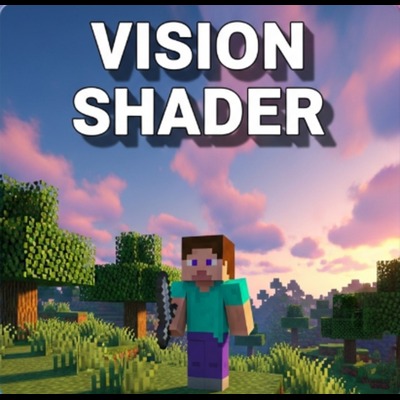
It is a pack icon for a Vision Shader in Minecraft Bedrock Edition, featuring enhanced graphics, lighting, and textures with a vibrant, colorful sky and a…
⬇ Download on CurseForge

Vision Shader
This pack icon for the Vision Shader in Minecraft Bedrock Edition is a meticulously crafted visual narrative, designed to immediately convey the profound graphical transformation your game will undergo. It's more than just an image; it's a promise of an unparalleled visual journey within the blocky world of Minecraft.
At its heart, the icon presents a solitary Minecraft character, standing poised within what appears to be a lush, verdant forest. This character serves as an anchor, subtly inviting the viewer to imagine themselves stepping into this newly enhanced environment. The surrounding foliage isn't just a generic mass of green; it's rendered with an exquisite level of detail, showcasing the shader's ability to introduce richer textures and more defined individual leaves and plant structures. The play of light and shadow on the trees and ground is immediately apparent, demonstrating the shader's advanced lighting engine that casts soft, realistic shadows and illuminates the scene with a dynamic, almost tangible glow, far beyond the vanilla game's capabilities.
The most captivating element, however, is the skybox, a masterpiece of atmospheric rendering. It's not merely a background; it's a vibrant, living canvas that dramatically elevates the scene. The sky transitions seamlessly through a spectrum of vivid colors, beginning with deep, twilight blues at the top, flowing into warm, inviting pinks, and finally erupting into fiery oranges and soft yellows near the horizon. This breathtaking gradient perfectly captures the essence of a dramatic sunset, imbuing the entire scene with a sense of wonder and warmth. The clouds, subtly visible, are volumetric and realistic, suggesting a depth and realism that the shader brings to atmospheric effects.
The overall aesthetic of the icon strongly suggests a high-quality texture pack, even before you delve into the shader's full capabilities. Every pixel hints at custom textures and sophisticated lighting effects that are hallmarks of a premium visual overhaul. This isn't just a slight tweak; it's a complete reimagining of Minecraft's visual fidelity. The "Vision Shader" text itself is elegantly integrated, standing out in clear, bold white letters with a soft, complementary shadow that contrasts beautifully with the dynamic gradient of the sky, ensuring immediate recognition and a professional presentation.
Crucially, this particular iteration of the Vision Shader icon subtly communicates its heritage and evolution. This is a better remake of the well-regarded Complimentary Vanilla shader, and its enhanced vibrancy is a direct response to valuable feedback from the community. As per viewers' requests, we've intentionally pushed the saturation and luminance, making the colors pop with an unprecedented intensity, truly bringing the world to life with an added layer of visual richness that was meticulously designed to exceed expectations. It's a testament to continuous improvement and a dedication to delivering the most visually stunning Minecraft experience possible.
for any enquiry or feedback, contact me on discord: lananatala
- Edition: Minecraft Bedrock
- File type: .mcpack
- Minecraft versions listed: 1.21.81, 1.21.73, 1.21.82
- How to install: Download the .mcpack. → Open it — Minecraft imports it under Resource Packs. → Activate it in Global Resources, or for one world under Resource Packs → Available.
- Where to get it: Opens on CurseForge — not every file is mirrored on our own servers.
Install steps are the general flow for this file type — How to install Minecraft Bedrock texture packs walks through it step by step.
- Save it as vision_shaders.mcaddon before opening — it downloads as .mcpack, but it is a .mcaddon pack
- Manifest requires Minecraft 1.21.80 or newer
- Complete pack — everything it depends on is inside the file
- Download size: 626 KB
- Download link checked 26 Aug 2026 — working
These come from our own check of the pack file, not from the source page.