Texture packsBedrock
Game UI Redesign
Bedrock texture pack listed for Minecraft 1.21. File opened and checked on 6 Oct 2026; installs from the MC Bedrock Mods app on Android.
⬇ Download on CurseForgeRemember! This pack is not finished and can change at any moment, like redesigning other UIs.
You can give feedbacks in comments!
This pack has custom Settings for custumizations, go at the bottom of the description for the tutorial (only for PCs)
What is revamped in this pack?
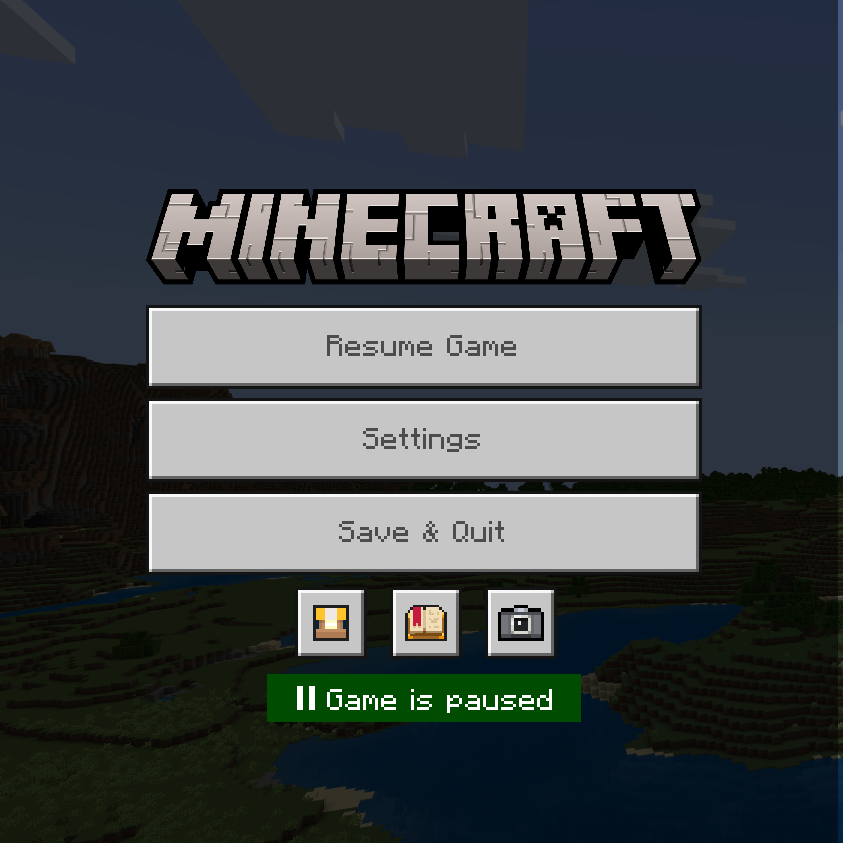
- Pause Menu
Pause Menu is now organized, Settings button and Browse Addons has been switched!
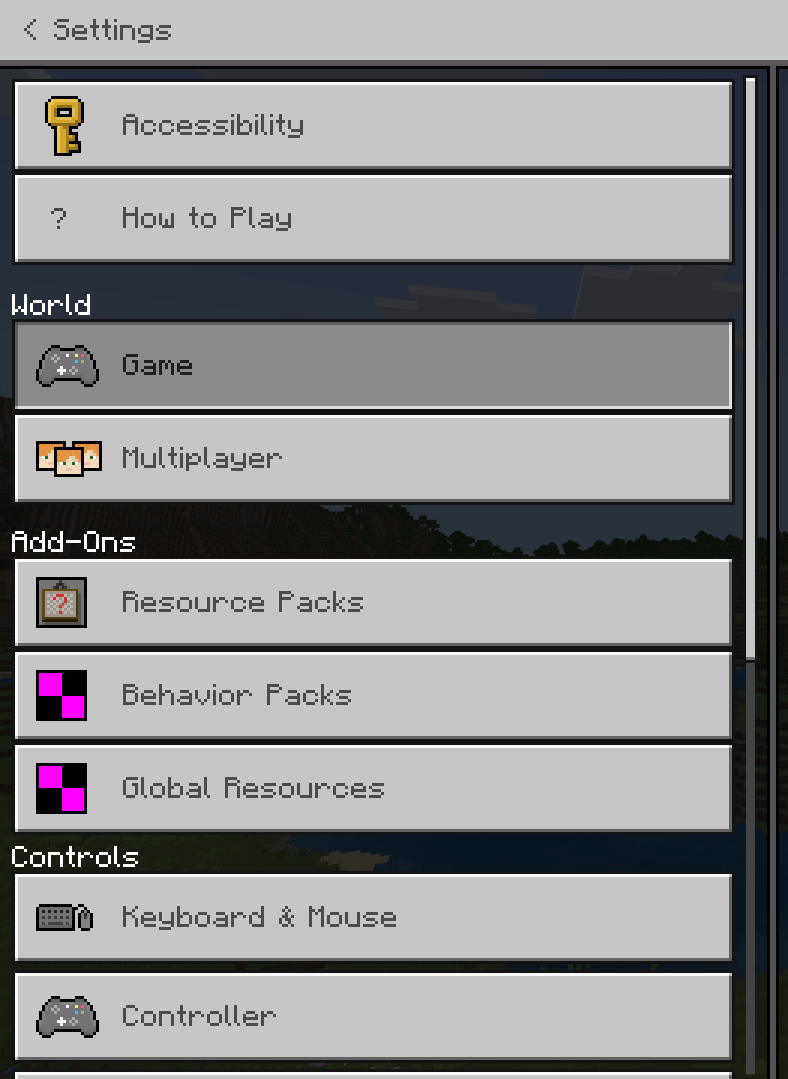
- Settings and features
Settings are now more polished and organized.
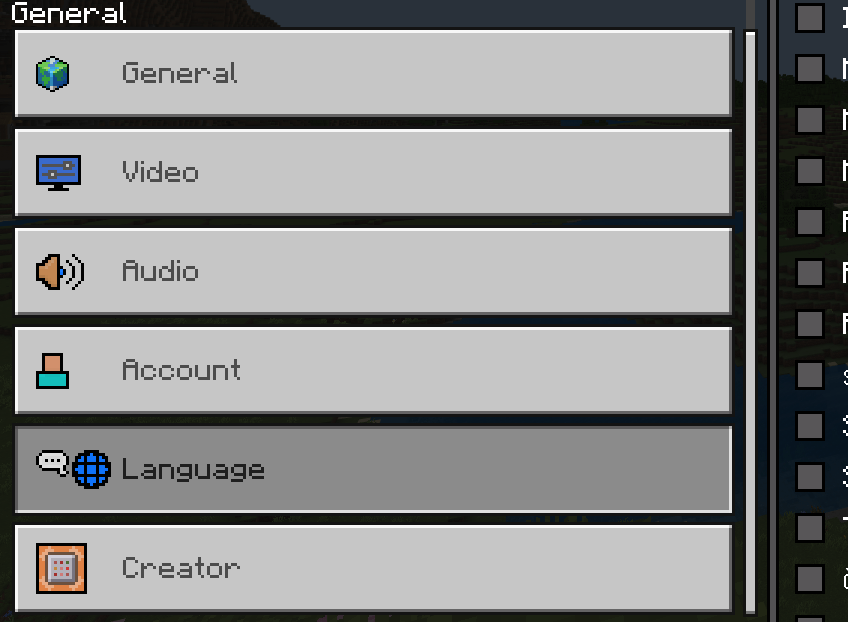
- You can now modify Language in game
Before, you couldn't modify your game Language in game, but now it's possible! (Note: it can be unstable and can bug the game)
And there is MORE in the pack! Check it out right now :)
TUTORIAL for the custom Settings of the pack: Remember, the tutorial is for PC only!
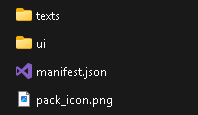
1: When you downloaded the .mcpack for the pack, unzip it and go to the folder, you will see:
2: Go to the "ui" folder, you will see this inside:
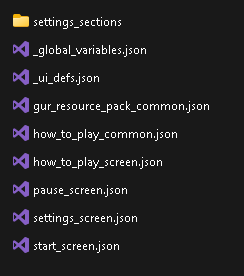
3: Search for the file named "_global_variables.json", if you find it, open it, you will see this:
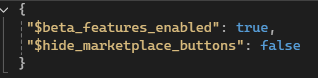
Now you can edit the Settings for the pack! Change the Settings you want;
4: When done, save the Settings file and go to the path where you downloaded the pack, now take the pack folder (unzipped one) and zip it (top .zip file)
5: When you're done, rename the pack and change the "zip" to "mcpack", and now, you can double click to import it to the game!
Quick facts
- Edition: Minecraft Bedrock
- File type: .mcpack
- Minecraft version listed: 1.21.120
- How to install: Download the .mcpack. → Open it — Minecraft imports it under Resource Packs. → Activate it in Global Resources, or for one world under Resource Packs → Available.
- Where to get it: Opens on CurseForge — not every file is mirrored on our own servers.
Install steps are the general flow for this file type — How to install Minecraft Bedrock texture packs walks through it step by step.
File checked by MCModsHub
- Pack type: .mcpack — a single pack
- Manifest requires Minecraft 1.21.120 or newer
- Complete pack — everything it depends on is inside the file
- Download size: 235 KB
- Download link checked 6 Oct 2026 — working
These come from our own check of the pack file, not from the source page.