Experiment Gameplay
Bedrock texture pack listed for Minecraft 1.20–1.21. File opened and checked on 3 Oct 2026; installs from the MC Bedrock Mods app on Android.
⬇ Download on CurseForgeWith each retail version of Minecraft: Bedrock Edition includes experimental features, in which they can be toggled on to test the features in Minecraft, these experimental features are also available in Minecraft: Education Edition except they're not displayed in world settings.
Experimental Features in Minecraft Education Edition
There are two sets of experimental features available, depending on whether you are using a stable (retail) version of Minecraft Education, or Minecraft Education Preview.
Retail (Minecraft Education)
Retail Version: v1.21.03
- Villager Trade Rebalancing
- Holiday Creator Features
- Custom Biomes
- Upcoming Creator Features
- Beta APIs
Preview (Minecraft Education Preview)
Preview Version: v1.21.01.0
- Villager Trade Rebalancing
- Holiday Creator Features
- Custom Biomes
- Upcoming Creator Features
- Beta APIs
Applying Enable Experiments Resource Pack
Below there is a download link to Enable Experiments Resource Pack. After downloading it, double click on the file to import the resource pack to Minecraft Education or Education Preview.
<figure class="image">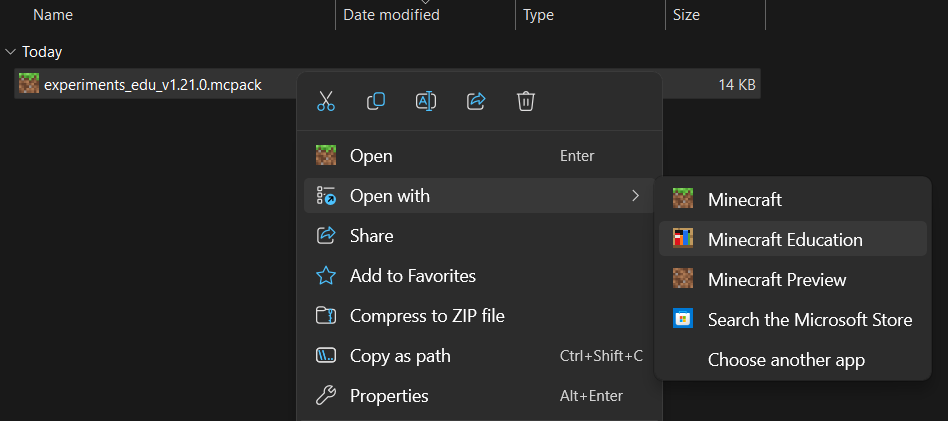 </figure>
After importing the pack, enable the resource pack in Settings > General > Global Resources section shown below.
<figure class="image">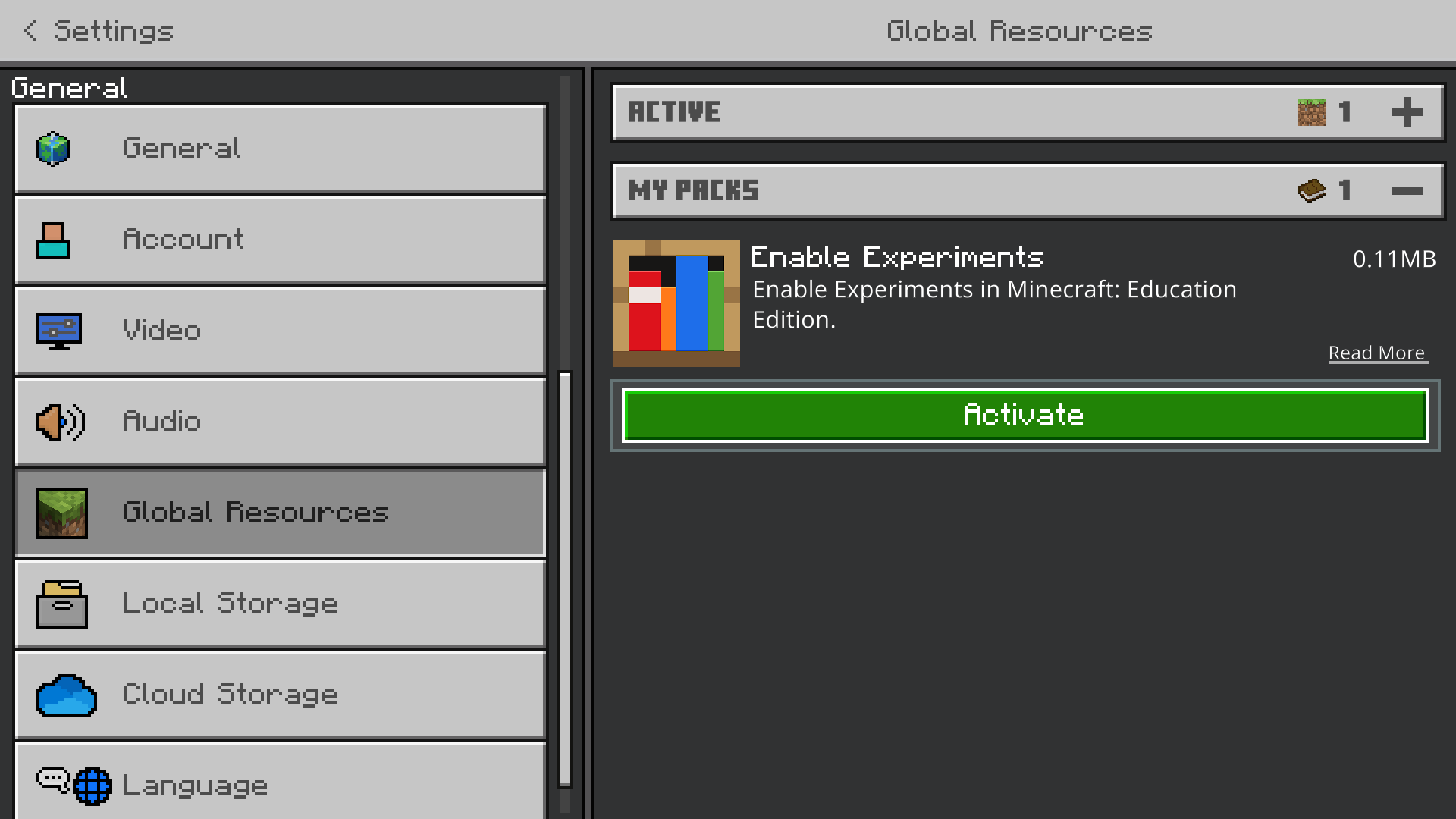 </figure>
Click on the MY PACKS dropdown section, then click on Enable Experiments pack, click activate.
Go back to the main menu screen then the pack should've applied.
Toggle Experimental Features in a World
You can toggle which features you want enabled in the World Settings. To access world settings, either create a new world or edit experiments using edit world button.
To enable experiments, navigate down to Experiments and select a toggle to enable the feature.
<figure class="image">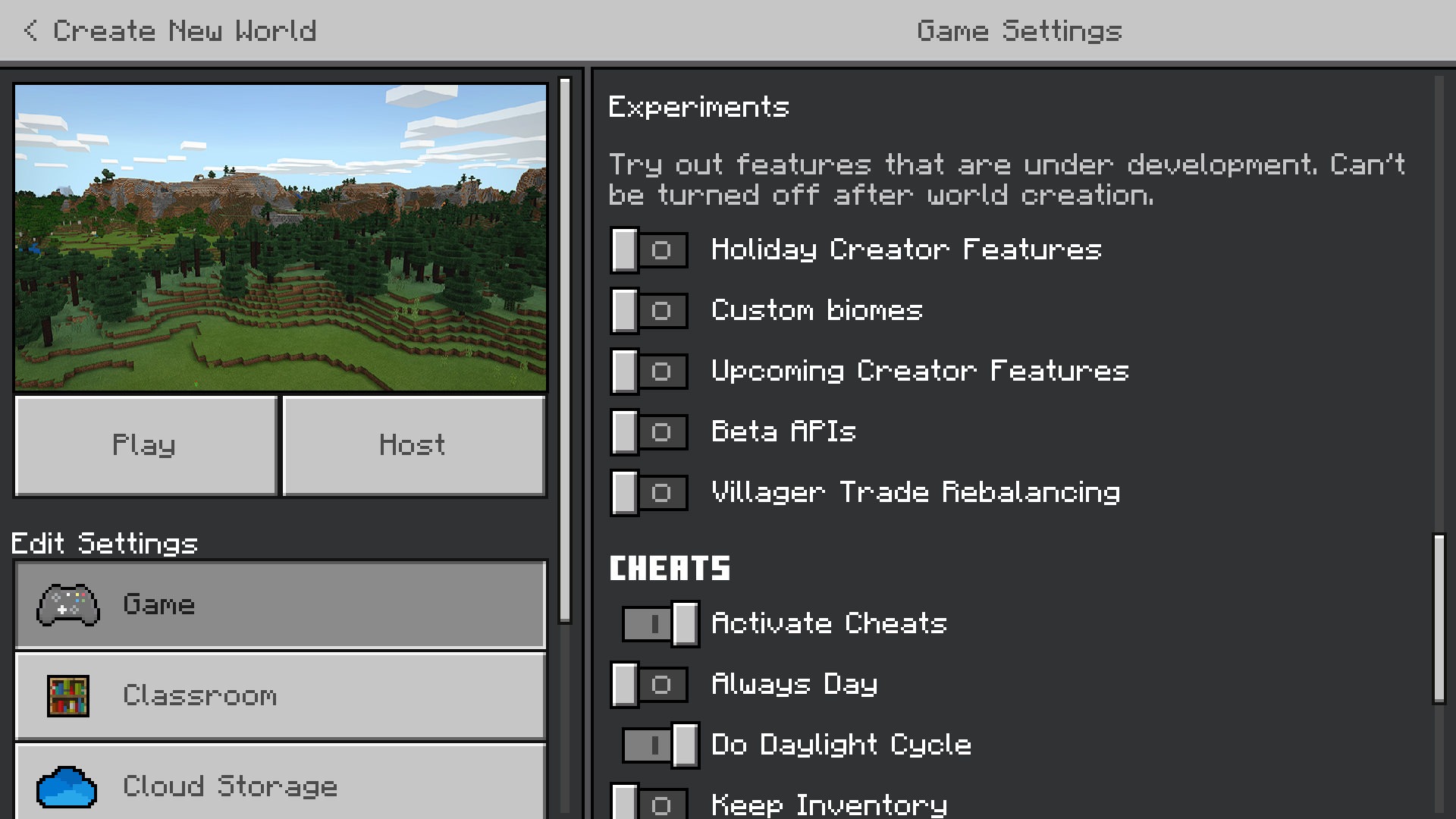 </figure>
- Edition: Minecraft Bedrock
- File type: .mcpack
- Minecraft version listed: 1.21.2
- How to install: Download the .mcpack. → Open it — Minecraft imports it under Resource Packs. → Activate it in Global Resources, or for one world under Resource Packs → Available.
- Where to get it: Opens on CurseForge — not every file is mirrored on our own servers.
Install steps are the general flow for this file type — How to install Minecraft Bedrock texture packs walks through it step by step.
- Pack type: .mcpack — a single pack
- Manifest requires Minecraft 1.20.70 or newer
- Complete pack — everything it depends on is inside the file
- Download size: 43 KB
- Download link checked 6 Oct 2026 — working
These come from our own check of the pack file, not from the source page.