CrusadersReducedParticleEffect | Sparkler-Style Spells
Bedrock texture pack listed for Minecraft 1.20–26.x. File opened and checked on 5 Oct 2026; installs from the MC Bedrock Mods app on Android.
⬇ Download on CurseForgeThe author built this one for Minecraft 1.20–26.20. On other versions it may install and then do nothing.
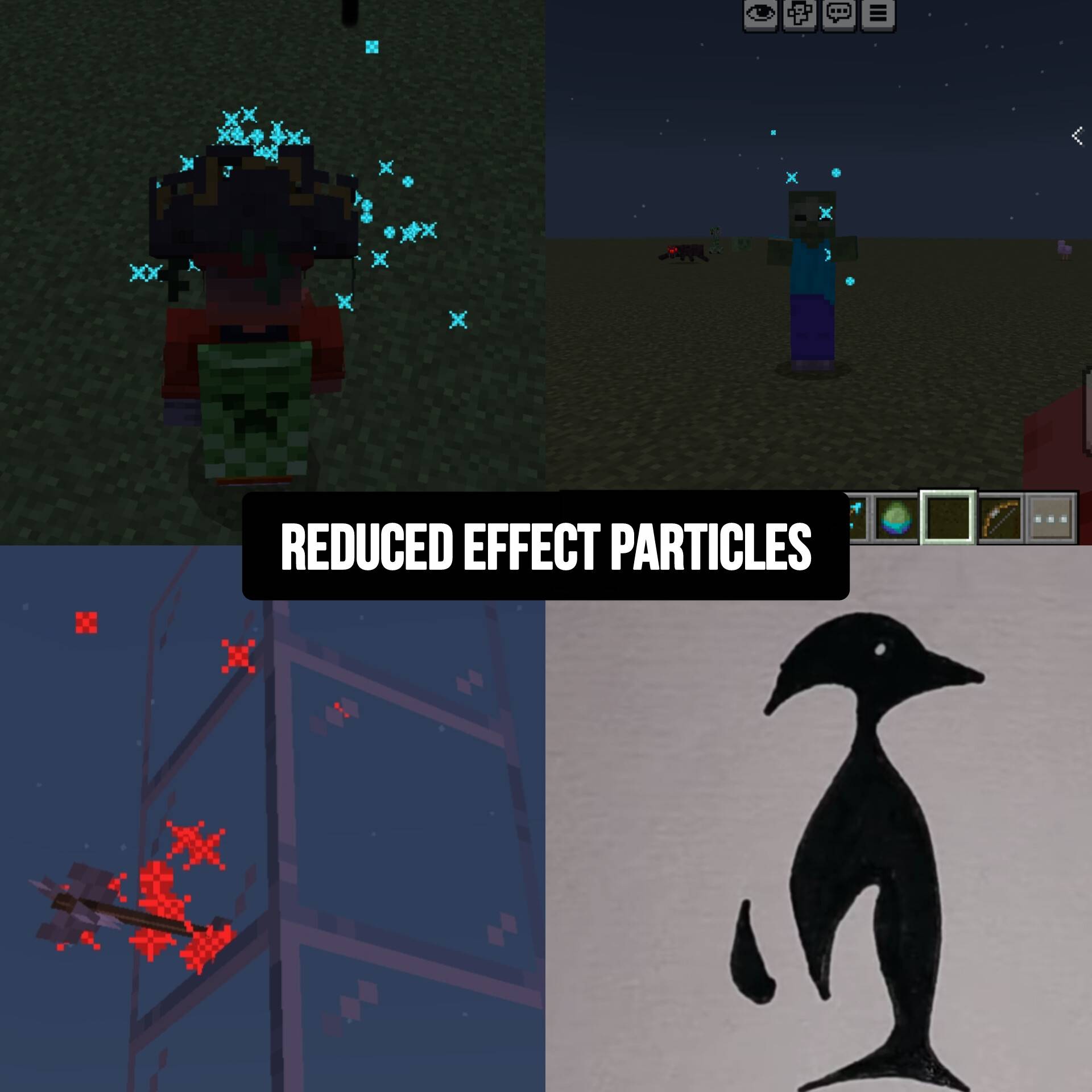
Tired of large distracting potion particles filling your screen?
This resource pack replaces vanilla spell effects with sleek sparkler-style particles for a cleaner and more polished experience.
🔮 Features
✔ Smaller reduced-size particles
✔ Smooth animated sparkle texture
✔ Dynamic colour fading
✔ Rotating particle motion
✔ Less visual clutter
✔ Keeps vanilla colours
Affects
• Arrow effects
• Potion splash particles
• Lingering potion clouds
• Mob effect particles
• Ambient spell particles
Why use it?
Perfect for players who want:
⚡ Better visibility
⚡ Cleaner PvP / survival gameplay
⚡ Modern polished visuals
⚡ Reduced screen clutter
Installation
Import the .mcpack
Activate in Resource Packs
Enjoy cleaner effects
Compatibility
Bedrock Edition / Pocket Edition etc
Works on Android, Windows, iOS, and most supported Bedrock
“Less Clutter, More Style."
“Vanilla Effects, Refined.”
- Edition: Minecraft Bedrock
- File type: .mcpack
- Minecraft versions listed: 1.21.93, 1.21.101, 1.21.94
- How to install: Download the .mcpack. → Open it — Minecraft imports it under Resource Packs. → Activate it in Global Resources, or for one world under Resource Packs → Available.
- Where to get it: Opens on CurseForge — not every file is mirrored on our own servers.
Install steps are the general flow for this file type — How to install Minecraft Bedrock texture packs walks through it step by step.
- Pack type: .mcpack — a single pack
- Manifest requires Minecraft 1.20.0 or newer
- Complete pack — everything it depends on is inside the file
- Download size: 78 KB
- Download link checked 6 Oct 2026 — working
These come from our own check of the pack file, not from the source page.