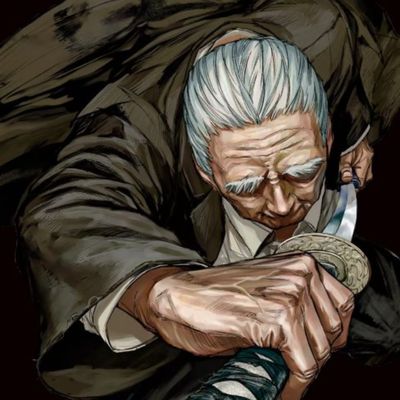
Takamura's PvP Utility (OFFICIAL V4)
Bedrock texture pack listed for Minecraft 26.x. File opened and checked on 7 Oct 2026; installs from the MC Bedrock Mods app on Android.
A PvP Utility Texture Pack For MCPE/MCBE With Hitbox, Health Indicator, Armor Tags, Armor Durability HUD And ElytraIndicator, LeftHand, LowShield…
I don't know my version
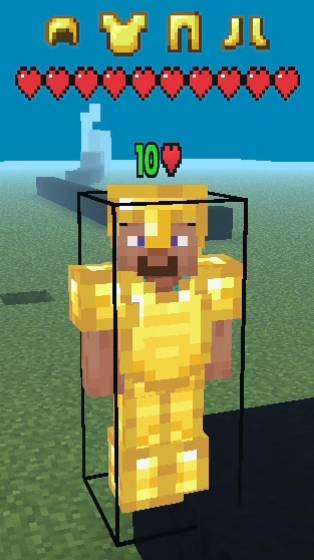
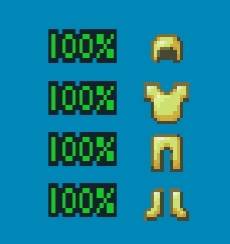
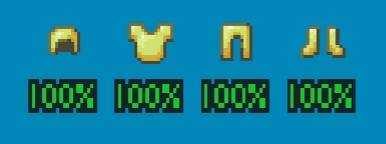
Takamura's PvP Utility — Bedrock Edition / Pocket Edition
Important: This Is a Resource Pack Only. Turn off view bobbing and set damage tilt to 0% in your video settings.
Ever wished Minecraft Bedrock gave you a little more information during PvP? Takamura's PvP Utility is designed to improve your awareness in combat by providing useful visual indicators while keeping the vanilla feel of the game.
Changelogs:
• New UI
• Added LeftHand
• Added Low Shield
• Adjust Height Of Health Indicator And Armor Tags Settings
• Added 10 Blocks Only Hitbox Settings
Added:
• Hitbox Stable
• CustomSkinFixJavaPvP
• PearlAndWindchargeHitbox
• Fixed Invisible Pearl And SplashPots
• Fixed Weird Hit And Throwing Animation
Features:
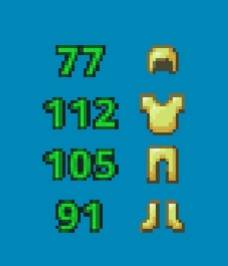
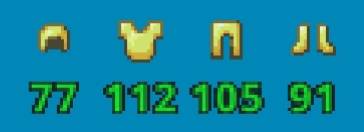
1. Armor Durability HUD
Keep an eye on your armor's condition with a durability display for your:
• Helmet
• Chestplate
• Leggings
• Boots
No more guessing when your gear is about to break.
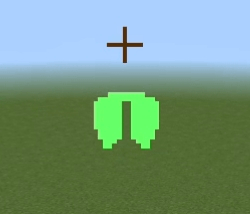
2. Hitbox Visualizer
Easily see player hitboxes while fighting. Choose from multiple color options: Red, Blue, Lime, Purple, Yellow, White, and Black.
3. Health Indicator
Track your opponent's health in real time with a clean and easy-to-read health display, helping you make better decisions during combat.
4. Armor Tags
View the equipment other players are wearing through floating gear indicators above their heads. Perfect for quickly identifying an opponent's gear before engaging.
• Helmet
• Chestplate
• Leggings
• Boots
• Elytra
• Offhand Items
5. Elytra Indicator
Shows whether you're gliding or not gliding when using elytra (Good For Mace PvP)
6. LeftHand
Set your mainhand to left side and offhand to the right side(Not All Items Are Compatible).
Note:
1. You can modify the pack for personal use only.
2. You cannot use any code without permission or claim it as your own.
- Edition: Minecraft Bedrock
- File type: .mcpack
- Minecraft versions listed: 26.40, 26.20
- How to install: Download the .mcpack. → Open it — Minecraft imports it under Resource Packs. → Activate it in Global Resources, or for one world under Resource Packs → Available.
- Where to get it: In MCModsHub, or directly above on this page.
Install steps are the general flow for this file type — How to install Minecraft Bedrock texture packs walks through it step by step.
- Pack type: .mcpack — a single pack
- Complete pack — everything it depends on is inside the file
- Download size: 853 KB
- Download link checked 16 Sept 2026 — working
These come from our own check of the pack file, not from the source page.