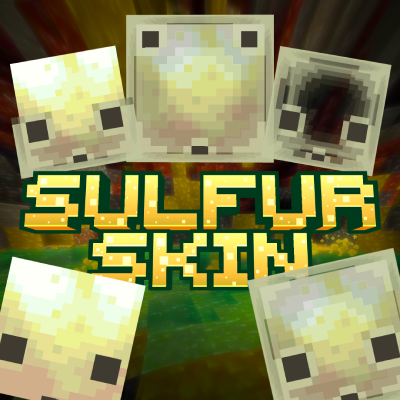


Disclaimer : this pack doesn't include sulfur cube mobonly work with new sulfur cube mob in minecraft beta 1.26.20.24
after looking at this new mob, i just thought that it's face covering some blocks, like carved pumpkin.
so, instead what if i move the eyes or maybe remove them, or makes the block inside them got bigger.
then here i am, these are what i got :p just wanna share maybe some of you will like it haha LoL
SUBPACKS
so, there's some subpacks for this
big itemall cube blocks will have the same size like the originaleyesonly showing their eyes and mouthhalfhalf of their head will melt because of acid water :pno facethis will make them looks like normal block, all side having the same textureno inneronly showing their outer layer, like they have no body, you can still place block inside themtransparentthey skin will be invisible, but you can still place block inside itupper eyesi just wanted to get rid of their eyes, but instead i make them looks ugly, they're funny XD
LIMITATION
◉ CONTENT LIMITATION
◉ YOU'RE ALLOWED TO
- Edit this pack for your private/personal use
- Make videos & media content with this pack as long as you leave a link to my CurseForge or MCPEDL page
- Distribute the pack using your own or new download link (this pack already using direct link that's safe)
◉ YOU'RE NOT ALLOWED TO
- Monetise the pack download. Doing so will result in a copyright takedown.
FEEDBACK & SUPPORT
if you have any issues with this pack, please consider to tell me either on web comment or my discord server here https://discord.gg/mdsM6W5jmg
it'll be very helpful reading all of your feedback, so i can be better and better next time.
You can also follow me on another social media here IG : 4sterx_ | YT : Asterx
F A Q
There's two type of settings in Minecraft
Game Settings :
&& World settings : 
in it there's a bunch of different type of mod (pack)
- Global Resources Pack (in game settings)
![]()
this will activate the pack across the whole game, in every world you in
only works for a Texture/Resources Pack
- Resources Pack (in every "world settings")
![]()
This will activate the pack only in a specific world you choose.
For Texture/Resources Pack, that'll change how item, entity, player or game looks, like texture, animation or UI
- Behavior Pack (in every "world settings")
![]()
This will activate the pack only in a specific world you choose.
For Addon/Behavior Pack, that'll change how a mob, item, entity or player behave. How the game works
what's and where's Pack Settings?
it's simply a "pack setting". in it there's a bunch of description and settings about the pack.
you can find it in game settings or world settings
- but before that, you have to activate or add the pack.
- In older IU, click the pack, a new option will appear

- In the newest UI, there's activate button on the right
- In older IU, click the pack, a new option will appear
- after you've activate the pack, click it. new option will appear
- at the bottom right there's an settings icon
- Old UI will look like this

- New UI will look like this

- Old UI will look like this
- there you have it :)


what's and where's Subpacks?
subpacks are the settings of the pack itself, it's the options we can choose to change the modification of the pack. where's that? you can read about pack settings above.
If you have entered packs settings. There's a slider at the top.
It's called as "Subpacks"


- Edition: Minecraft Bedrock
- File type: .mcpack
- Minecraft versions listed: 26.0, 26.10
- How to install: Download the .mcpack. → Open it — Minecraft imports it under Resource Packs. → Activate it in Global Resources, or for one world under Resource Packs → Available.
- Where to get it: Opens on CurseForge — not every file is mirrored on our own servers.
Install steps are the general flow for this file type — How to install Minecraft Bedrock texture packs walks through it step by step.
- Pack type: .mcpack — a single pack
- Manifest requires Minecraft 1.26.0 or newer
- Complete pack — everything it depends on is inside the file
- Download size: 182 KB
- Download link checked 25 Aug 2026 — working
These come from our own check of the pack file, not from the source page.