Texture packsBedrock
Powdered Snow Highlighter
Bedrock texture pack listed for Minecraft 1.21–26.x. Download on the author's site.
⬇ Download on CurseForge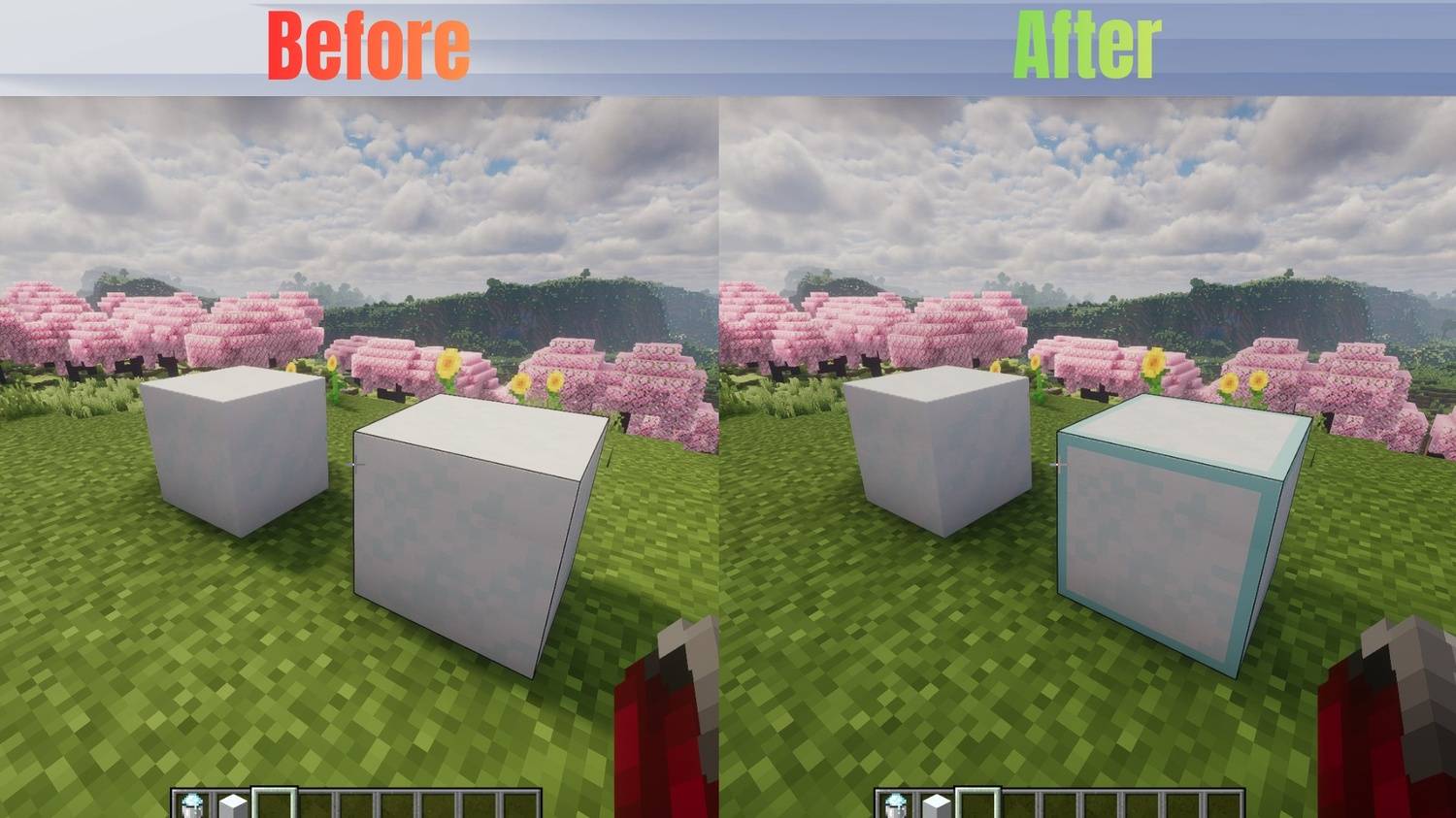
About This Pack
Tired of falling into hidden traps and freezing to death? This lightweight texture pack highlights Powdered Snow blocks, making them instantly visible so you can safely navigate snowy biomes, mountains, and PvP traps.
Features
- Clearly outlines/highlights Powdered Snow blocks.
- Works perfectly in Survival, Hardcore, and PvP scenarios.
- Lightweight and optimized (no FPS drops).
Compatibility
- Mod Compatibility: Works with or without OptiFine / Iris.
Availability
Java Edition: Download right here on Modrinth & Curseforge!
- Modrinth:
- Curseforge:
Bedrock Edition: Available on our CurseForge page (Bedrock)
- Curseforge:
🛠️ How to Install
For Java Edition (Modrinth)
- Download the
.zipfile from the Versions tab. - Open Minecraft and go to Options > Resource Packs > Open Pack Folder.
- Drag and drop the downloaded
.zipfile into that folder. - Select the pack from the "Available" list in Minecraft and move it to "Selected".
For Bedrock Edition (CurseForge)
- Download the
.mcpackfile from the Files tab. - Double-click or tap on the downloaded file.
- Minecraft will open automatically and import the pack.
- Go to Settings > Global Resources > My Packs, click on this pack, and select Activate.
Quick facts
- Edition: Minecraft Bedrock
- File type: .mcpack
- Minecraft versions listed: 26.20, 26.10, 26.0
- How to install: Download the .mcpack. → Open it — Minecraft imports it under Resource Packs. → Activate it in Global Resources, or for one world under Resource Packs → Available.
- Where to get it: Opens on CurseForge — not every file is mirrored on our own servers.
Install steps are the general flow for this file type — How to install Minecraft Bedrock texture packs walks through it step by step.
Powdered Snow Highlighter is a free Minecraft Bedrock texture pack. Compatible with Minecraft 26.20, 26.10, 26.0, 1.21.132 and newer. Downloaded 583 times (via CurseForge). Download it and open it directly in the game.