
Clean dark ui by baku
Bedrock texture pack listed for Minecraft 26.x. File opened and checked on 25 Oct 2026; installs from the MC Bedrock Mods app on Android.
Transform your Minecraft Bedrock experience with Clean Dark UI by Baku! Enjoy sleek dark menus, stylish cyan highlights, improved inventory, hotbar, and a…
⬇ DownloadThe author built this one for Minecraft 26.20–26.50. On other versions it may install and then do nothing.
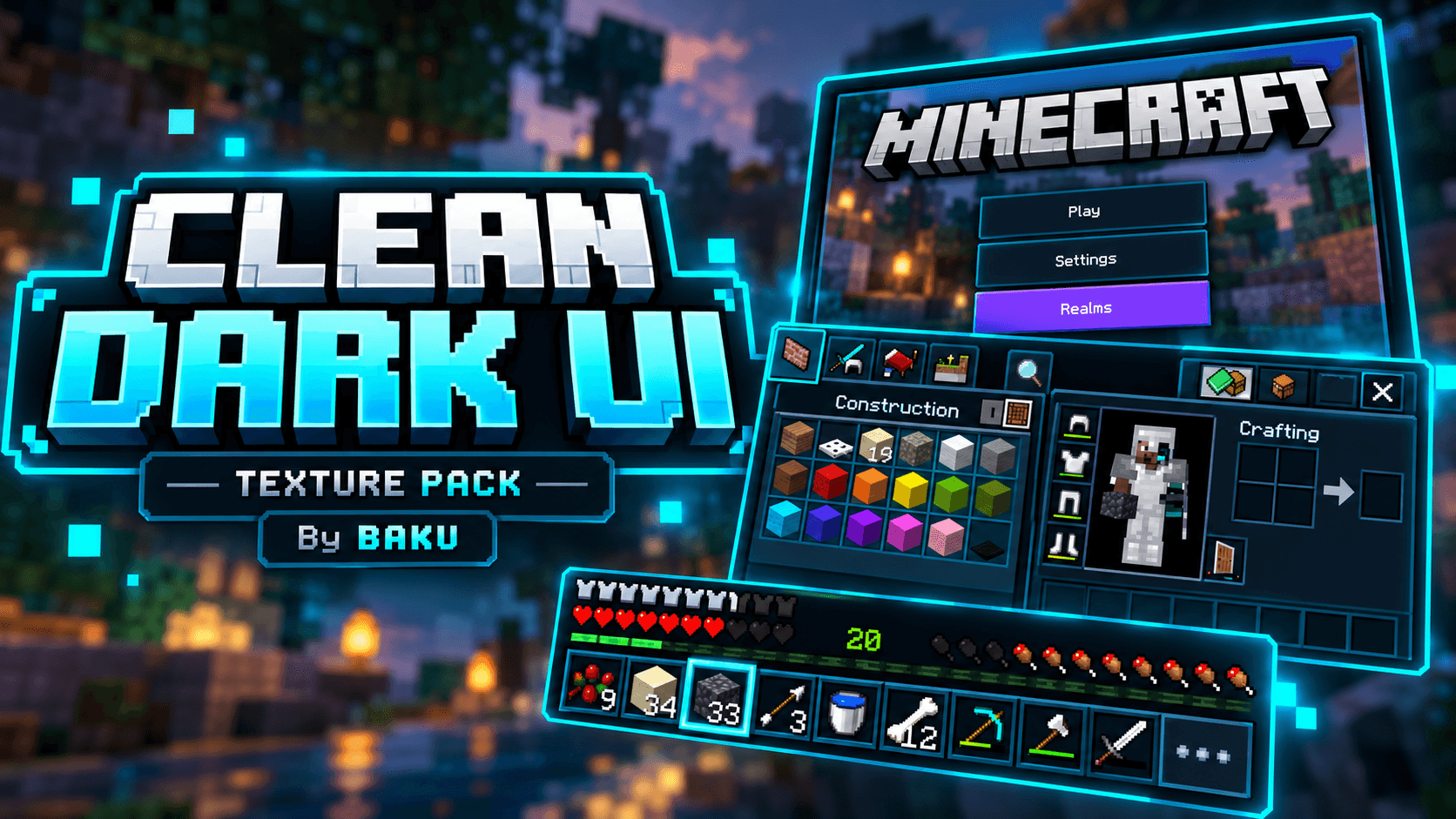
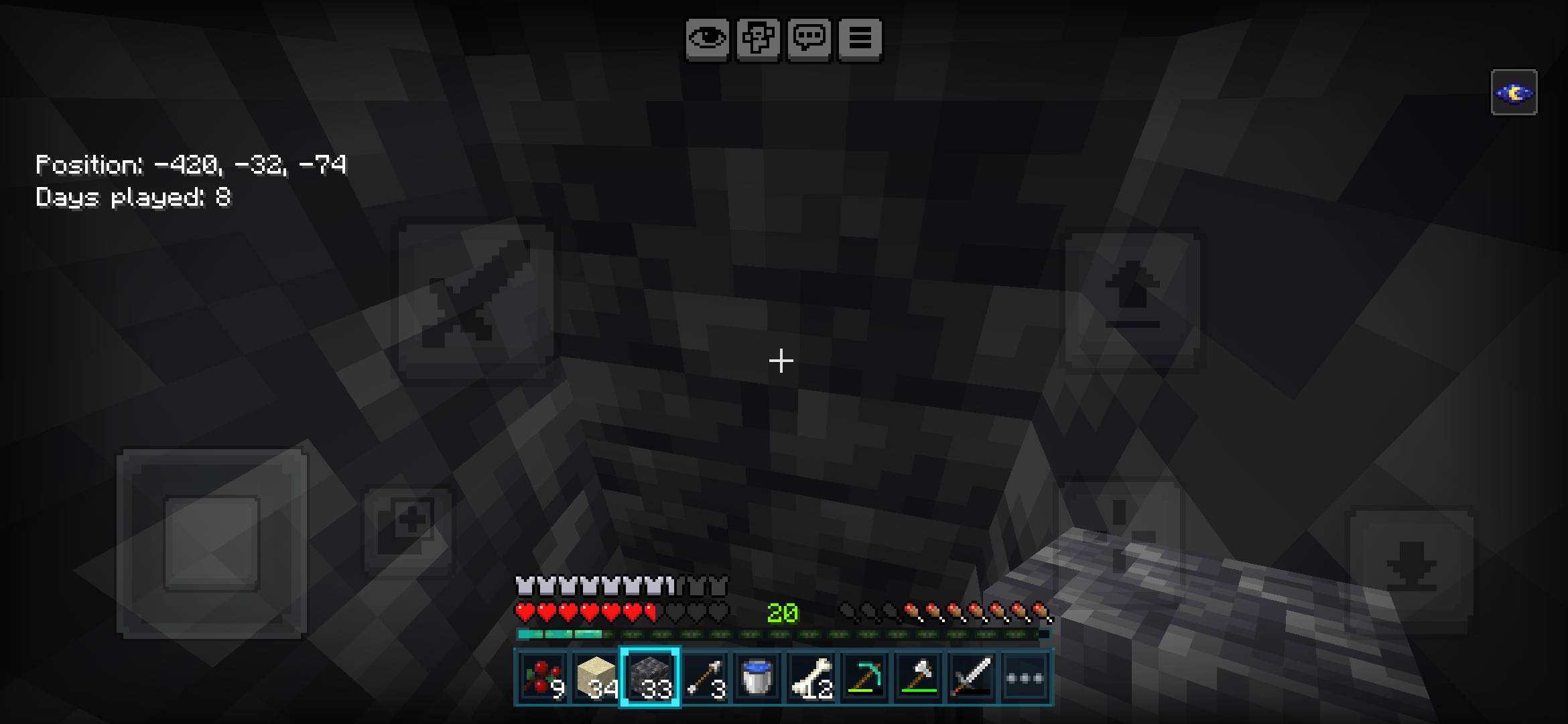
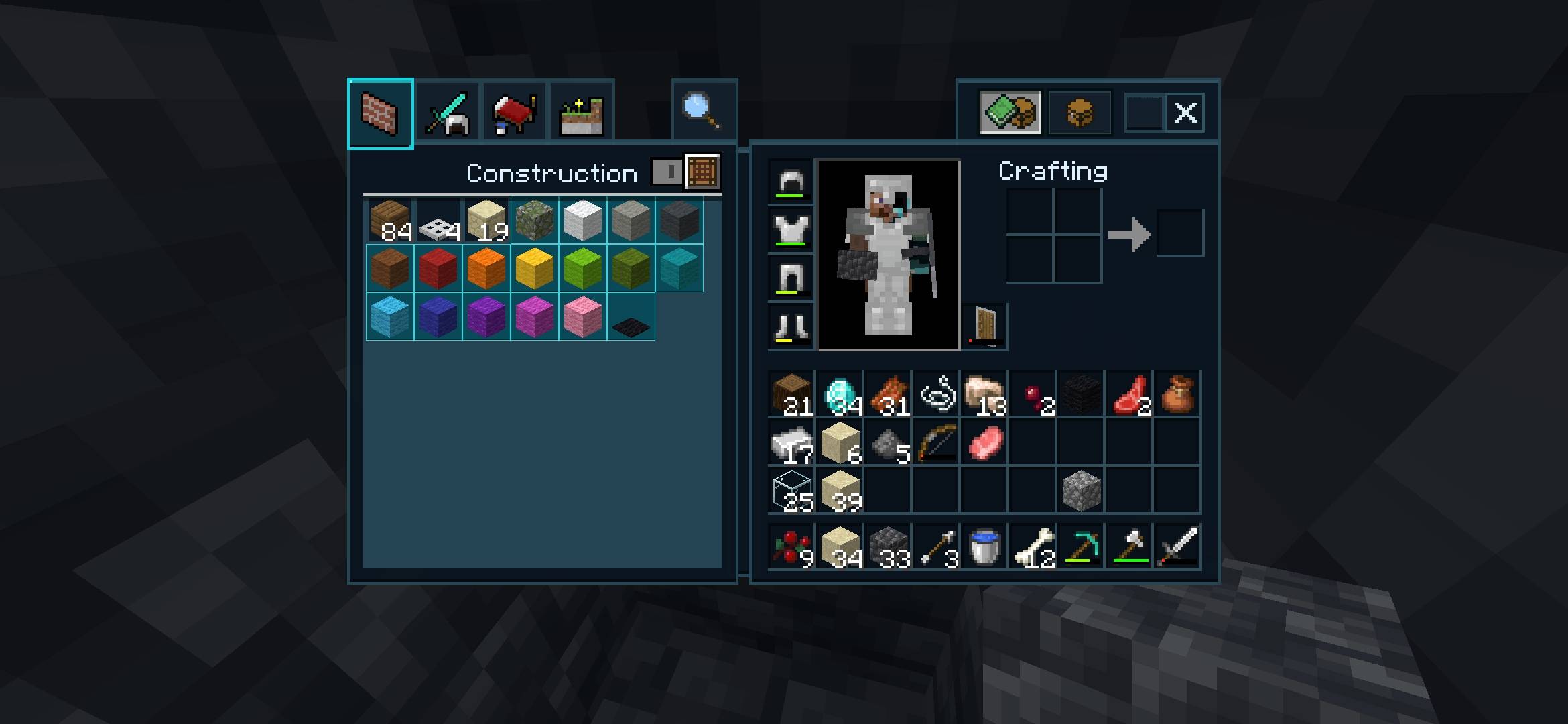
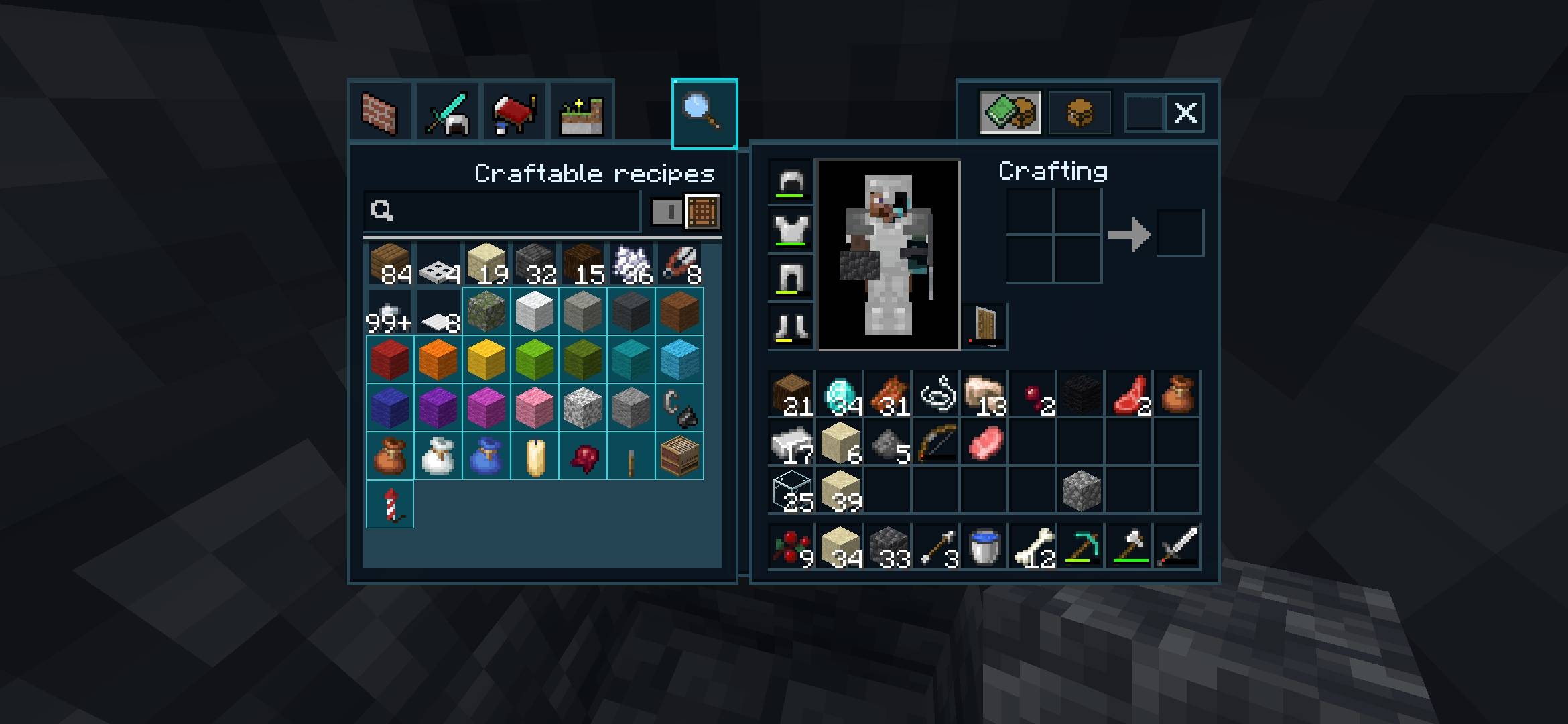
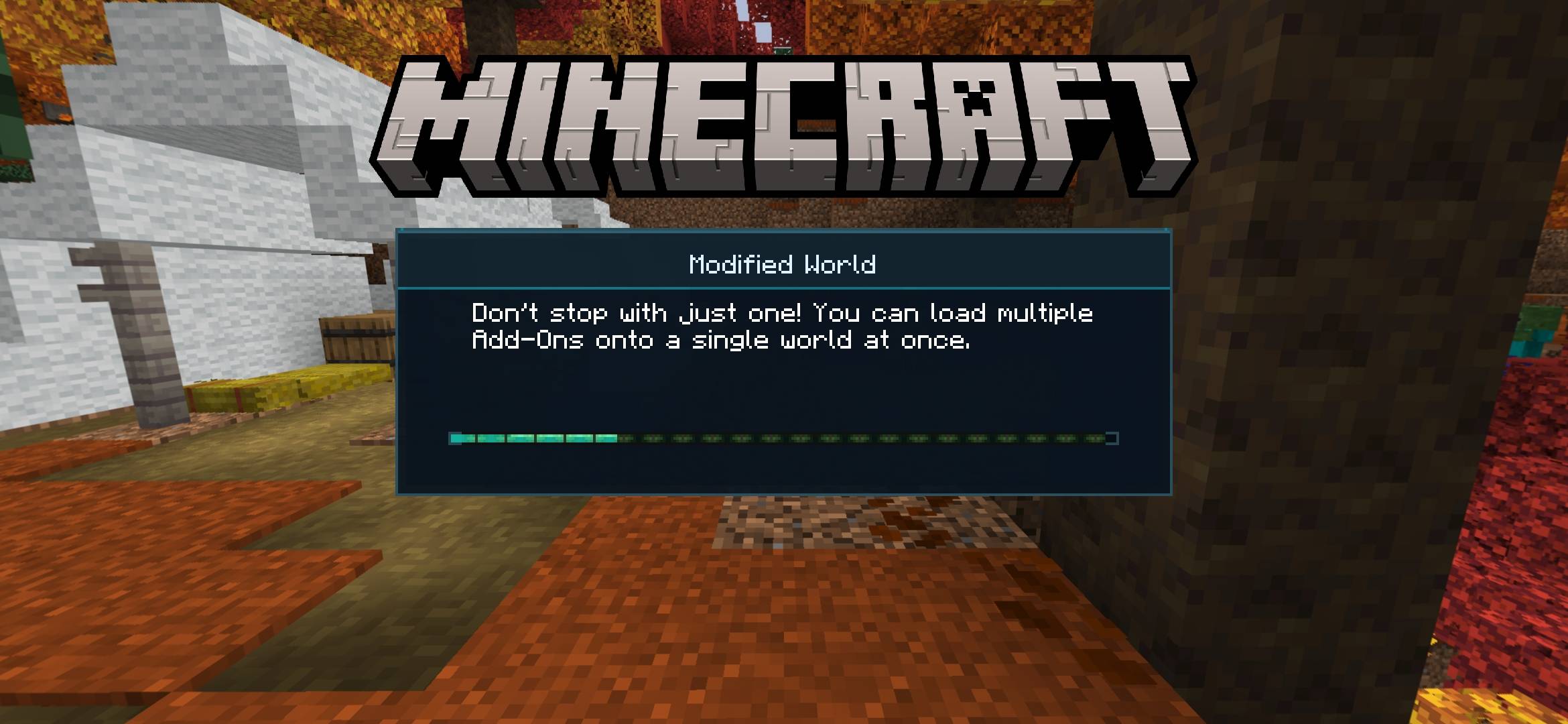
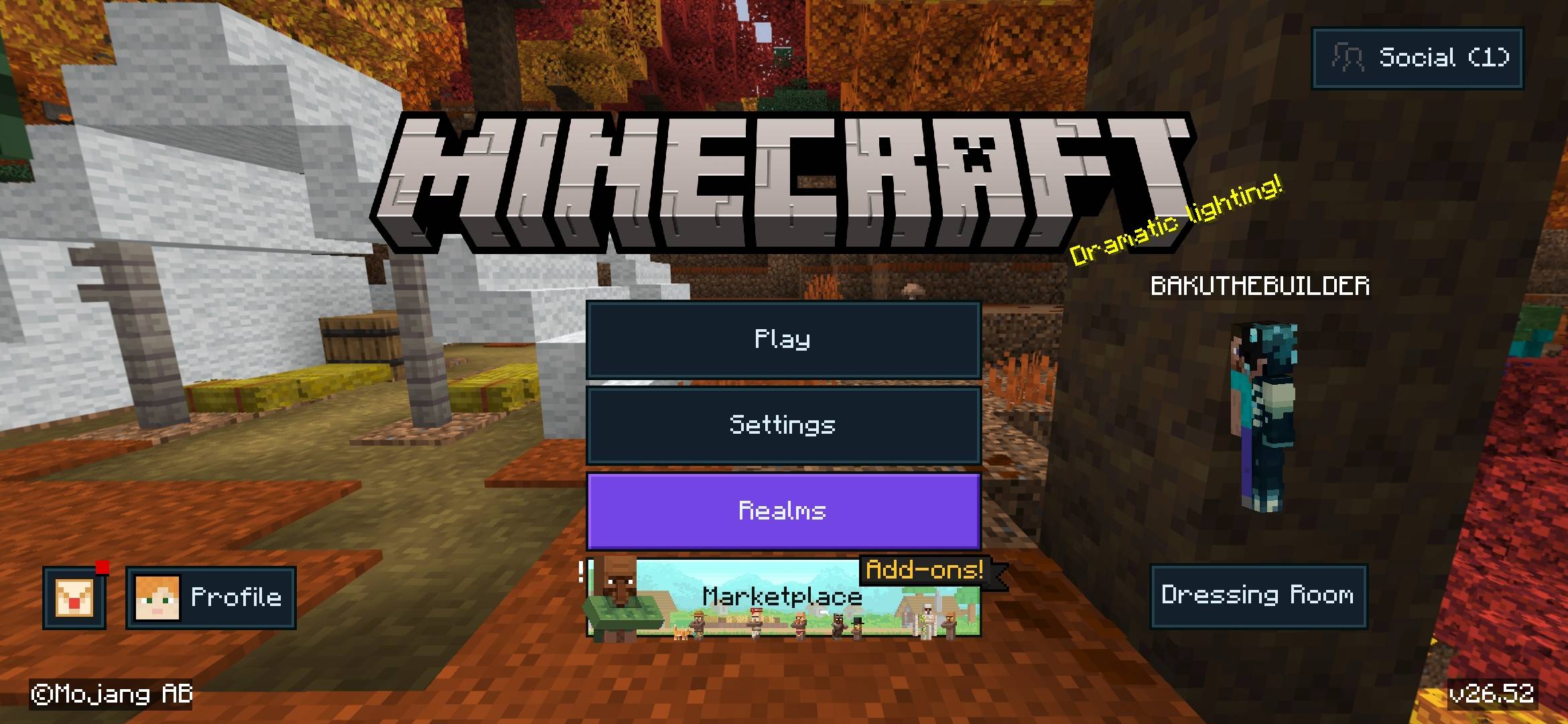
🌌 Clean Dark UI – Cyan Edition
✨ A Clean, Modern & Stylish Dark UI for Minecraft Bedrock!
Transform your Minecraft Bedrock experience with Clean Dark UI by Baku! This resource pack brings a beautiful dark interface featuring deep charcoal backgrounds, stylish cyan highlights, redesigned menus, and a smooth, modern visual appearance.
Whether you're exploring, crafting, building, or organizing your inventory, enjoy a cleaner and more attractive Minecraft interface!
💎 Features
- 🌑 Complete Dark Theme: Beautiful charcoal and navy interface colors.
- 💠 Cyan Highlights: Stylish cyan borders and selection effects.
- 🎒 Dark Inventory: Redesigned inventory backgrounds and slots.
- ⚒️ Crafting UI: Clean crafting and recipe interfaces.
- 📦 Container Interface: Dark-themed chest and container elements.
- 🎮 Custom Hotbar: Modern dark hotbar with cyan highlights.
- 🖥️ Modern Menus: Stylish buttons and menu backgrounds.
- 🔍 Improved Navigation: Dark tabs, scrollbars, and search elements.
- 🎨 Custom Logo: Professional Clean Dark UI branding.
- 📱 Mobile Friendly: Designed for Minecraft Bedrock and MCPE.
🎨 Why Choose Clean Dark UI?
Clean Dark UI combines minimalism, readability, and modern design to create a beautiful interface without changing Minecraft's gameplay mechanics.
Enjoy elegant colors, comfortable navigation, and a consistent dark aesthetic across supported interface elements.
📥 How to Install
- Download the Clean Dark UI by Baku .mcpack file.
- Open the downloaded file with Minecraft.
- Wait for Minecraft to import the resource pack.
- Go to Settings → Global Resources → My Packs.
- Select Clean Dark UI by Baku.
- Click Activate and enjoy!
⚙️ Additional Information
- ✅ Resource Pack Only
- ✅ No Commands Required
- ✅ No Experimental Features Required
- ✅ No Behavior Pack Required
- ✅ Survival & Creative Compatible
- ✅ No Gameplay Changes
Note: Interface appearance may vary depending on your Minecraft version and UI settings. This pack does not modify in-game world lighting.
🌐 Join Our Community
Stay connected for new Minecraft add-ons, maps, texture packs, upcoming updates, and exclusive content!
📸 Instagram:
Follow Baku on Instagram
💬 Discord Server:
Join Our Discord Community
▶️ YouTube Channel:
Subscribe to Baku on YouTube
👑 Creator & Credits
🎨 Resource Pack: Clean Dark UI – Cyan Edition
👤 Creator: Baku
💎 Official Credit: Baku
🎮 Platform: Minecraft Bedrock / MCPE
All creator credits belong to Baku.
❤️ Support the Project
If you enjoy Clean Dark UI, please consider supporting the project!
- ⭐ Leave a rating and review.
- 💬 Share feedback and suggestions.
- 🐛 Report any bugs or UI issues.
- 📢 Share this texture pack with friends.
- 🔔 Follow our social media for updates!
💙 Thank You for Downloading!
Enjoy a cleaner, darker, and more stylish Minecraft experience with Clean Dark UI by Baku!
💠 Made with passion by BAKU 💠
- Edition: Minecraft Bedrock
- File type: .mcpack
- Minecraft versions listed: 26.20, 26.30, 26.40
- How to install: Download the .mcpack. → Open it — Minecraft imports it under Resource Packs. → Activate it in Global Resources, or for one world under Resource Packs → Available.
- Where to get it: In MCModsHub, or directly above on this page.
Install steps are the general flow for this file type — How to install Minecraft Bedrock texture packs walks through it step by step.
- Pack type: .mcpack — a single pack
- Complete pack — everything it depends on is inside the file
- Download size: 348 KB
- Download link checked 6 Oct 2026 — working
These come from our own check of the pack file, not from the source page.