
Moonlit Symphony
Bedrock texture pack listed for Minecraft 26.x. Installs from the MC Bedrock Mods app on Android.
A small pack that changes the full moon texture to be more colorful, inspired off of the Artemis II photo recently taken
⬇ Download on CurseForge
Ah, space. I love space, and especially recently, the Artemis II mission happened. I that, they did a lot of really neat stuff, like naming a newly found crater based off of the late wife of a crew member, or their Microsoft outlook not working. However, a big thing that I saw was a new, more colorful image of the moon, so I took that and ran with it.
The Actual Content
Whenever there is a full moon, you can now see there are a few new colors on the moon.
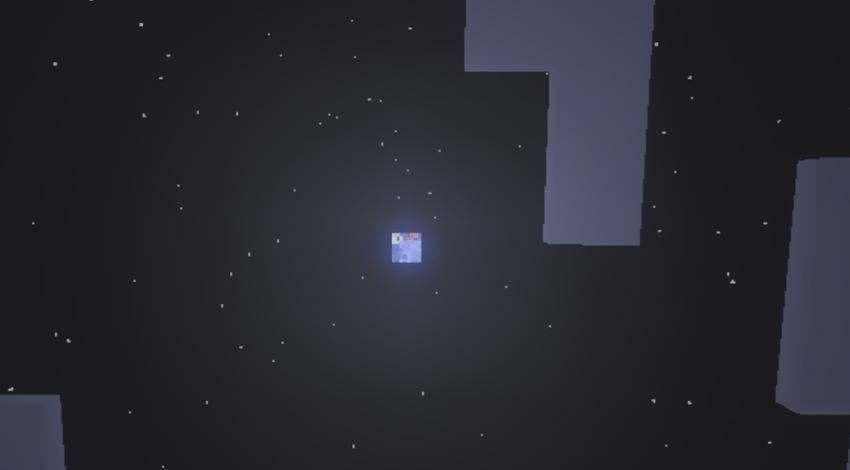
That's it. It ain't much, but its a neat touch to your worlds.
Compatible with Vibrant Visuals.
Wanna Suggest New stuff, interact with the community, or ask questions? Join the Discord server: https://discord.gg/Msj2rZnrTh
- Edition: Minecraft Bedrock
- File type: .mcpack
- Minecraft versions listed: 26.3, 26.10
- How to install: Download the .mcpack. → Open it — Minecraft imports it under Resource Packs. → Activate it in Global Resources, or for one world under Resource Packs → Available.
- Where to get it: Opens on CurseForge — not every file is mirrored on our own servers.
Install steps are the general flow for this file type — How to install Minecraft Bedrock texture packs walks through it step by step.
- Save it as Moonlit Symphony.mcaddon before opening — it downloads as .mcpack, but it is a .mcaddon pack
- Manifest requires Minecraft 1.26.0 or newer
- Ships one half — this pack asks for another pack that is not included
- Download size: 39 KB
- Download link checked 6 Oct 2026 — working
These come from our own check of the pack file, not from the source page.