Luvid Visuals Ultra
Bedrock texture pack listed for Minecraft 1.21–26.x. File opened and checked on 19 Oct 2026; installs from the MC Bedrock Mods app on Android.
Cinematic fog, God rays, deep water waves & biome-themed colors. Luvid Visuals Ultra transforms your Minecraft world into a stunning visual experience.
⬇ Download on CurseForgeThe author built this one for Minecraft 26.20. On other versions it may install and then do nothing.
Luvid Visuals Ultra
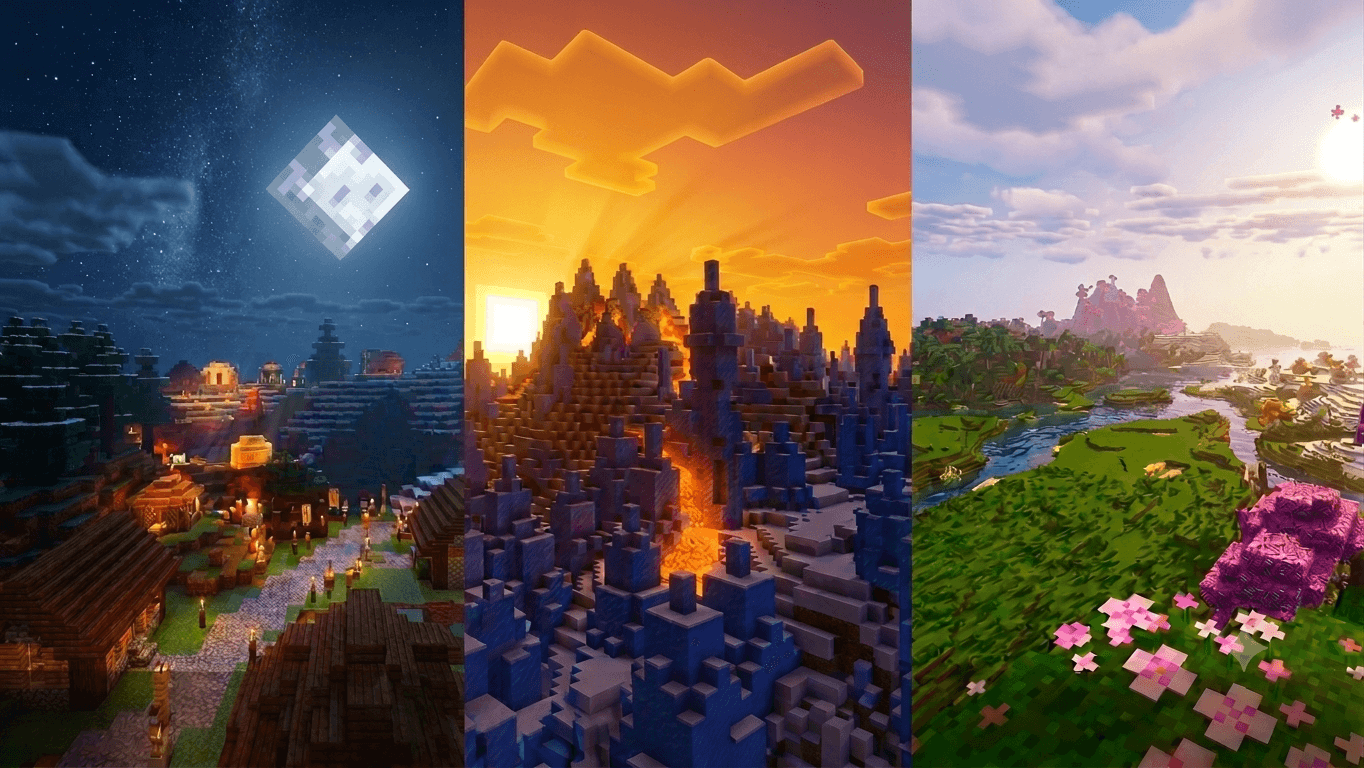
Cinematic fog, God rays, deep natural water waves & biome-themed colors — Luvid Visuals Ultra transforms your Minecraft Bedrock world into a stunning visual masterpiece.
🌅 Showcase


✨ About The Shader
Luvid Visuals Ultra is the premium evolution of the original Luvid Visuals shader pack for Minecraft Bedrock Edition. Designed from the ground up for cinematic quality, it brings together thick volumetric fog that lets God rays pierce dramatically through trees and clouds, deep physically-based water waves with natural ocean-like motion, biome-themed water colors that match each environment's feel, enhanced PBR surface reflections, and rich atmospheric color grading — all without sacrificing performance on mobile and console.
Note: This shader requires Render Dragon with Deferred Lighting (Vibrant Visuals) enabled in your world settings. Available on Android, iOS, Windows 10/11, Xbox, and PlayStation.
⚡ Features
- 🌫️ Thick Volumetric Fog — Dense atmospheric fog fills the air, creating depth and making God rays visible from any angle.
- ☀️ Dramatic God Rays — High-scattering volumetric media lets sunlight cut through fog and canopy in visible light shafts.
- 🌊 Deep Natural Water Waves — 16-octave wave system with golden-ratio direction spacing eliminates square artifacts and delivers smooth, ocean-like motion.
- 🎨 Biome-Themed Water Colors — All 84 biomes carry unique water tones: deep navy in oceans, murky olive in deserts, dark teal in swamps, pink in cherry groves, and more.
- 💎 Enhanced PBR Reflections — Boosted metalness and reduced roughness across blocks, actors, particles, and items for richer surface detail.
- 🌄 Cinematic Color Grading — Warm golden days, rich blue nights, and vivid sunrises/sunsets with smooth tonal transitions.
- 🌙 Atmospheric Night Sky — Cool blue moonlight with softened ambient, keeping nights dark but visually rich.
- 💧 Underwater Caustics — Dynamic caustic light patterns visible beneath the water surface.
- 🌐 Single Unified Fog — One default fog applied globally for consistency and clean visual balance across all biomes.
⚠️ Requirements & Installation
- ✅ Minecraft Bedrock Edition 1.21.0 or higher
- ✅ Render Dragon engine (default on all modern platforms)
- ✅ Deferred Technical Preview / Vibrant Visuals must be enabled in Video Settings
- ✅ Works on Android, iOS, Windows 10/11, Xbox, PlayStation
- ❌ Does NOT work on Java Edition
- ❌ Does NOT work on old non-Render Dragon devices
How to Install: Download the .mcpack file → tap/double-click to import into Minecraft → go to Settings → Global Resources → activate Luvid Visuals Ultra → enable Vibrant Visuals in Video Settings → enjoy!
💬 Join Our Community!
Got suggestions, found a bug, or just want to hang out? Join the BlockCraftAddons Discord!
- 🚀 Early Access: Be the first to test new shader updates.
- 🛠️ Support: Get help with installation and settings.
- 💡 Suggestions: Your ideas shape future versions.
🏆 Credits
- blockcraftaddons — Shader development, lighting, fog, water & visual design.
Developed by: blockcraftaddons
- Edition: Minecraft Bedrock
- File type: .mcpack
- Minecraft version listed: 26.20
- How to install: Download the .mcpack. → Open it — Minecraft imports it under Resource Packs. → Activate it in Global Resources, or for one world under Resource Packs → Available.
- Where to get it: Opens on CurseForge — not every file is mirrored on our own servers.
Install steps are the general flow for this file type — How to install Minecraft Bedrock texture packs walks through it step by step.
- Save it as Luvid Visuals Ultra [ v1.4 ].mcaddon before opening — it downloads as .mcpack, but it is a .mcaddon pack
- Manifest requires Minecraft 1.21.0 or newer
- Complete pack — everything it depends on is inside the file
- Download size: 450 KB
- Download link checked 6 Oct 2026 — working
These come from our own check of the pack file, not from the source page.