HomeBedrockTexture packsIndicator
Indicator
Texture packsBedrock

Indicator

by EnterKey · on CurseForge

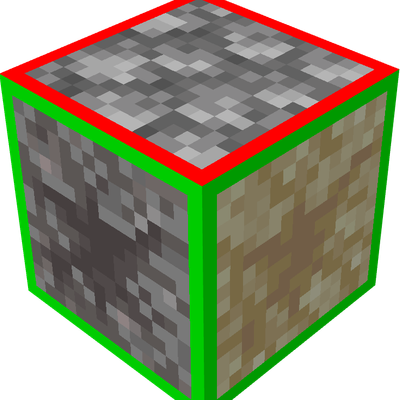
Indicator adds red outlines to key blocks for faster recognition and reaction without changing vanilla gameplay.

⬇ Download on CurseForge

Overview

Missing key visual cues can cost you critical moments—whether it’s spotting traps, detecting hidden blocks, or reacting fast in combat.

Indicator enhances Minecraft Bedrock’s default textures by adding clear red visual outlines to important interactive and hidden elements. The goal is simple: make critical blocks instantly recognizable without disrupting the vanilla aesthetic.

Built for awareness and reaction speed, Indicator helps you process your surroundings faster—especially in PvP, exploration, and high-risk scenarios.


What it Adds

Highlighted Critical Blocks

Indicator modifies key blocks and entities by adding a distinct red outline for instant visibility:

MCPEDL


Each change is highly focused on recognition.


Instant Visual Feedback


Why Use Indicator?

Faster reaction time in PvP and survival situations


What You Can Do


What You Cannot Do


Compatibility

Minecraft Bedrock Edition

Resource pack only—no behavior pack required


Optimized for trap-based gameplay, survival exploration, and utility-focused playstyles

Quick facts

Install steps are the general flow for this file type — How to install Minecraft Bedrock texture packs walks through it step by step.

Verified by MCModsHub

These come from our own check of the pack file, not from the source page.

Explore more