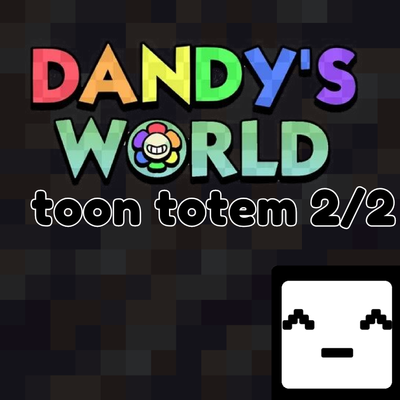
Danby world toom totem 2/2
Bedrock texture pack listed for Minecraft 1.6–26.x. File opened and checked on 24 Sep 2026; installs from the MC Bedrock Mods app on Android.
Dandy's World Totems [Part 2] for MCPE! Replaces the Totem of Undying with 16 unique characters via an in-game slider. Features Toodles, Shrimpo, Vee, and…
⬇ Download on CurseForge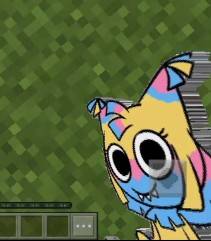
# Dandy's World Totems Collection — Part 2 (Minecraft Bedrock)
Welcome to the second part of the ultimate **Dandy's World** Totem collection! This resource pack replaces the standard Totem of Undying with the rest of your favorite characters from Dandy's World.
This is **Part 2**, which includes **16 unique character variants** configured into a single pack using the subpacks slider interface!
## 🌟 Features
* **16 Characters in 1 Pack:** Switch characters instantly using the convenient subpack slider in your global resources settings.
* **High-Quality Textures:** Clean and perfectly centered pixel-art sprites that look great in both your main hand, off-hand, and inventory.
* **Fully Optimized:** Lightweight file structures customized for smooth gameplay without FPS drops on mobile and PC.
---
## 👥 Characters Included in Part 2:
Inside this second part, you will find:
* Yatta, Vee, Toodles, Tisha, Teagan
* Squirm, Sprout, Soulvester, Shrimpo, Shelly
* Scraps, Rudie, Rodger, Ribecca, Razzle Dazzle, Poppy
---
## 🛠 How to Use (Important!)
To change your active totem character, follow these precise steps:
1. Download and install the Part 2 `.mcpack` file.
2. Open Minecraft, go to **Settings** —> **Global Resources**, and activate **Dandy's World Totems [Part 2]**.
3. Click on the **Gear icon (Settings)** attached to the activated resource pack.
4. Move the slider to select your desired character.
5. **CRITICAL STEP:** Once you have moved the slider, **completely restart your Minecraft game**! The engine requires a fresh launch to properly clear the texture cache and load the new subpack item sprite.
6. Open your world and enjoy your new custom totem!
- Edition: Minecraft Bedrock
- File type: .mcpack
- Minecraft versions listed: 1.20.40, 1.21.30, 1.18.2
- How to install: Download the .mcpack. → Open it — Minecraft imports it under Resource Packs. → Activate it in Global Resources, or for one world under Resource Packs → Available.
- Where to get it: Opens on CurseForge — not every file is mirrored on our own servers.
Install steps are the general flow for this file type — How to install Minecraft Bedrock texture packs walks through it step by step.
- Save it as Dandy world2.mcaddon before opening — it downloads as .mcpack, but it is a .mcaddon pack
- Manifest requires Minecraft 1.14.0 or newer
- Complete pack — everything it depends on is inside the file
- Download size: 1.1 MB
- Download link checked 6 Oct 2026 — working
These come from our own check of the pack file, not from the source page.