Crops+
Bedrock texture pack listed for Minecraft 1.16–1.21. File opened and checked on 8 Oct 2026; installs from the MC Bedrock Mods app on Android.
⬇ Download on CurseForge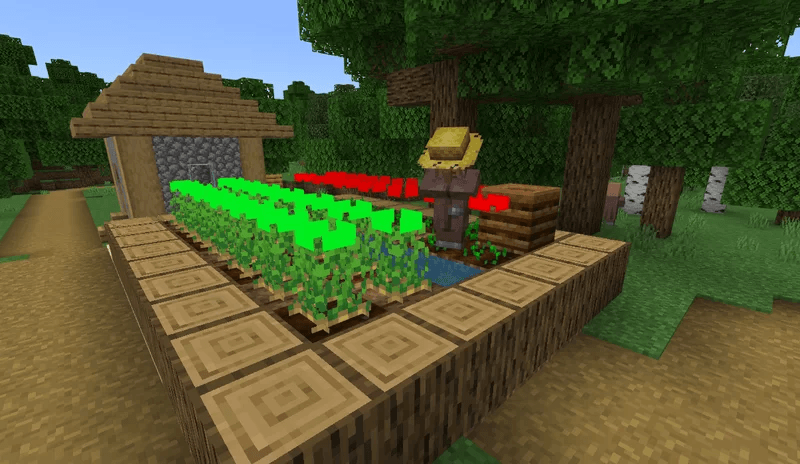
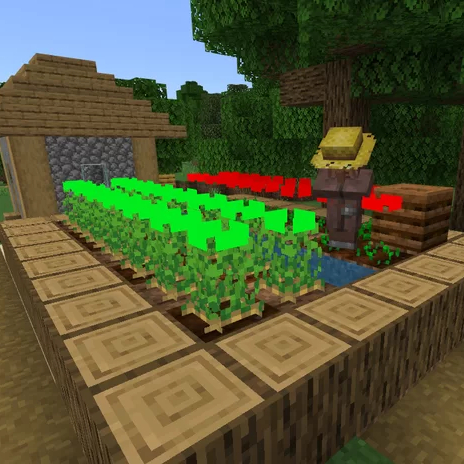
Crops+ is a texture pack to see when your crops are ready.
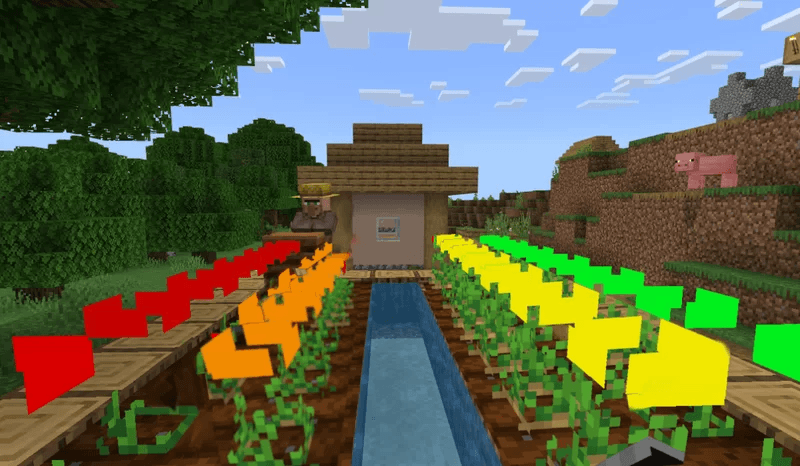
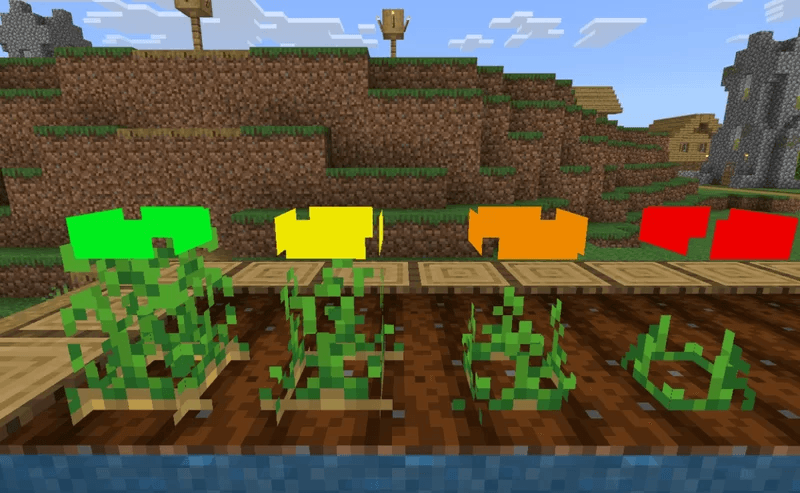
With Crops+, a rectangle appears above the crops to show if they are ready. When the rectangle turns red they are just planted, when it turns orange they are a little further along and halfway through growth, when the rectangle turns yellow the crops are almost ready and when the rectangle turns green they are done!
It's for Minecraft Java and Bedrock Edition!
Java link: https://www.curseforge.com/minecraft/texture-packs/crops
| Red | Orange | Yellow | Green |
| Just planted | Halfway | Almost done | Ready to eat! |
My Website: www.wedofun.nl
More Minecraft Mods: www.wedofun.nl/downloads/mc
(It's Dutch so you may need to translate the site)
- Edition: Minecraft Bedrock
- File type: .mcpack
- Minecraft versions listed: 1.18.2, 1.20.40, 1.21.30
- How to install: Download the .mcpack. → Open it — Minecraft imports it under Resource Packs. → Activate it in Global Resources, or for one world under Resource Packs → Available.
- Where to get it: Opens on CurseForge — not every file is mirrored on our own servers.
Install steps are the general flow for this file type — How to install Minecraft Bedrock texture packs walks through it step by step.
- Pack type: .mcpack — a single pack
- Manifest requires Minecraft 1.17.0 or newer
- Complete pack — everything it depends on is inside the file
- Download size: 120 KB
- Download link checked 6 Oct 2026 — working
These come from our own check of the pack file, not from the source page.