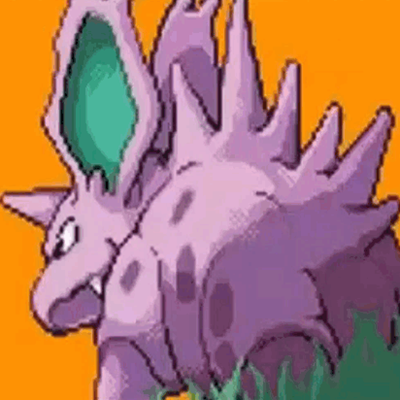
Animated Menu - Pokemon FireRed Intro
Bedrock texture pack listed for Minecraft 1.21–26.x. File opened and checked on 22 Oct 2026; installs from the MC Bedrock Mods app on Android.
Transform your Minecraft experience from the moment you launch the game by replacing your static main menu with this high-energy Pokémon FireRed animated…
⬇ Download on CurseForge
 Animated Menu Pack Description:
Transform your Minecraft experience from the moment you launch the game by replacing your static main menu with this high-energy Pokémon FireRed animated sequence.
Important Information:
- ✅No Experiments will need to be activated to play.
- 👨💼No Player files are used in this project.
- ⏰Real time animated menu.
- 💻Having something to say? Join the Discord.
Installation
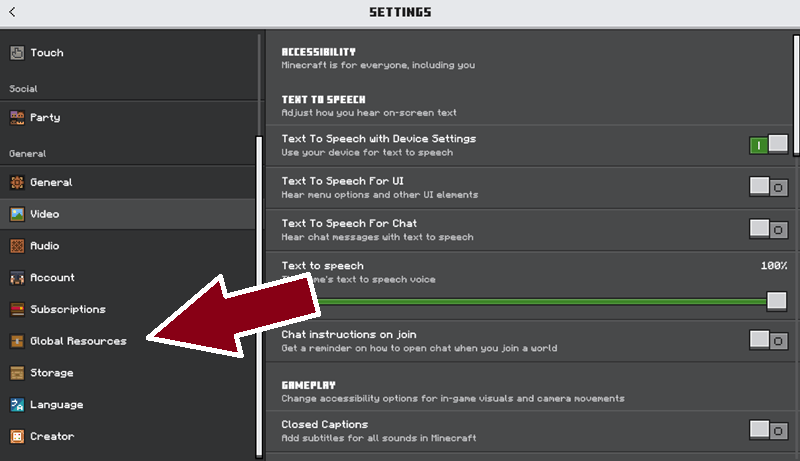 Once you have installed the pack, head to your settings menu and choose Global Resources.
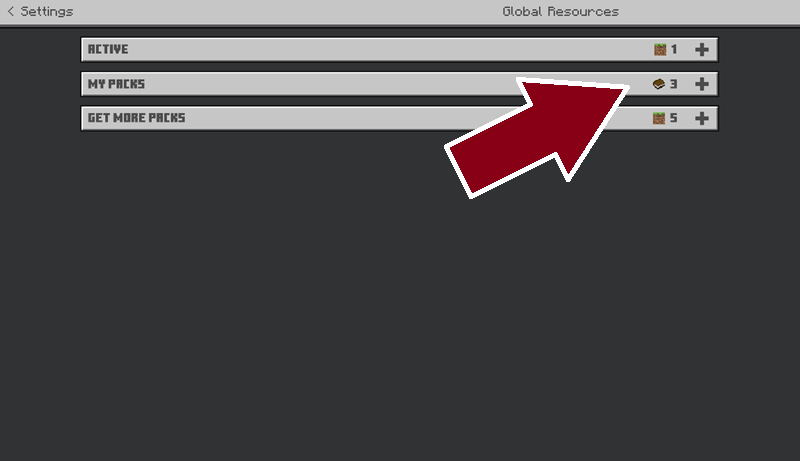 From the "MY PACKS" menu choose this Texture Pack to activate.
 Thats it, once the game has finished loading the Global Resourses you will have an Animated Menu Screen.
- Edition: Minecraft Bedrock
- File type: .mcpack
- Minecraft versions listed: 26.40, 26.50
- How to install: Download the .mcpack. → Open it — Minecraft imports it under Resource Packs. → Activate it in Global Resources, or for one world under Resource Packs → Available.
- Where to get it: Opens on CurseForge — not every file is mirrored on our own servers.
Install steps are the general flow for this file type — How to install Minecraft Bedrock texture packs walks through it step by step.
- Save it as Pokemon Fire Red Intro Animated Menu (V0.02).mcaddon before opening — it downloads as .mcpack, but it is a .mcaddon pack
- Manifest requires Minecraft 1.21.0 or newer
- Complete pack — everything it depends on is inside the file
- Download size: 4.5 MB
- Download link checked 6 Oct 2026 — working
These come from our own check of the pack file, not from the source page.