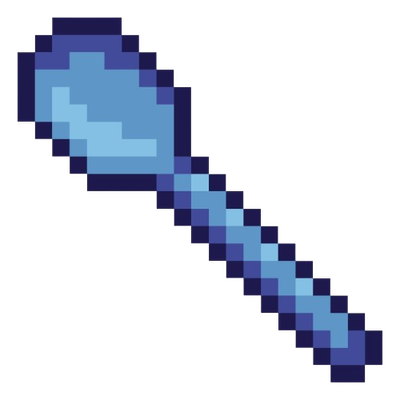
Sword to spoon
Bedrock texture pack listed for Minecraft 1.20–26.x. File opened and checked on 29 Sep 2026; installs from the MC Bedrock Mods app on Android.
Sword To Spoon Replaces all sword textures with a magical pixel-art axe. Each tier has its own color — brown, gray, blue, gold, bright blue, and dark…
⬇ Download on CurseForge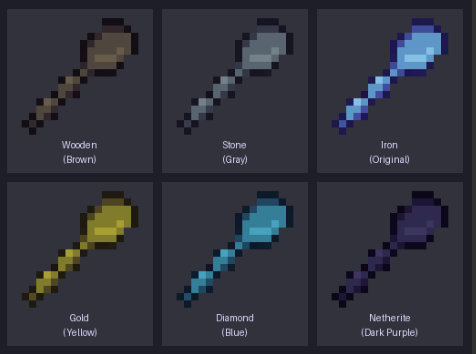
Sword To Spoon
Transform your swords into magical weapons of power!
This resource pack replaces all default sword textures with a stunning pixel-art magic axe, each uniquely colored to match its tier. Every sword feels like a legendary artifact pulled from another dimension.
🗡️ Sword Variants:
- Wooden Sword — A rustic brown axe, forged from ancient enchanted wood
- Stone Sword — A sturdy gray axe, carved from the depths of the earth
- Iron Sword — The original magic axe in its pure mystic blue form
- Golden Sword — A radiant golden axe, shimmering with divine energy
- Diamond Sword — A brilliant bright-blue axe, crackling with frost and arcane power
- Netherite Sword — A dark purple-black axe, corrupted by the fires of the Nether
- Edition: Minecraft Bedrock
- File type: .mcpack
- Minecraft version listed: 26.10
- How to install: Download the .mcpack. → Open it — Minecraft imports it under Resource Packs. → Activate it in Global Resources, or for one world under Resource Packs → Available.
- Where to get it: Opens on CurseForge — not every file is mirrored on our own servers.
Install steps are the general flow for this file type — How to install Minecraft Bedrock texture packs walks through it step by step.
- Pack type: .mcpack — a single pack
- Manifest requires Minecraft 1.20.0 or newer
- Complete pack — everything it depends on is inside the file
- Download size: 24 KB
- Download link checked 6 Oct 2026 — working
These come from our own check of the pack file, not from the source page.