
String Highlighter
Bedrock texture pack listed for Minecraft 1.21–26.x. Download on the author's site.
A simple Minecraft resource pack that turns hard-to-see gray placed string into bright, highly visible neon orange.
⬇ Download on CurseForge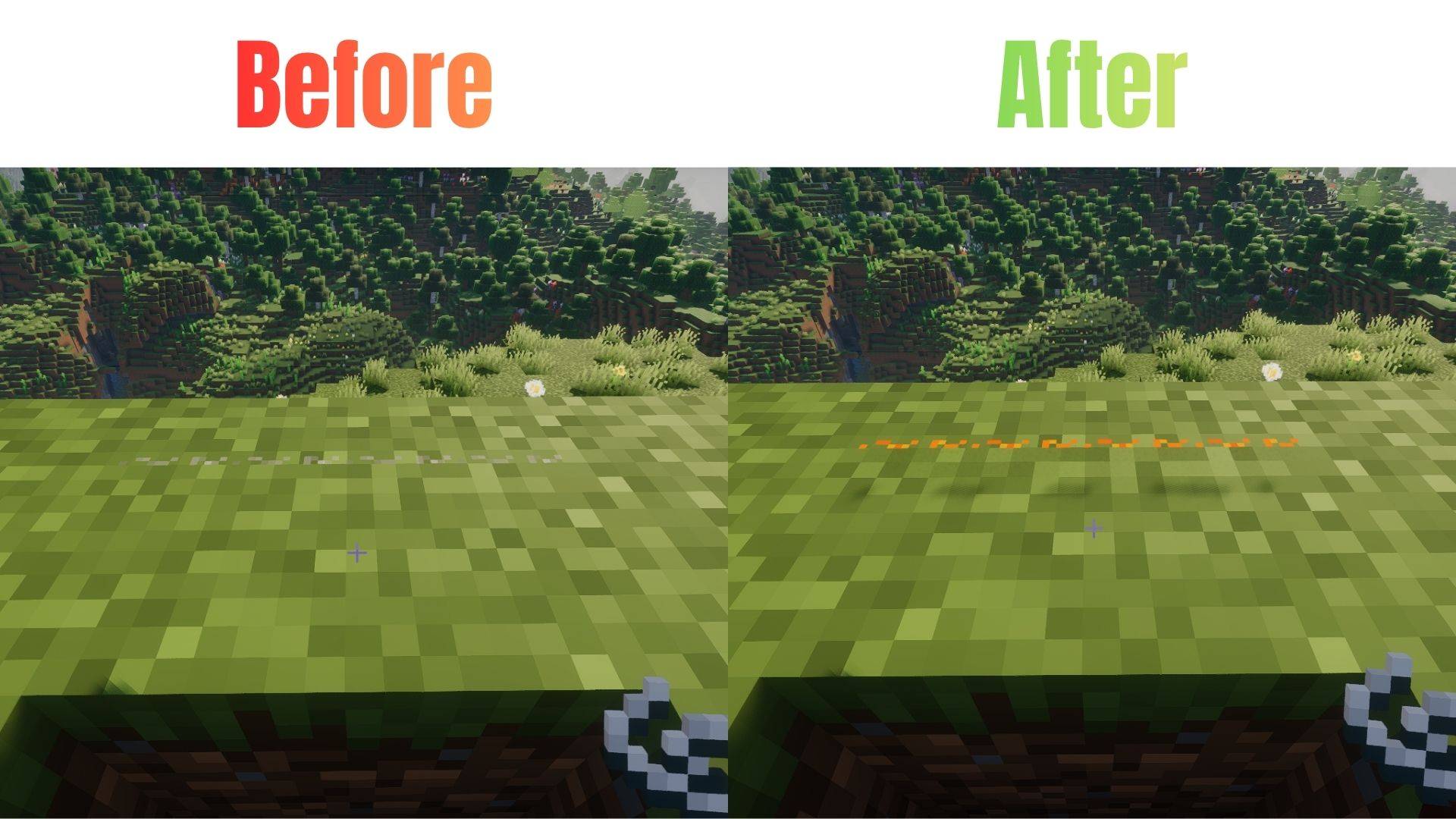
String Highlighter
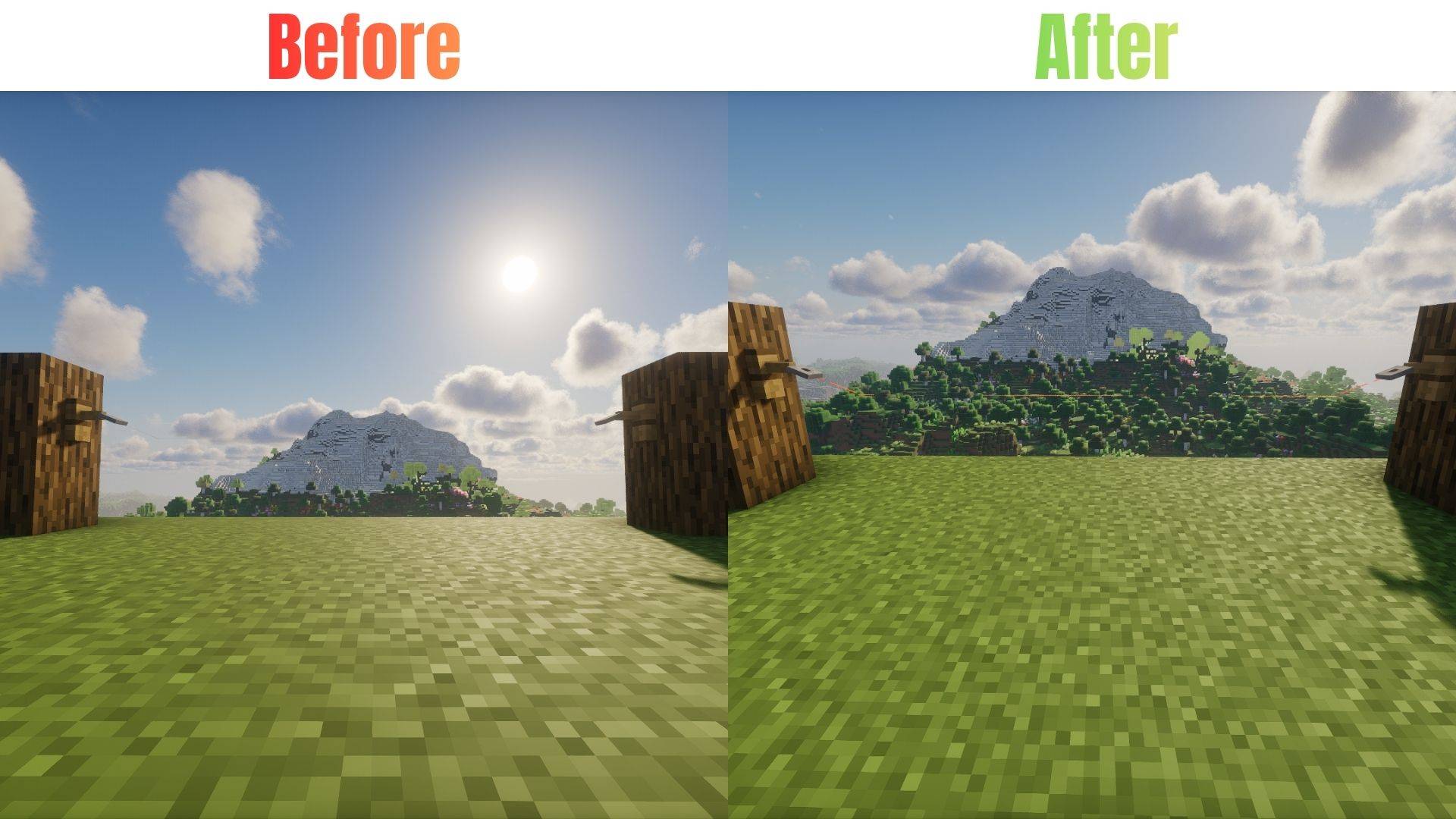
Tired of tripping over invisible tripwires? Can’t find where you placed your string? String Highlighter is a simple, lightweight resource pack that turns hard-to-see gray string into a bright, glowing orange color!
Now you can see every single piece of placed string instantly. It is perfect for technical players, redstone builders, and anyone who wants to avoid accidental traps.
Features
- High Visibility: Changes dull gray placed string to bright neon orange.
- Easy Redstone: See your tripwire lines clearly from far away.
- PvP Safe: Never run into a hidden tripwire trap in faction or minigame servers again.
- Pure Vanilla: Requires zero mods! It works 100% as a standard resource pack.
- Lag Free: Uses basic textures so your game performance stays perfectly smooth.
🛠️ Installation
For Bedrock Edition:
- Download the
.mcpackfile. - Double-click the file to automatically launch Minecraft and import the pack.
- Go to
Settings>Global Resources>My Packsand click Activate.
Availability
- Bedrock Edition: Available on our CurseForge page (Bedrock)
- Edition: Minecraft Bedrock
- File type: .mcpack
- Minecraft versions listed: 26.20, 26.10, 26.0
- How to install: Download the .mcpack. → Open it — Minecraft imports it under Resource Packs. → Activate it in Global Resources, or for one world under Resource Packs → Available.
- Where to get it: Opens on CurseForge — not every file is mirrored on our own servers.
Install steps are the general flow for this file type — How to install Minecraft Bedrock texture packs walks through it step by step.
String Highlighter is a free Minecraft Bedrock texture pack. Compatible with Minecraft 26.20, 26.10, 26.0, 1.21.132 and newer. Downloaded 154 times (via CurseForge). Download it and open it directly in the game.