Texture packsBedrock
No Spyglass Overlay by Legend
Bedrock texture pack listed for Minecraft 1.21–26.x. Download on the author's site.
⬇ Download on CurseForge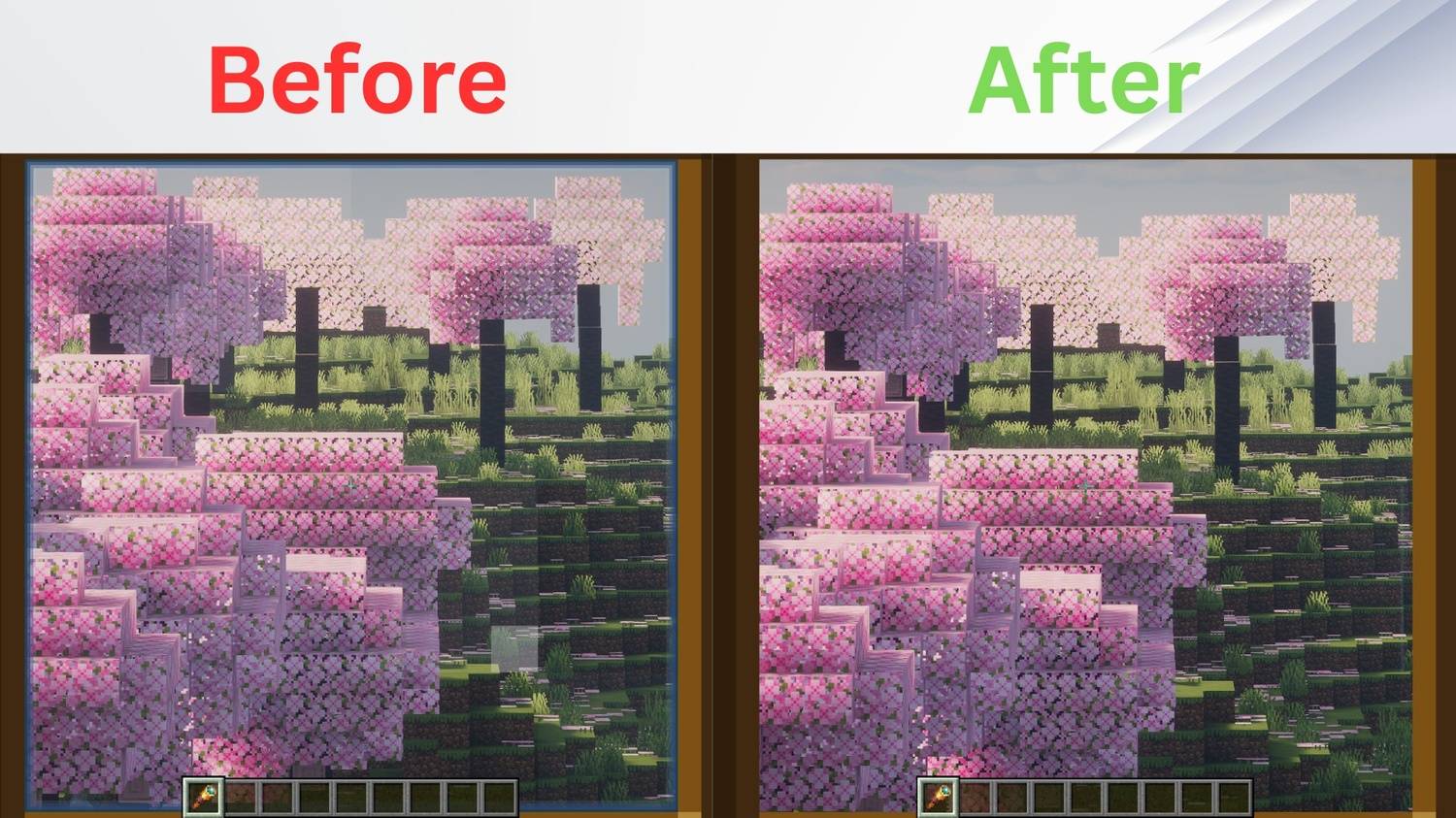
No Spyglass Overlay
Tired of the restrictive, circular vignette when zooming in? No Spyglass Overlay removes the dark border completely, giving you a full, unobstructed view of your world while using the Spyglass in Minecraft!
This pack is lightweight, clean, and perfectly suited for both casual play and competitive survival.
🌟 Features
- Full Screen Zoom: Completely eliminates the square/circular dark overlay texture.
- Universal Compatibility: Works seamlessly alongside other resource packs and shader mods.
- Multi-Platform Support: Fully compatible with both Java Edition and Bedrock Edition.
- Performance Friendly: Zero impact on your game's frame rate (FPS).
🛠️ Installation
For Java Edition:
- Download the
.zipfile for your Minecraft version. - Open Minecraft and navigate to
Options>Resource Packs>Open Pack Folder. - Drop the downloaded
.zipfile into the folder. - Activate the pack in-game and move it to the top of your active pack list.
For Bedrock Edition:
- Download the
.mcpackfile. - Double-click the file to automatically launch Minecraft and import the pack.
- Go to
Settings>Global Resources>My Packsand click Activate.
Availability
Java Edition: Download right here on Modrinth & Curseforge!
- Modrinth:
- Curseforge:
Bedrock Edition: Available on our CurseForge page (Bedrock)
- Curseforge:
Quick facts
- Edition: Minecraft Bedrock
- File type: .mcpack
- Minecraft versions listed: 26.10, 26.0, 1.21.132
- How to install: Download the .mcpack. → Open it — Minecraft imports it under Resource Packs. → Activate it in Global Resources, or for one world under Resource Packs → Available.
- Where to get it: Opens on CurseForge — not every file is mirrored on our own servers.
Install steps are the general flow for this file type — How to install Minecraft Bedrock texture packs walks through it step by step.
No Spyglass Overlay by Legend is a free Minecraft Bedrock texture pack. Compatible with Minecraft 26.10, 26.0, 1.21.132, 1.21.130 and newer. Downloaded 129 times (via CurseForge). Download it and open it directly in the game.