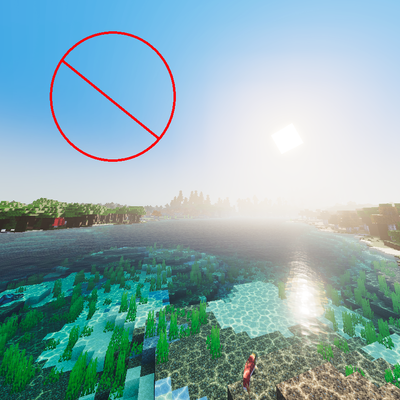

Tired of bulky vanilla clouds blocking your view? No Clouds completely removes clouds from Minecraft, giving you a clean, open clear sky for better visibility and smoother visuals.
Perfect for:
- PvP and competitive gameplay
- Building and screenshots
- Low-end devices needing a cleaner look
- Players who prefer a minimal atmosphere
Features
- Removes all vanilla clouds
- Works in all biomes and weather conditions
- Lightweight and performance-friendly
- Clear sky with no visual clutter
- Simple and easy to use
Whether you're exploring, building massive projects, or just want a clearer sky, No Clouds Mod keeps your world looking clean and distraction-free.
Quick facts
- Edition: Minecraft Bedrock
- File type: .mcpack
- Minecraft version listed: 26.20
- How to install: Download the .mcpack. → Open it — Minecraft imports it under Resource Packs. → Activate it in Global Resources, or for one world under Resource Packs → Available.
- Where to get it: Opens on CurseForge — not every file is mirrored on our own servers.
Install steps are the general flow for this file type — How to install Minecraft Bedrock texture packs walks through it step by step.
Verified by MCModsHub
- Save it as NoCloudsPack.mcaddon before opening — it downloads as .mcpack, but it is a .mcaddon pack
- Manifest requires Minecraft 1.20.0 or newer
- Complete pack — everything it depends on is inside the file
- Download size: 1013 KB
- Download link checked 26 Aug 2026 — working
These come from our own check of the pack file, not from the source page.