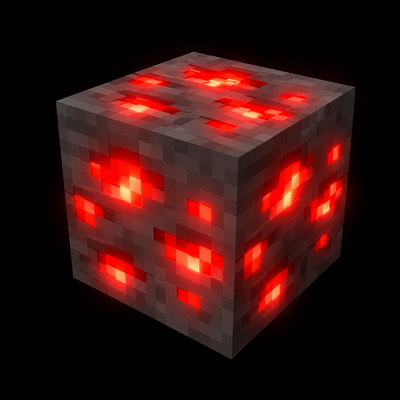
Glowing Ores Upgraded
Bedrock texture pack listed for Minecraft 1.21–26.x. File opened and checked on 24 Sep 2026; installs from the MC Bedrock Mods app on Android.
> ✨ Light up your mining adventure with beautifully glowing ores, vibrant emissive effects, and smooth Bedrock optimization! > 💎 Supports Overworld…
⬇ Download on CurseForge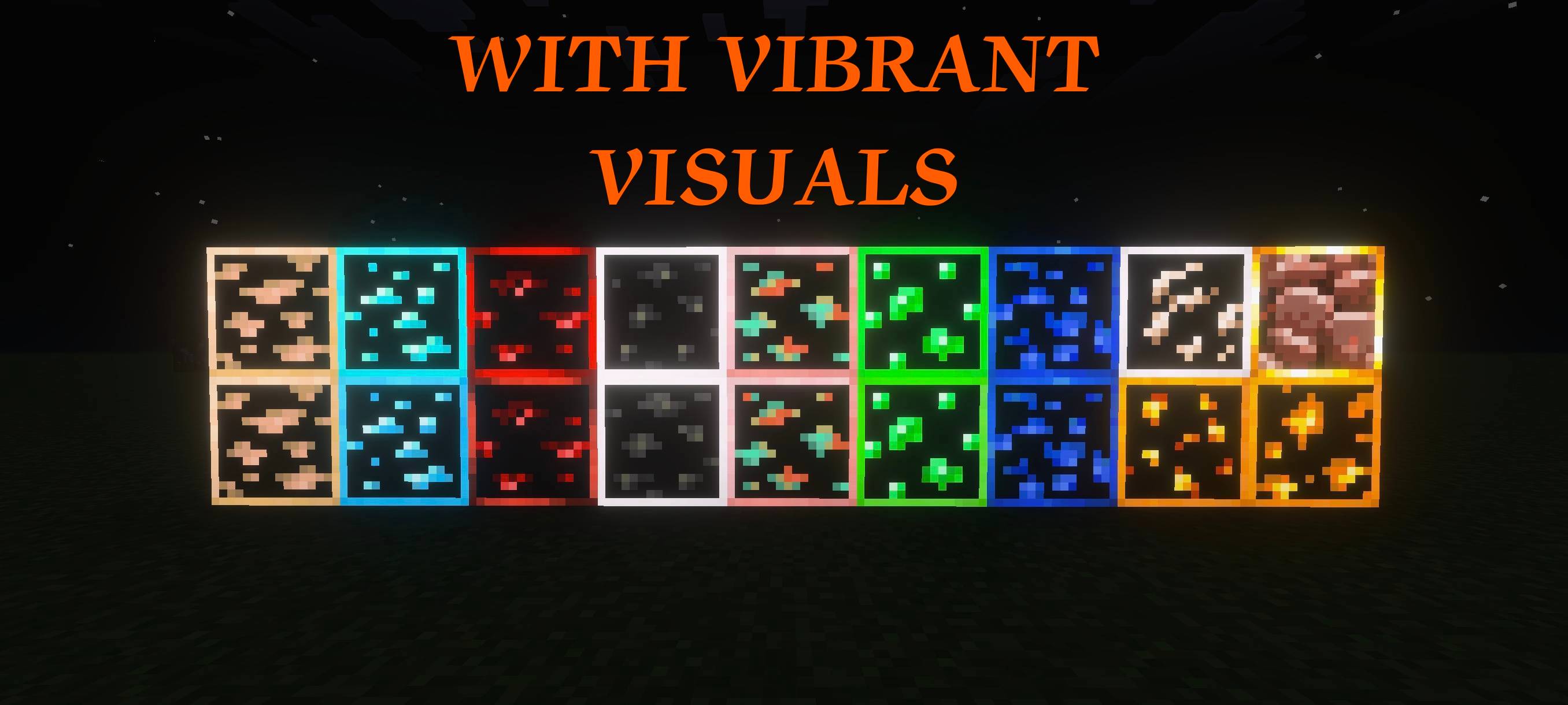
Click To Redirect To Discord Chat Event


✨⛏️ Glowing Ores+ ⛏️✨
The Ultimate Glowing Ore Resource Pack for Minecraft Bedrock
🔥 Make every ore shine beautifully underground with high-quality glowing textures and immersive visuals!
🌟 About Glowing Ores+
Glowing Ores+ is a stylish and optimized Minecraft Bedrock resource pack that enhances ore visibility with stunning glowing effects while keeping the vanilla Minecraft feel alive.
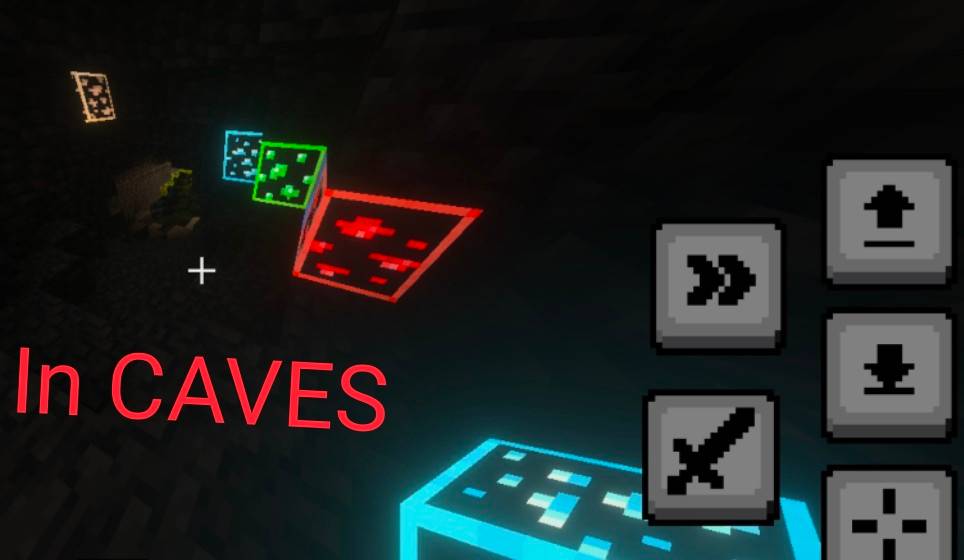
Whether you're mining deep underground, exploring caves, or surviving dangerous adventures, this pack helps ores stand out beautifully with vibrant glowing textures.
📦 Features
| ✨ Feature | 📖 Description |
|---|---|
| 💎 Glowing Ores | All major ores glow beautifully underground |
| 🌑 Dark Cave Visibility | Makes caves easier to explore |
| 🎨 Vanilla Friendly | Keeps Minecraft's original style |
| ⚡ Optimized Textures | Smooth performance on all devices |
| 🔥 Vibrant Glow Effects | Enhanced emissive textures |
| 🪨 Deepslate Support | Includes glowing deepslate ores |
| 🎮 Bedrock Compatible | Made for Minecraft Bedrock Edition |
| 📂 Subpacks Included | Extra customization options |
⛏️ Included Ores
🌍 Overworld Ores
- 🖤 Coal Ore
- 🧡 Copper Ore
- ⚪ Iron Ore
- 💛 Gold Ore
- 💙 Lapis Ore
- ❤️ Redstone Ore
- 💚 Emerald Ore
- 💎 Diamond Ore
🌑 Deepslate Ores
- Deepslate Coal Ore
- Deepslate Copper Ore
- Deepslate Iron Ore
- Deepslate Gold Ore
- Deepslate Lapis Ore
- Deepslate Redstone Ore
- Deepslate Emerald Ore
- Deepslate Diamond Ore
🔥 Nether Support
- Ancient Debris
🎨 Subpacks
| 📂 Subpack | ✨ Description |
|---|---|
| 🖤 No Outline Ores | Cleaner glowing ores without outlines |
📱 Compatibility
| ✅ Supported | 📌 Details |
|---|---|
| 🎮 Minecraft Edition | Bedrock Edition |
| 📦 Pack Type | Resource Pack |
| 📱 Platforms | Android, Windows, iOS |
| ⚡ Performance | Optimized for smooth gameplay |
⚠️ IMPORTANT — Vibrant Visuals Support
🌟 For the BEST glowing experience, enable Vibrant Visuals inside Minecraft settings.
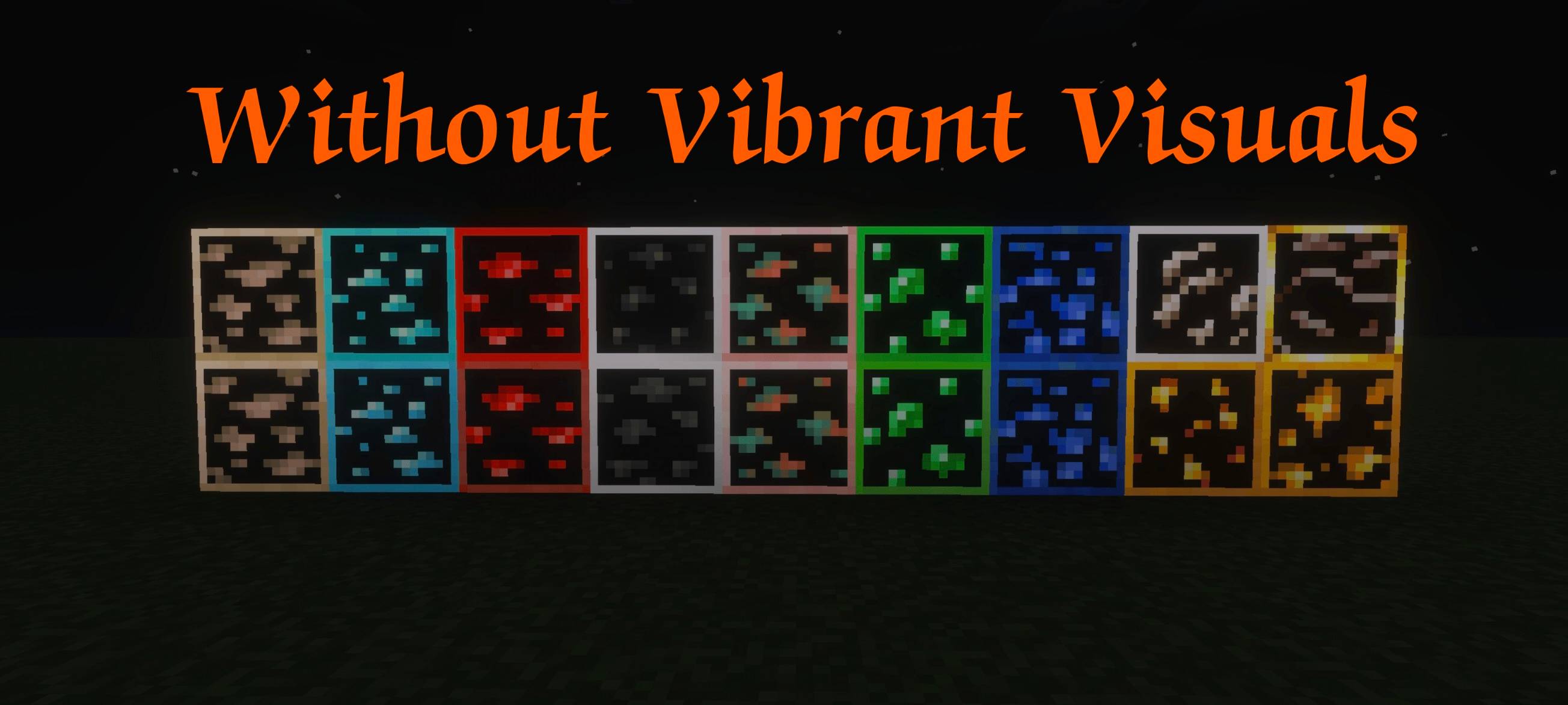
Without Vibrant Visuals:
- Some glowing effects may appear less bright
- Emissive textures may not look fully enhanced
With Vibrant Visuals Enabled:
- ✨ Stronger glow effects
- 🌌 Better cave atmosphere
- 💎 Beautiful emissive lighting
- 🔥 Enhanced underground immersion
📌 Recommended Settings
| ⚙️ Setting | ✅ Recommended |
|---|---|
| Vibrant Visuals | ON |
| Brightness | 100% |
| Fancy Graphics | ON |
| Render Distance | Medium or Higher |
🚀 Why Choose Glowing Ores+?
Unlike basic glowing ore packs, Glowing Ores+ focuses on:
- 🎨 High-quality emissive textures
- ⚡ Smooth Bedrock optimization
- 🌌 Immersive underground visuals
- 💎 Clear ore visibility
- 📱 Stable gameplay experience
Perfect for:
- Survival Players
- Miners
- Cave Explorers
- SMP Servers
- Adventure Worlds
📥 Installation
📱 Bedrock Edition
- Download the pack
- Open the
.mcpack - Activate it in Resource Packs
- Enable Vibrant Visuals
- Enjoy glowing ores ✨
❤️ Support & Feedback
If you enjoy this pack:
- ⭐ Leave a rating
- 💬 Share feedback
- 🔥 Recommend it to friends
🛠️ Future Updates
Planned improvements:
- ✨ More glowing blocks
- 🌈 Better emissive effects
- 🎨 Extra subpacks
- ⚡ Improved optimization
📌 Credits
| 👤 Creator | 📝 Role |
|---|---|
| 👑 PrabhatPie | Pack Creator & Designer |
✨ Glowing Ores+ ✨
“Light Up Your Mining Adventure!” ⛏️💎
- Edition: Minecraft Bedrock
- File type: .mcpack
- Minecraft versions listed: 1.21.81, 1.21.93, 1.21.73
- How to install: Download the .mcpack. → Open it — Minecraft imports it under Resource Packs. → Activate it in Global Resources, or for one world under Resource Packs → Available.
- Where to get it: Opens on CurseForge — not every file is mirrored on our own servers.
Install steps are the general flow for this file type — How to install Minecraft Bedrock texture packs walks through it step by step.
- Pack type: .mcpack — a single pack
- Manifest requires Minecraft 1.21.0 or newer
- Complete pack — everything it depends on is inside the file
- Download size: 292 KB
- Download link checked 26 Oct 2026 — working
These come from our own check of the pack file, not from the source page.