Enchantments Description
Bedrock texture pack listed for Minecraft 1.18–26.x. Download on the author's site.
⬇ Download on CurseForge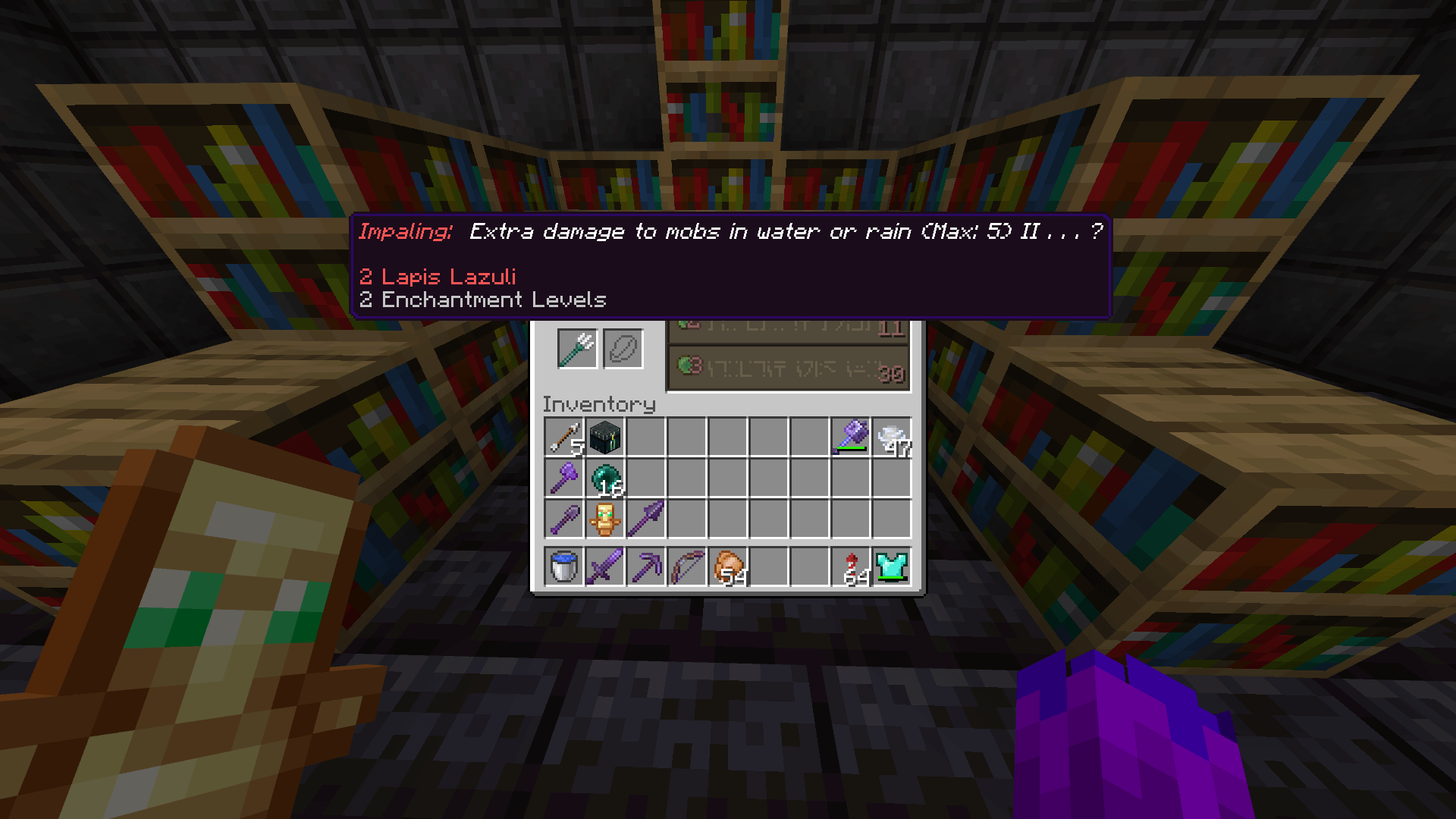
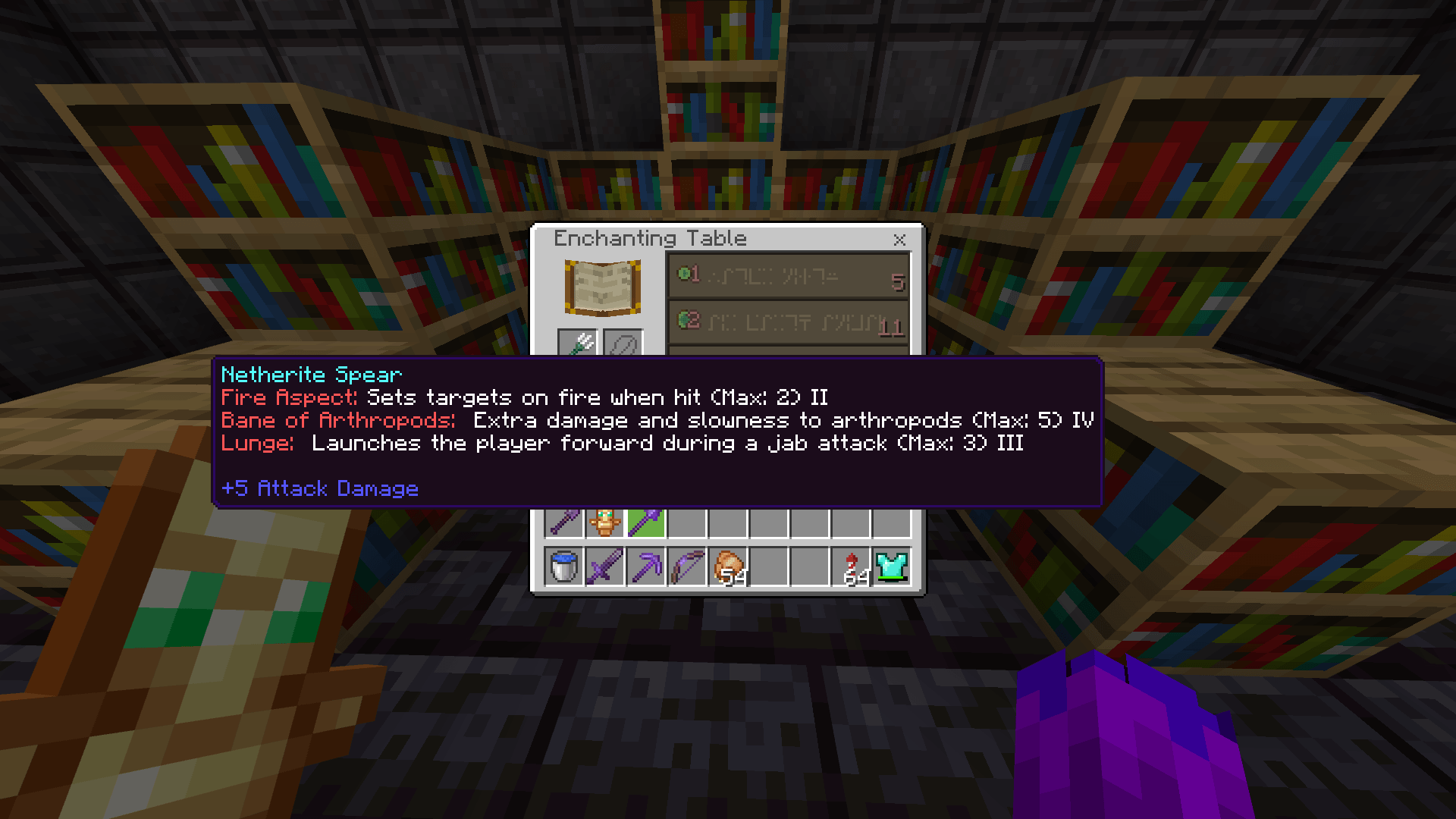
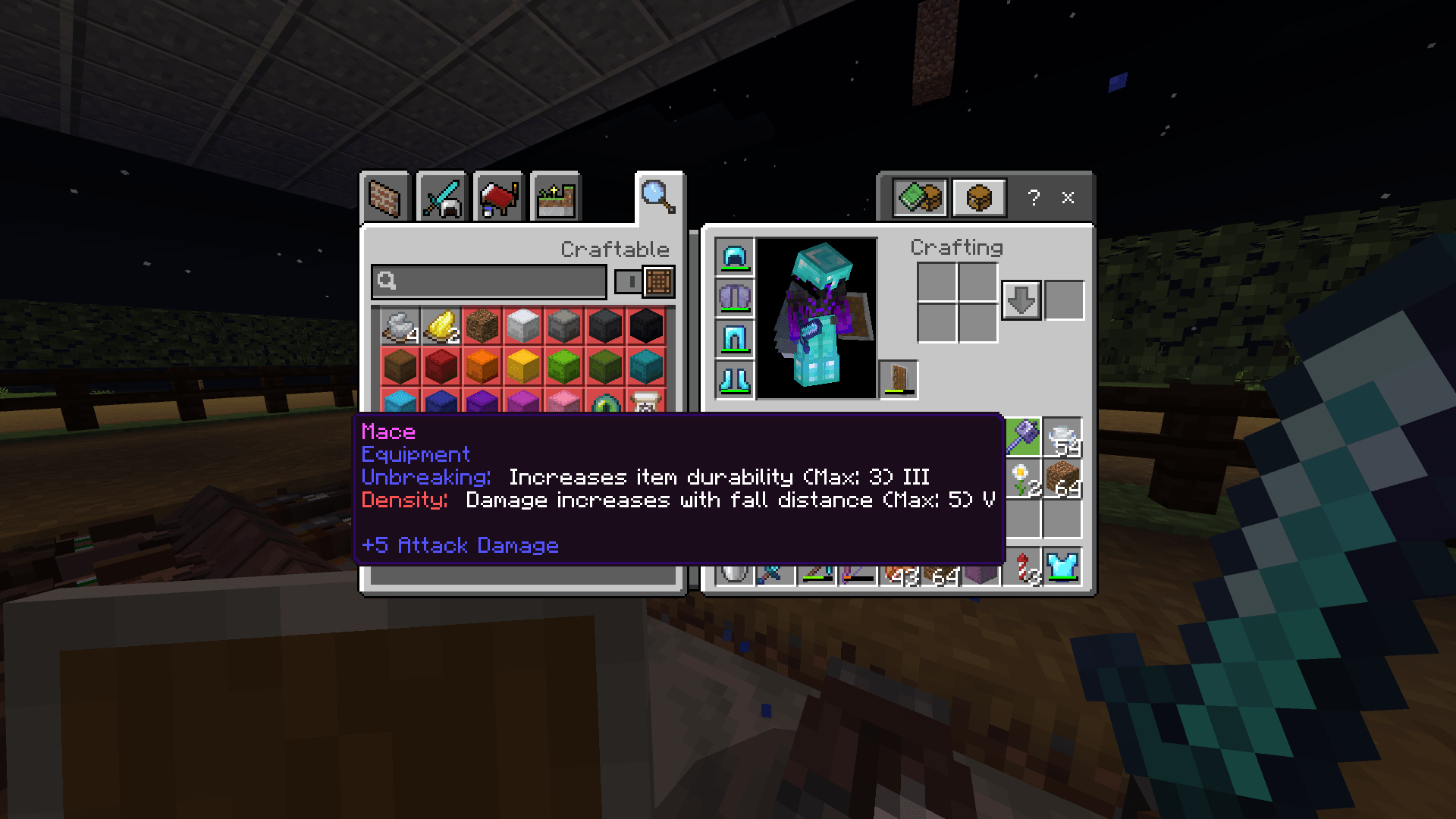
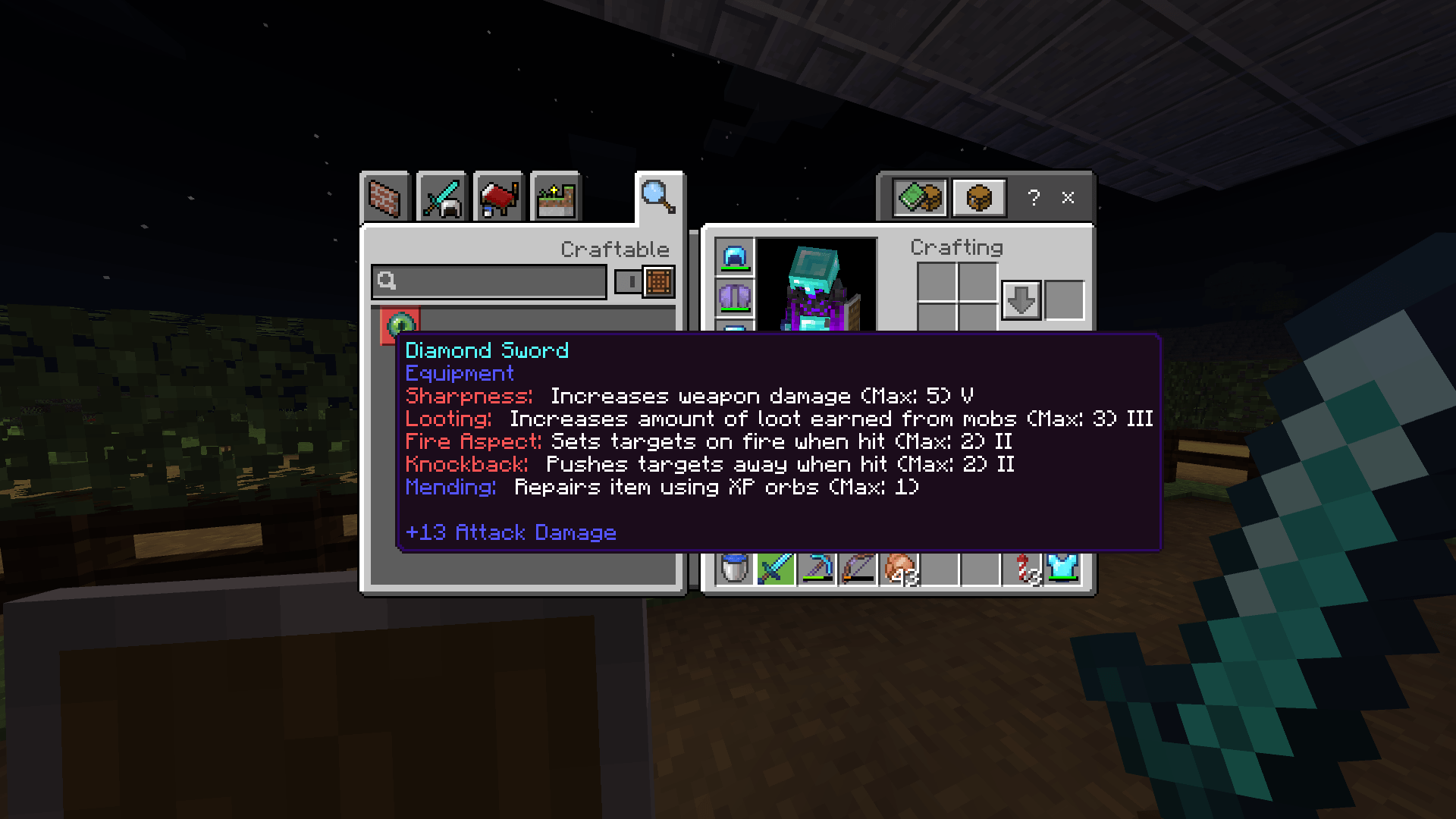
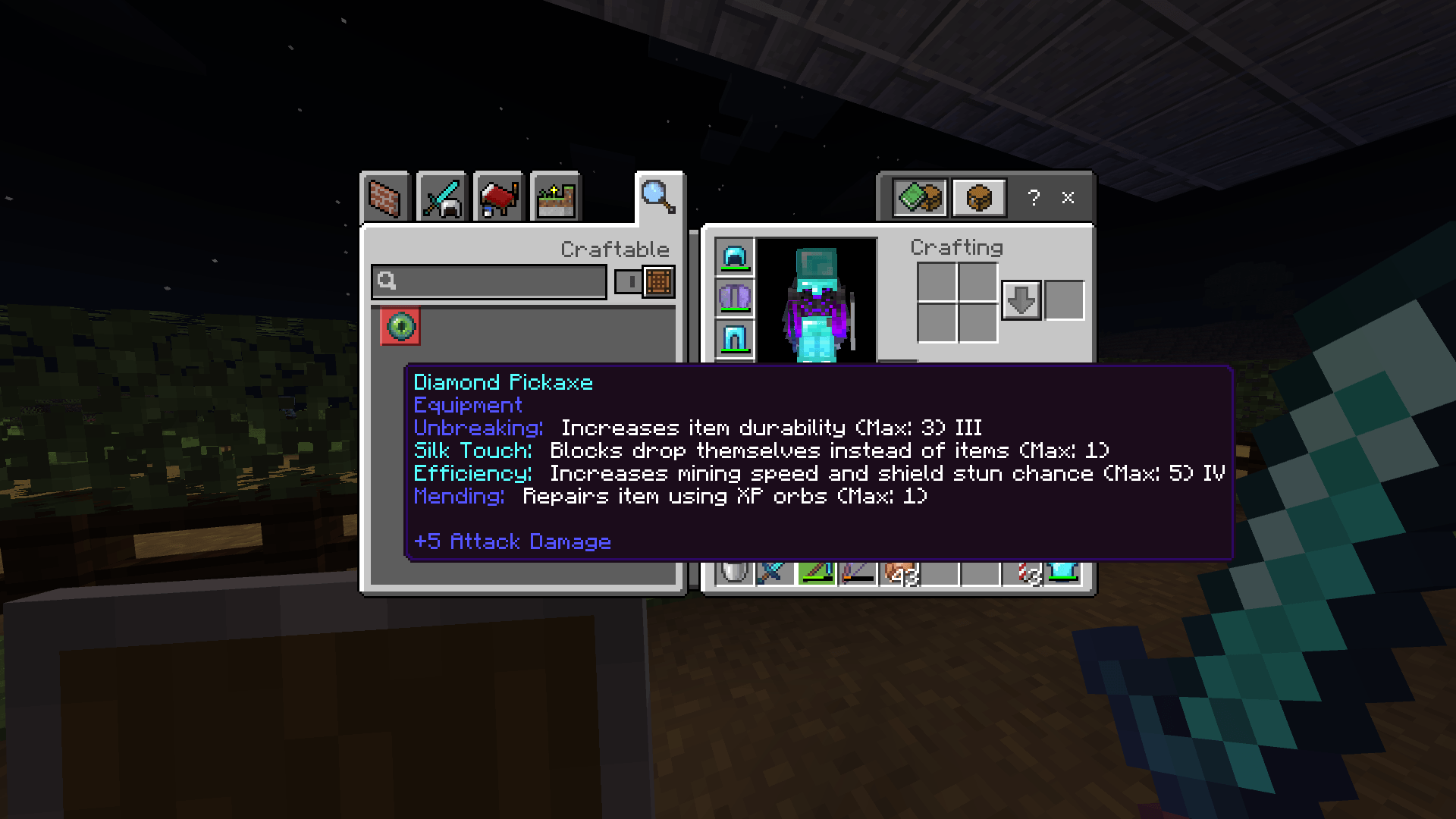
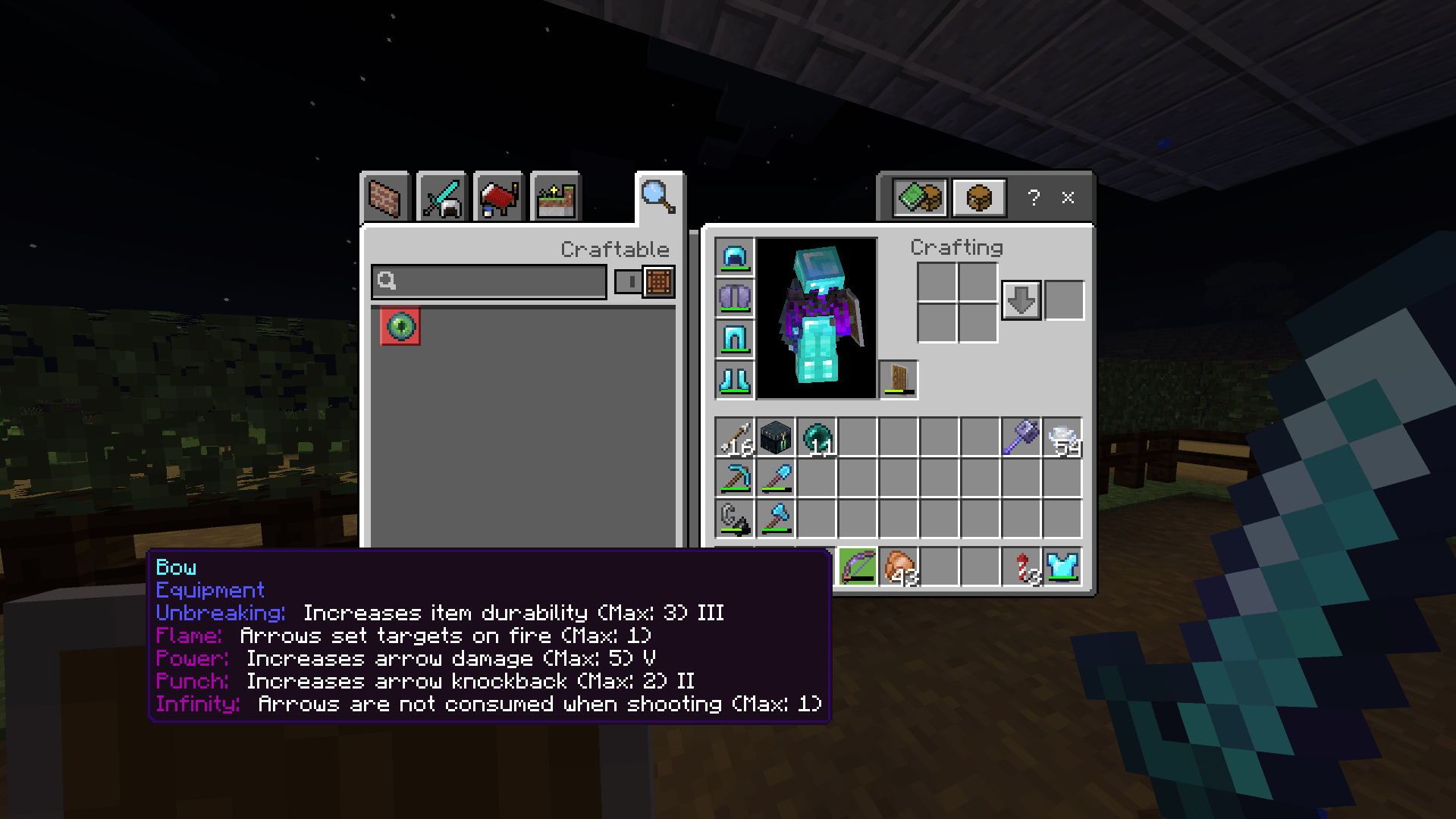
This pack makes enchantments easy to understand.
Every enchantment now tells you:
- What it does
- The highest level you can get
- Looks neat and easy to read
- Supports multiple languages:
English (US & UK), French (FR & CA), Spanish (ES & MX), Portuguese (BR & PT), German, Italian, Russian, Danish, Turkish
Color guide:
- Blue = All purpose
- Green = Armor
- Red = Melee Weapons
- Purple = Ranged Weapons
- Light Blue = Tools
Tip: For even better visibility, you can use another texture pack that hides hover text content until you look in your inventory. It makes the game cleaner, reduces clutter, and helps you focus on playing. (Hidden Enchantments)
No more guessing what your enchantments do—just read and play!
✔ Works with all Minecraft enchantments
✔ Doesn’t change the game, just makes it easier to understand
✔ Looks nice and clear in menus
- Edition: Minecraft Bedrock
- File type: .mcpack
- Minecraft versions listed: 1.18, 1.19, 1.20
- How to install: Download the .mcpack. → Open it — Minecraft imports it under Resource Packs. → Activate it in Global Resources, or for one world under Resource Packs → Available.
- Where to get it: Opens on CurseForge — not every file is mirrored on our own servers.
Install steps are the general flow for this file type — How to install Minecraft Bedrock texture packs walks through it step by step.
Enchantments Description is a free Minecraft Bedrock texture pack. Compatible with Minecraft 1.18, 1.19, 1.20, 1.21 and newer. Downloaded 272 times (via CurseForge). Download it and open it directly in the game.