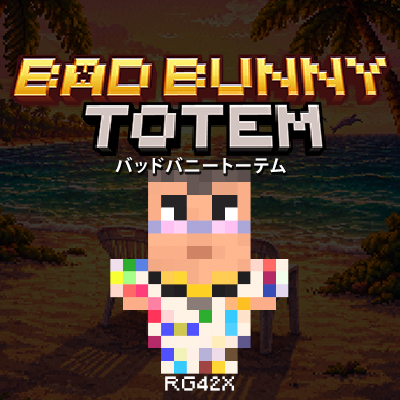
Bad Bunny Totem - Chambea
Bedrock texture pack listed for Minecraft 1.20. File opened and checked on 11 Oct 2026; installs from the MC Bedrock Mods app on Android.
Texture pack for Minecraft Bedrock that replaces the Totem of Undying with a custom design inspired by Bad Bunny. Visual-only, easy to install, and…
⬇ Download on CurseForge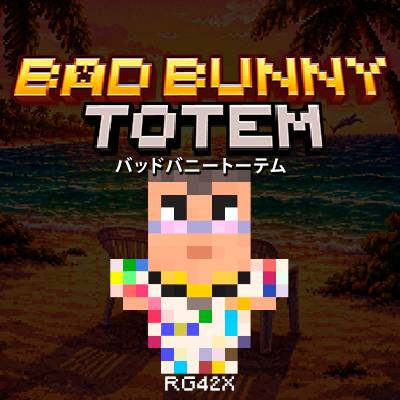

Bad Bunny Totem – Chambea
A texture pack for Minecraft Bedrock that replaces the Totem of Undying with a custom design inspired by Bad Bunny 🎤🔥, perfect if you’re a fan of the Bad Bunny vibe.
📦 Features
✅ Replaces the Totem of Undying ✅ Custom design inspired by Bad Bunny ✅ Does not affect gameplay (visual only) ✅ Compatible with Minecraft Bedrock ✅ Works in singleplayer worlds and realms
📥 Installation (Minecraft Bedrock)
Download the .mcpack file
Open it and let Minecraft import it automatically (or manually place it in the resource_packs folder)
Go to Settings → Resource Packs
Activate the pack in your world
Done! 🎉
🎮 Compatibility
Minecraft Bedrock Edition
Tested on versions: (1.20+)
🖼️ Screenshots


More designs on my profile.
Note: This pack is fan-made. It is not affiliated with or endorsed by Bad Bunny.
ESPAÑOL
Bad Bunny Totem – Chambea
Un texture pack para Minecraft Bedrock que reemplaza el Totem of Undying por un diseño personalizado inspirado en Bad Bunny 🎤🔥, ideal si eres fan del conejo malo.
📦 Características
✅ Reemplaza el Totem of Undying
✅ Diseño custom inspirado en Bad Bunny
✅ No afecta el gameplay (solo visual)
✅ Compatible con Minecraft Bedrock
✅ Funciona en mundos singleplayer y realms
📥 Instalación (Minecraft Bedrock)
-
Descarga el archivo
.mcpack -
Ábrelo y deja que Minecraft lo importe automáticamente
(o colócalo manualmente en la carpetaresource_packs -
Ve a Configuración → Paquetes de recursos
-
Activa el pack en tu mundo
-
¡Listo! 🎉
🎮 Compatibilidad
Minecraft Bedrock Edition
Probado en versiones: (1.20+)
🖼️ Screenshots
Más diseños en mi perfil.
Nota: Este pack es un fan-made. No está afiliado ni respaldado por Bad Bunny.
- Edition: Minecraft Bedrock
- File type: .mcpack
- Minecraft version listed: 1.20
- How to install: Download the .mcpack. → Open it — Minecraft imports it under Resource Packs. → Activate it in Global Resources, or for one world under Resource Packs → Available.
- Where to get it: Opens on CurseForge — not every file is mirrored on our own servers.
Install steps are the general flow for this file type — How to install Minecraft Bedrock texture packs walks through it step by step.
- Pack type: .mcpack — a single pack
- Complete pack — everything it depends on is inside the file
- Download size: 274 KB
- Download link checked 6 Oct 2026 — working
These come from our own check of the pack file, not from the source page.