SkinsBedrock
ZZZ Characters
Bedrock skin pack listed for Minecraft 1.21. File opened and checked on 5 Nov 2026; installs from the MC Skins app on Android.
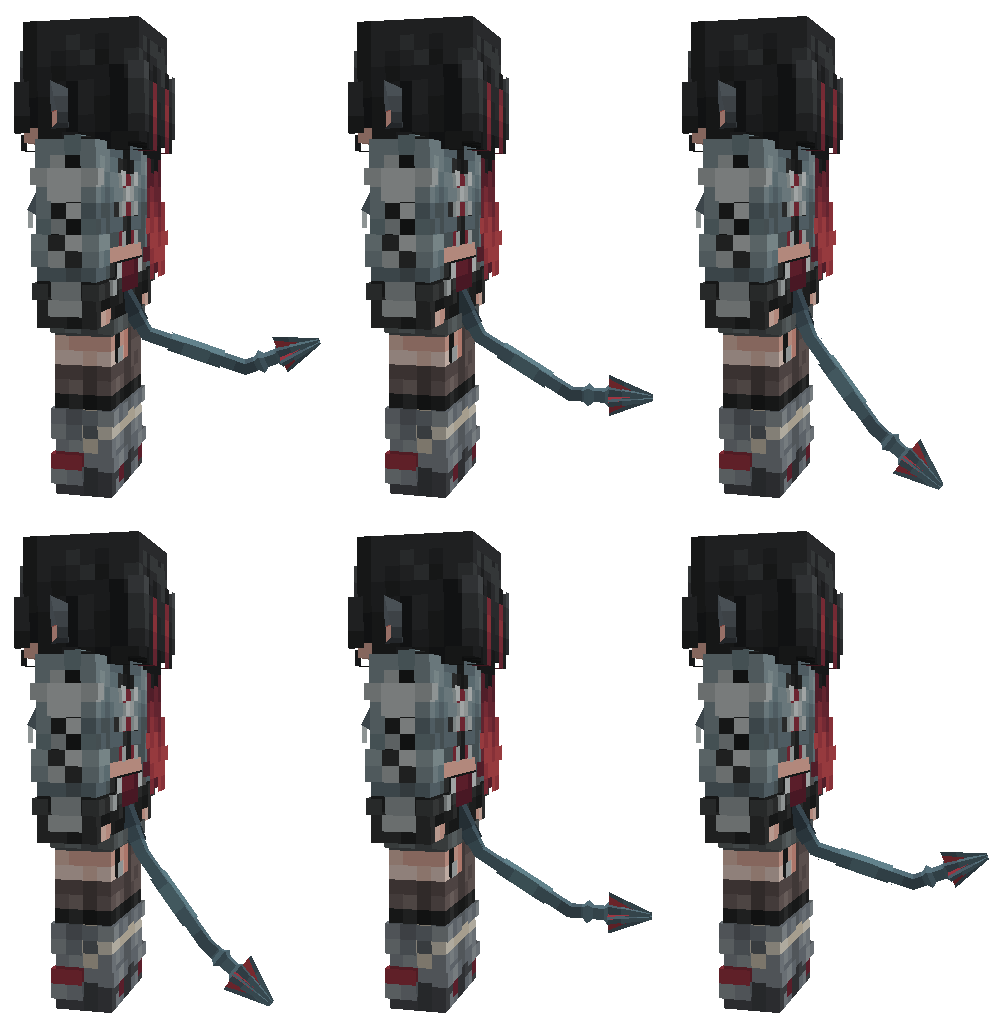
ZZZ Characters is a skin pack that brings 3D models of characters from Zenless Zone Zero into Minecraft Bedrock.
⬇ Download on CurseForge
This skin pack adds animated 3D character models from Zenless Zone Zero to Minecraft Bedrock.
Trigger
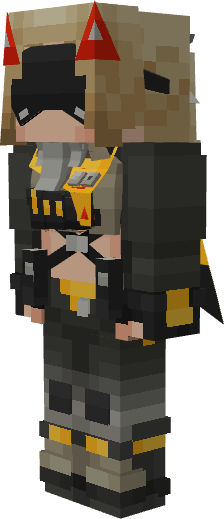
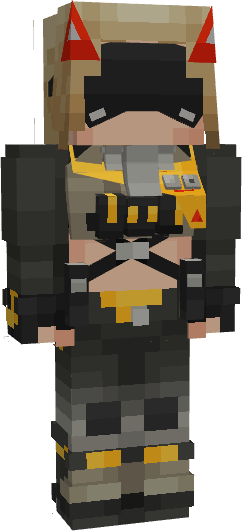
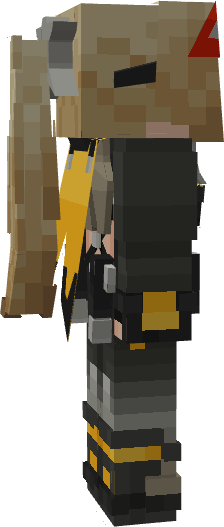
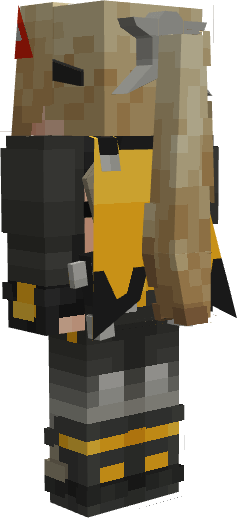
Jane Doe
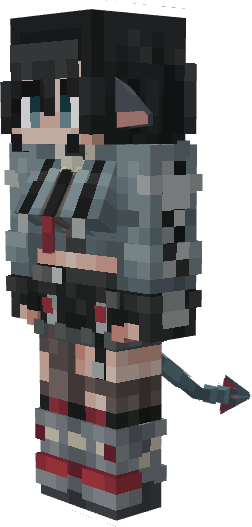
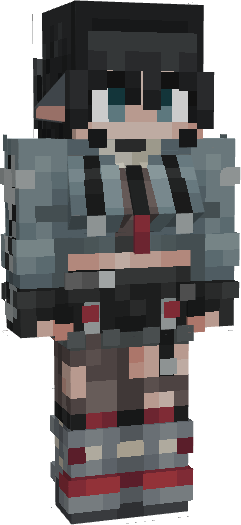
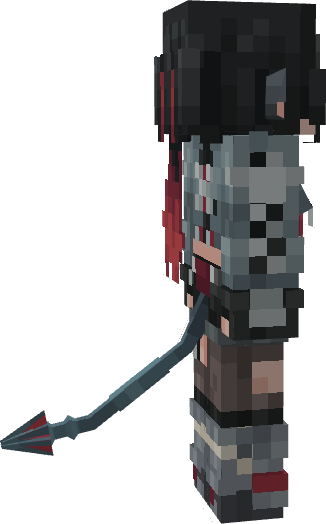
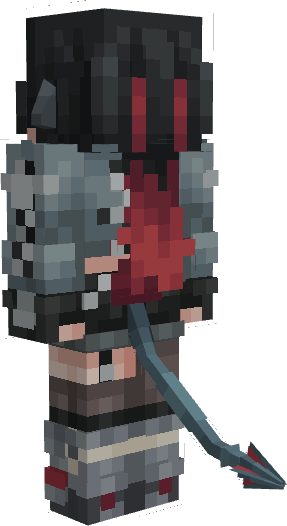
Installation guide
For Windows:
First option:
- Download the file "ZZZ_Characters_vX.X.X.mcpack".
- Double-click it to open Minecraft and begin importing the skin pack.
- Once you see the message "Successfully imported 'ZZZ Characters'", close Minecraft.
- Follow this link to download BetterResourcePackManager-Win.zip. (If there are no updates for BetterResourcePackManager on GitHub, check out the QY Cottage Discord server.)
- Unzip the downloaded archive to a convenient location.
- Open the extracted folder and run mcbe_injector.exe.
- Minecraft will launch automatically.
- Go to the skin settings and select the desired skin from the list.
Important
- The custom skin will only work when Minecraft is launched through mcbe_injector.exe.
Second option:
- Open Minecraft.
- Get the "Timeless Toys Skins" skin pack in the Minecraft Marketplace.
- Close Minecraft.
- Download the file "ZZZ_Characters_IOS_vX.X.X.mcpack".
- Rename the file "ZZZ_Characters_IOS_vX.X.X.mcpack" to "ZZZ_Characters_IOS_vX.X.X.zip".
- Unzip the file "ZZZ_Characters_IOS_vX.X.X.zip".
- Press Windows R, then run should appear, paste the link below into the box: %APPDATA%\Minecraft Bedrock\premium_cache\
- Go to the skin_packs folder and delete all files from there.
- Move the "ZZZCharacters" folder to the skin_packs folder.
- Open Minecraft, go to the skin settings, and select the desired skin from the list.
For Android:
- Follow this link to download LeviLauncher.
- Install the APK on your device (enable installation from unknown sources if prompted).
- Follow this link to download the libBetterResourcePackManager-arm64.so. (If there are no updates for BetterResourcePackManager on GitHub, check out the QY Cottage Discord server.)
- Open LeviLauncher and import the libBetterResourcePackManager-arm64.so mod.
- Download the file "ZZZ_Characters_vX.X.X.mcpack".
- Locate the downloaded file "ZZZ_Characters_vX.X.X.mcpack" in any file manager and tap on it.
- In the menu that opens, select Import via LeviLauncher.
- LeviLauncher will open and display the message: "Resource Pack Detected. Do you want to launch the game now?"
- Click "Launch Now", and Minecraft will start automatically.
- Go to the skin settings and select the desired skin from the list.
Important
- This custom skin will only work when Minecraft is launched via LeviLauncher with the libBetterResourcePackManager-arm64 mod enabled.
For IOS:
- Open Minecraft.
- Get the "Timeless Toys Skins" skin pack in the Minecraft Marketplace.
- Close Minecraft.
- Download the file "ZZZ_Characters_IOS_vX.X.X.mcpack".
- Rename the file "ZZZ_Characters_IOS_vX.X.X.mcpack" to "ZZZ_Characters_IOS_vX.X.X.zip".
- Unzip the file "ZZZ_Characters_IOS_vX.X.X.zip".
- Move the "ZZZCharacters" folder to the following location: My iPhone/Minecraft/internal/premium_cache/skin_packs.
- Press Select All, Or .../select/select all.
- Deselect the "ZZZCharacters" folder, then delete everything.
- Open Minecraft, go to the skin settings, and select the desired skin from the list.
Quick facts
- Edition: Minecraft Bedrock
- File type: .mcpack
- Minecraft versions listed: 1.21.81, 1.21.73, 1.21.90
- How to install: Download the .mcpack skin pack. → Open it — Minecraft imports it. → Open the Dressing Room and select the skin.
- Where to get it: Opens on CurseForge — not every file is mirrored on our own servers.
Install steps are the general flow for this file type — How to apply a custom Minecraft skin walks through it step by step.
File checked by MCModsHub
- Save it as ZZZ_Characters_IOS_v0.1.4.mcaddon before opening — it downloads as .mcpack, but it is a .mcaddon pack
- Complete pack — everything it depends on is inside the file
- Download size: 153 KB
- Download link checked 26 Oct 2026 — working
These come from our own check of the pack file, not from the source page.