Armedpingu's 25+ 4D Skinpack
Bedrock skin pack listed for Minecraft 1.21. File opened and checked on 25 Sep 2026; installs from the MC Skins app on Android.
Ever wanted lots of 4D skins? Well this skinpack is for you! With 25 skins you'll have lots to pick from. Download now!
⬇ Download on CurseForge
Ever wanted to look cool in front of your friends or on one of those servers like the Hive? Well, if so, then this skinpack is for you! With 25 skins, you have lots to pick from. Download now and enjoy!
Ever wanted lots of 4D skins? Look like one of those sweats on the Hive? Well, if so, this skinpack is for you! You can have hats, be short, and have wings!
For these skinpacks, I need to write over 1000+ lines of code just for the skinpack to work. So, most of the time, there are tiny errors. If you find any, please let me know, and I will fix them ASAP.
In this skinpack, there are lots of skins you can pick from. From cute little astronauts to the Easter Bunny, you have choices! Here are some images from the skinpack!
Skins & Cosmetics!
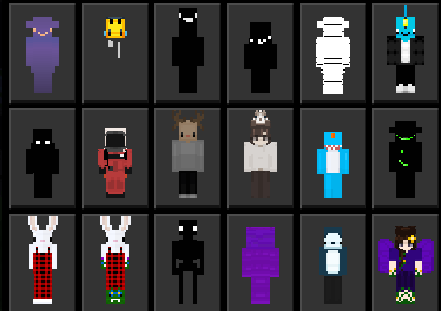
One of the best things about these skins is that all except two work on popular servers! (Hive, Cubecraft, etc.)
Here are some more images:
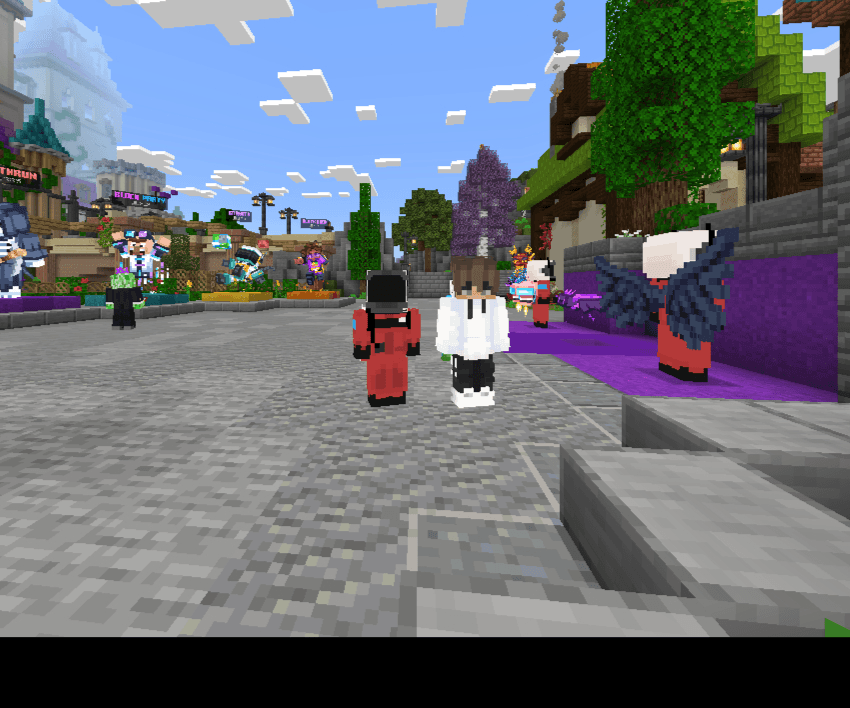
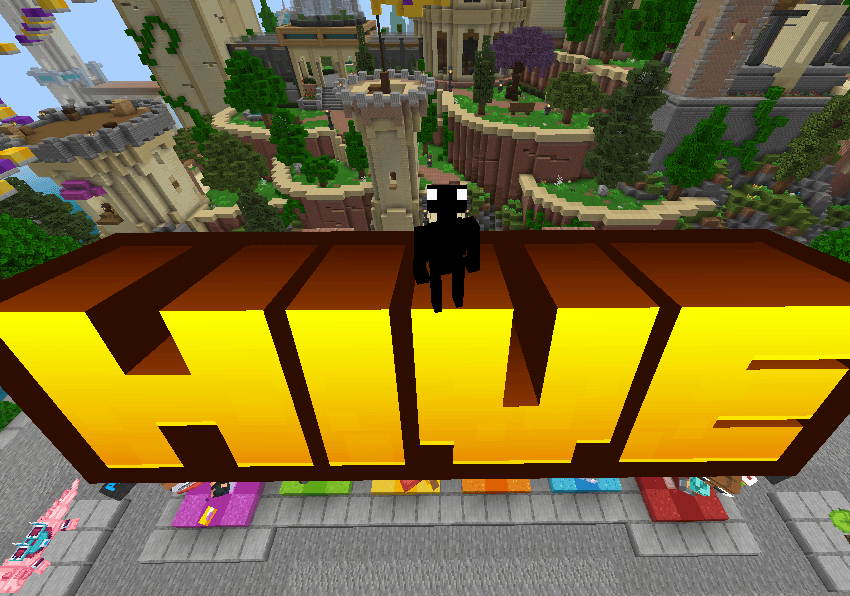
If you ever want to find your skin put in one of the skinpacks please comment down below what sort of skin you want and I will make it.
All you need to do is download the skinpack, and the skins are yours! (Please do not republish or copy the skins.)
Please follow the tutorial very closely.
How To Install! 🔗
Please follow this through very carefully, and don't worry; you won't lose any of your skinpacks! Make sure Only Allow Trusted Skins is turned off, and that you own the free Timeless Toys Skinpack before doing this.
For Windows
- First, press the Windows Key and R at the same time.
- Enter into the Run box %localappdata%
- Scroll down until you see Packages and double-click it.
- Go down until you see Microsoft.MinecraftUWP_8wekyb3d8bbwe.
- Then, follow this route. localstate/premium_cache/skinpacks
- Then, go and delete all the folders in there.
- Rename the ~Armedpingu's 25+ skins~.mcpack to ~Armedpingu's 25+ skins~.zip
- Drag the ~Armedpingu's 25+ skins~ out of the zip folder and into there.
- Restart Minecraft, and you should see the skinpack!
For iOS
- First, go to On My Ipad/Minecraft/Internal/PremiumCache/skin_packs, press select all, and delete.
- Then rename the ~Armedpingu's 25+ skins~.mcpack to ~Armedpingu's 25+ skins~.zip then, unzip the ~Armedpingu's 25+ skins~ file, select the new unzipped file, and move it to this location: iPad/Minecraft/Internal/PremiumCache/skin_packs
- Restart Minecraft, and the skins should be there. Have fun!
After that, you should have the skinpack, enjoy!
- Edition: Minecraft Bedrock
- File type: .mcpack
- Minecraft versions listed: 1.21.30, 1.21.50, 1.21.20
- How to install: Download the .mcpack skin pack. → Open it — Minecraft imports it. → Open the Dressing Room and select the skin.
- Where to get it: Opens on CurseForge — not every file is mirrored on our own servers.
Install steps are the general flow for this file type — How to apply a custom Minecraft skin walks through it step by step.
- Save it as ~Armedpingu's 25+ skins~.mcaddon before opening — it downloads as .mcpack, but it is a .mcaddon pack
- Complete pack — everything it depends on is inside the file
- Download size: 260 KB
- Download link checked 26 Oct 2026 — working
These come from our own check of the pack file, not from the source page.