SkinsBedrock
Camouflage Skin Pack
100 Minecraft Bedrock skins that make you look like real in-game blocks. Perfect for hiding, trolling, or blending into any build.
⬇ Download on CurseForge
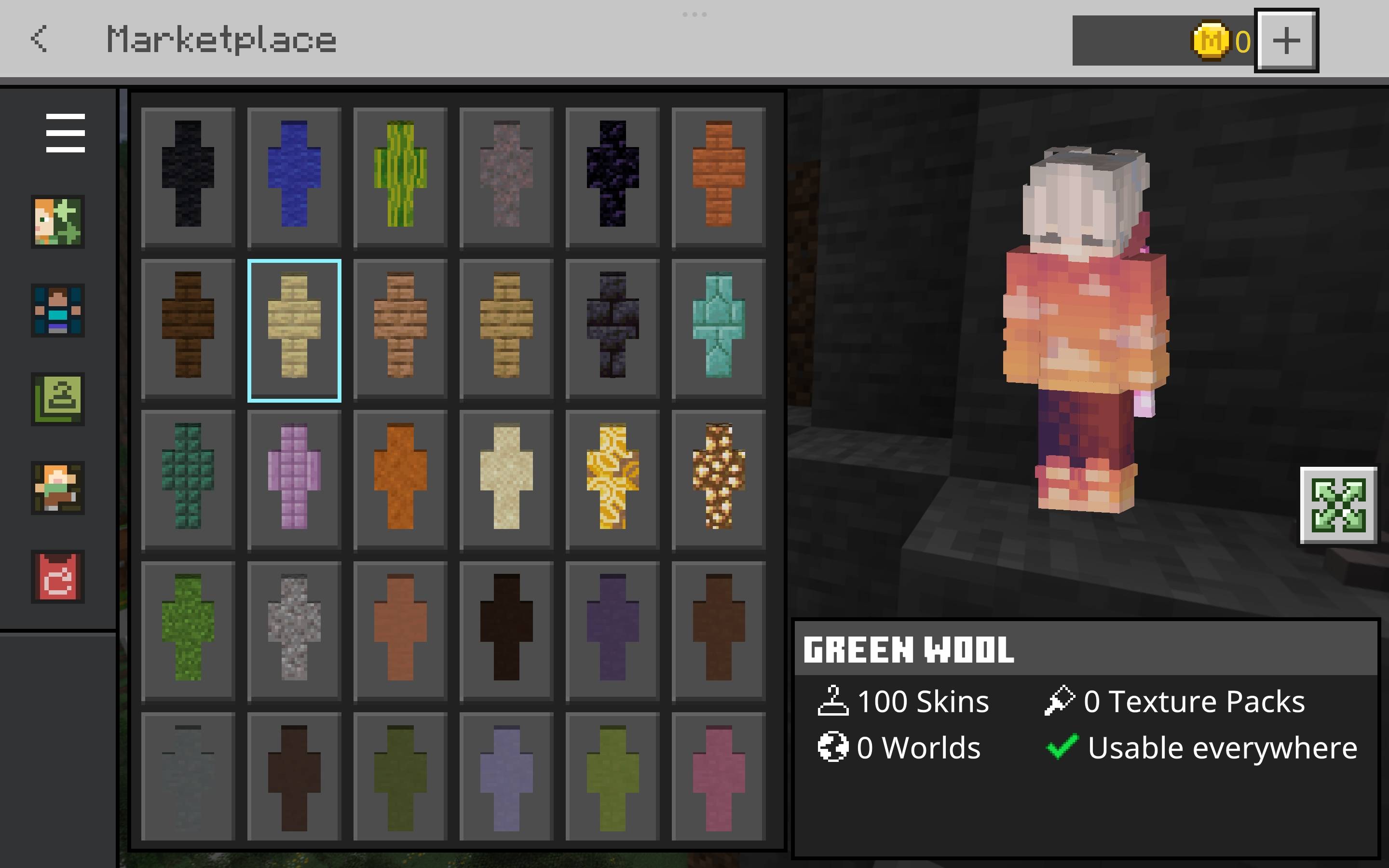
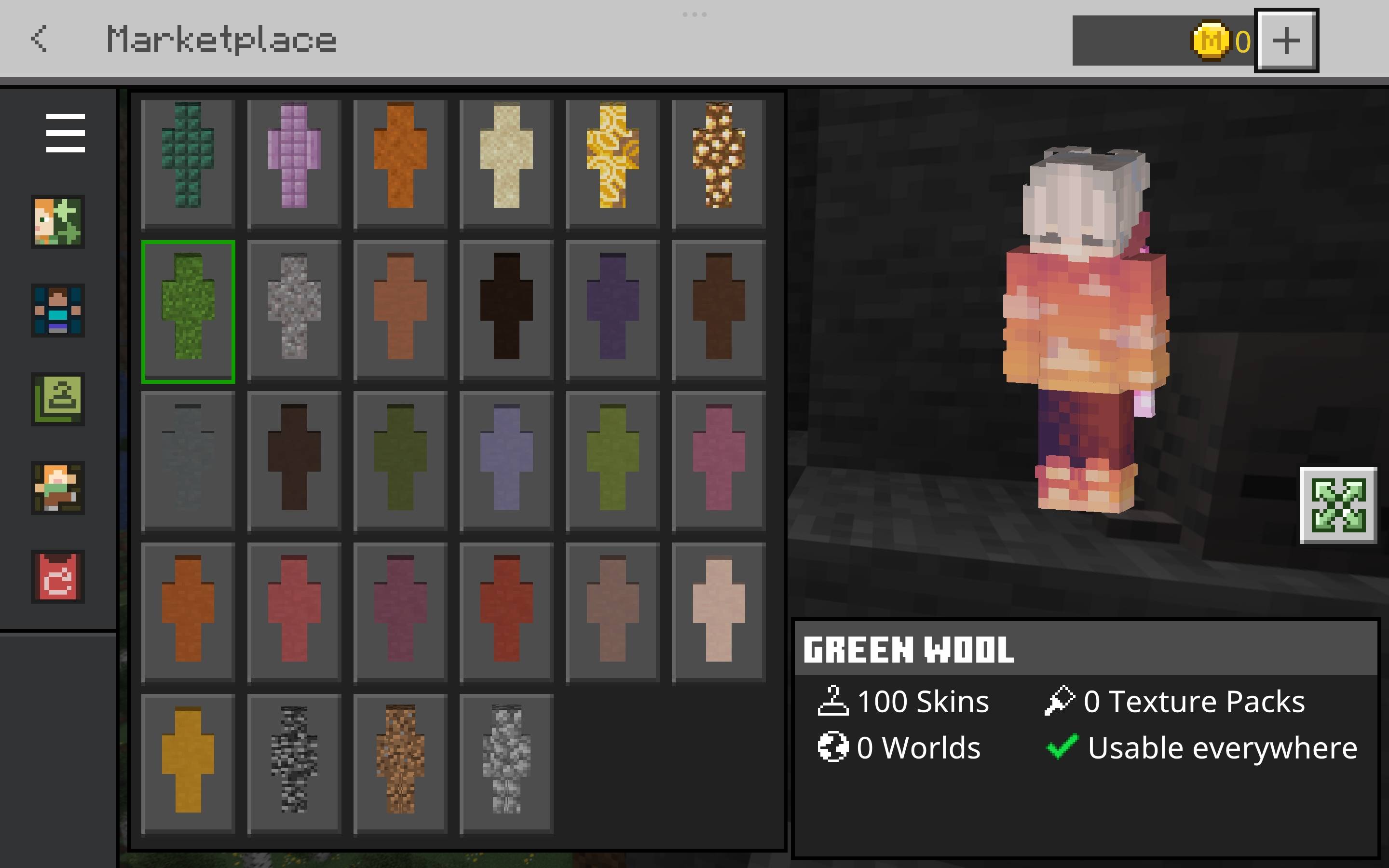
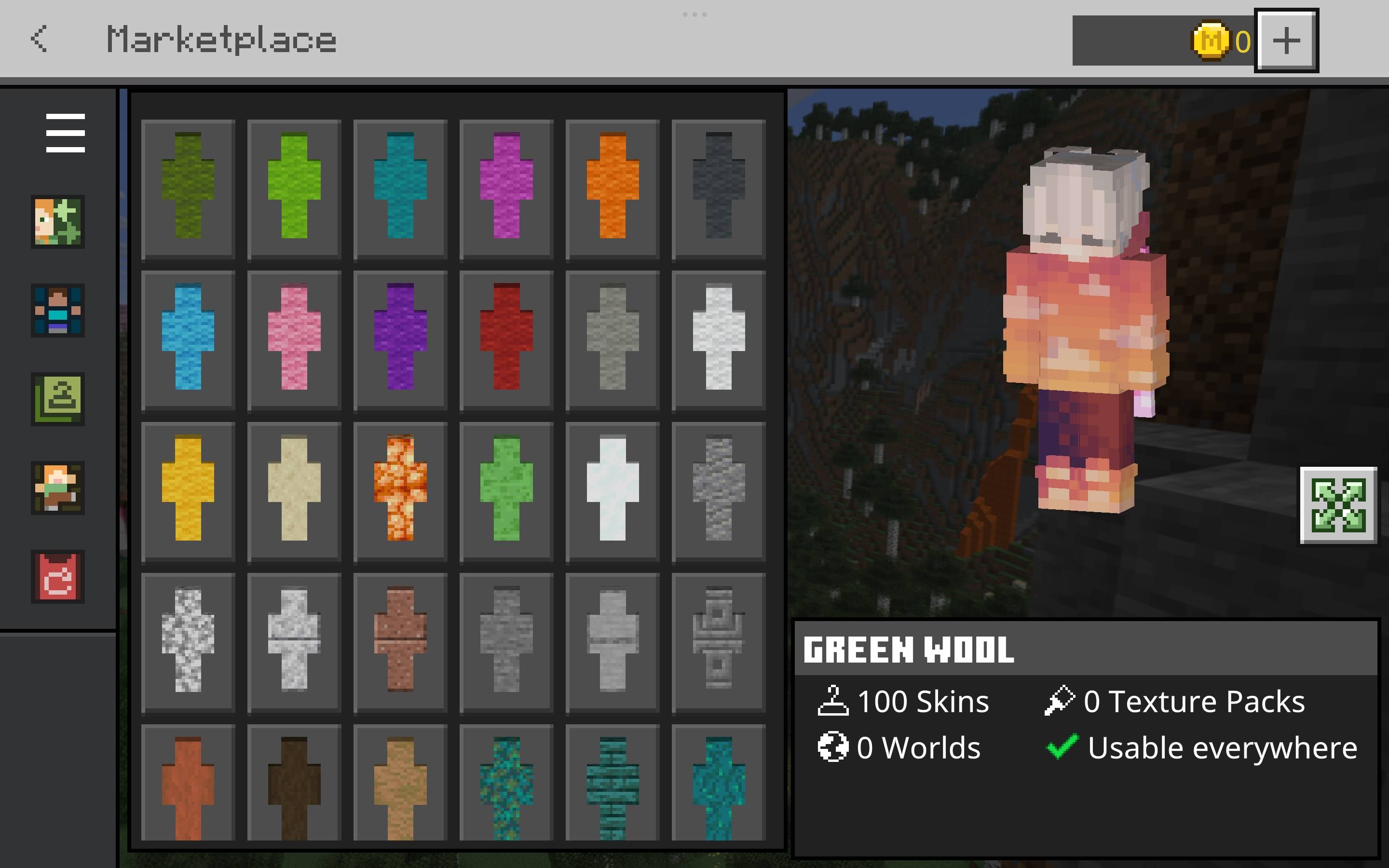
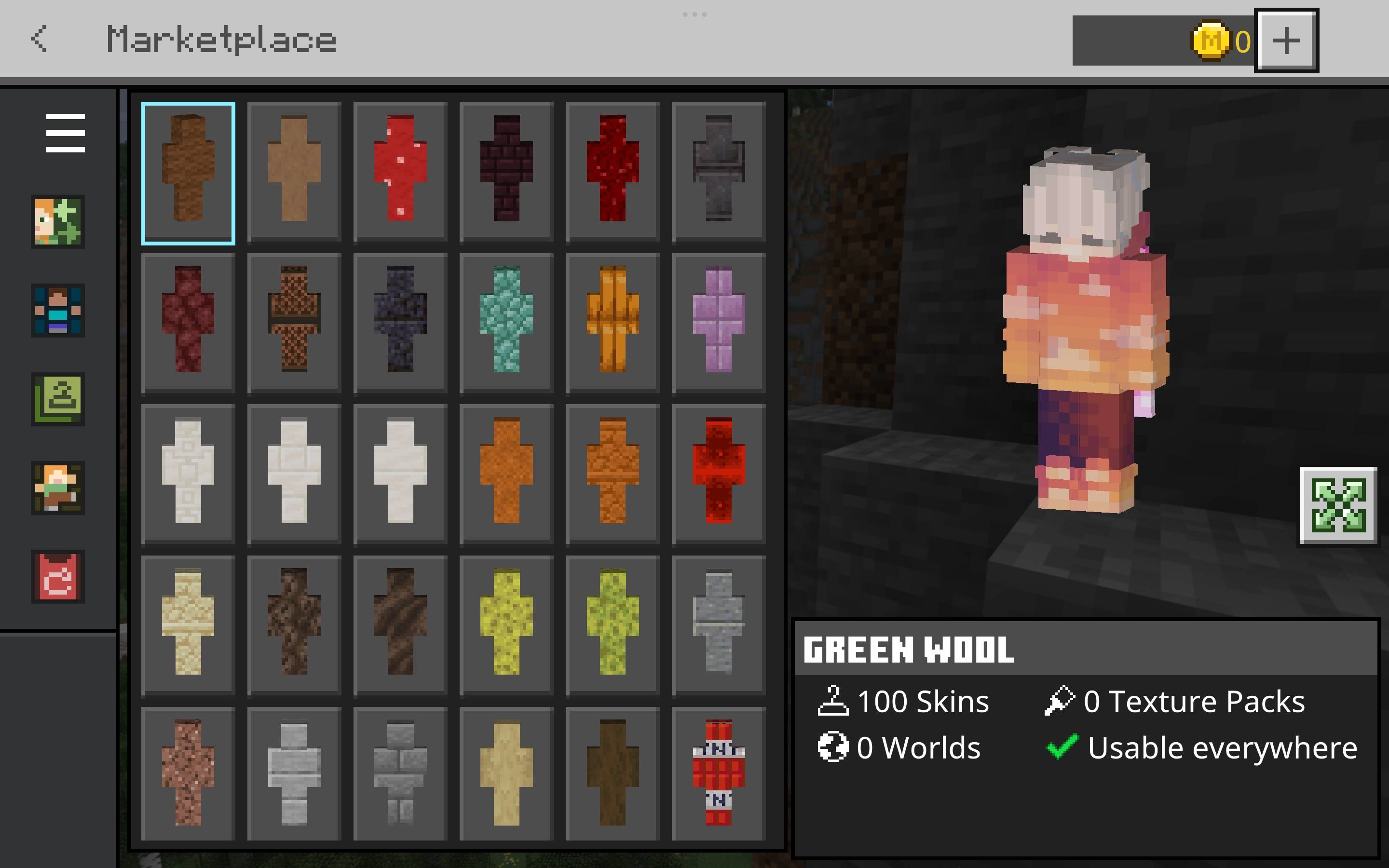
Disguise yourself as the blocks around you with this massive skin pack made for stealth, trolling, and creativity. Featuring 100 unique skins designed to mimic real in-game blocks—like grass, stone, wood, ores, and more—you can hide in plain sight, blend into builds, or set the perfect trap. Ideal for PvP, hide-and-seek, survival servers, or just messing with friends. Simple idea, powerful results.
Quick facts
- Edition: Minecraft Bedrock
- File type: .mcpack
- Minecraft version listed: 1.21
- How to install: Download the .mcpack skin pack. → Open it — Minecraft imports it. → Open the Dressing Room and select the skin.
- Where to get it: Opens on CurseForge — not every file is mirrored on our own servers.
Install steps are the general flow for this file type — How to apply a custom Minecraft skin walks through it step by step.
Verified by MCModsHub
- Save it as Camouflage Skin Pack.mcaddon before opening — it downloads as .mcpack, but it is a .mcaddon pack
- Complete pack — everything it depends on is inside the file
- Download size: 159 KB
- Download link checked 26 Aug 2026 — working
These come from our own check of the pack file, not from the source page.