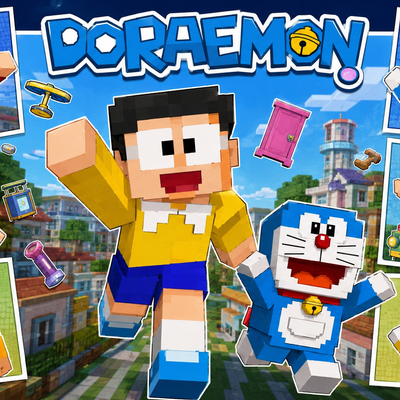
Ultimate Doraemon Skinpack
Bring the world of Doraemon to Minecraft Bedrock Edition with 6 iconic character skins including Doraemon, Nobita, Shizuka, Gian, Suneo, and Dorami…
⬇ Download on CurseForge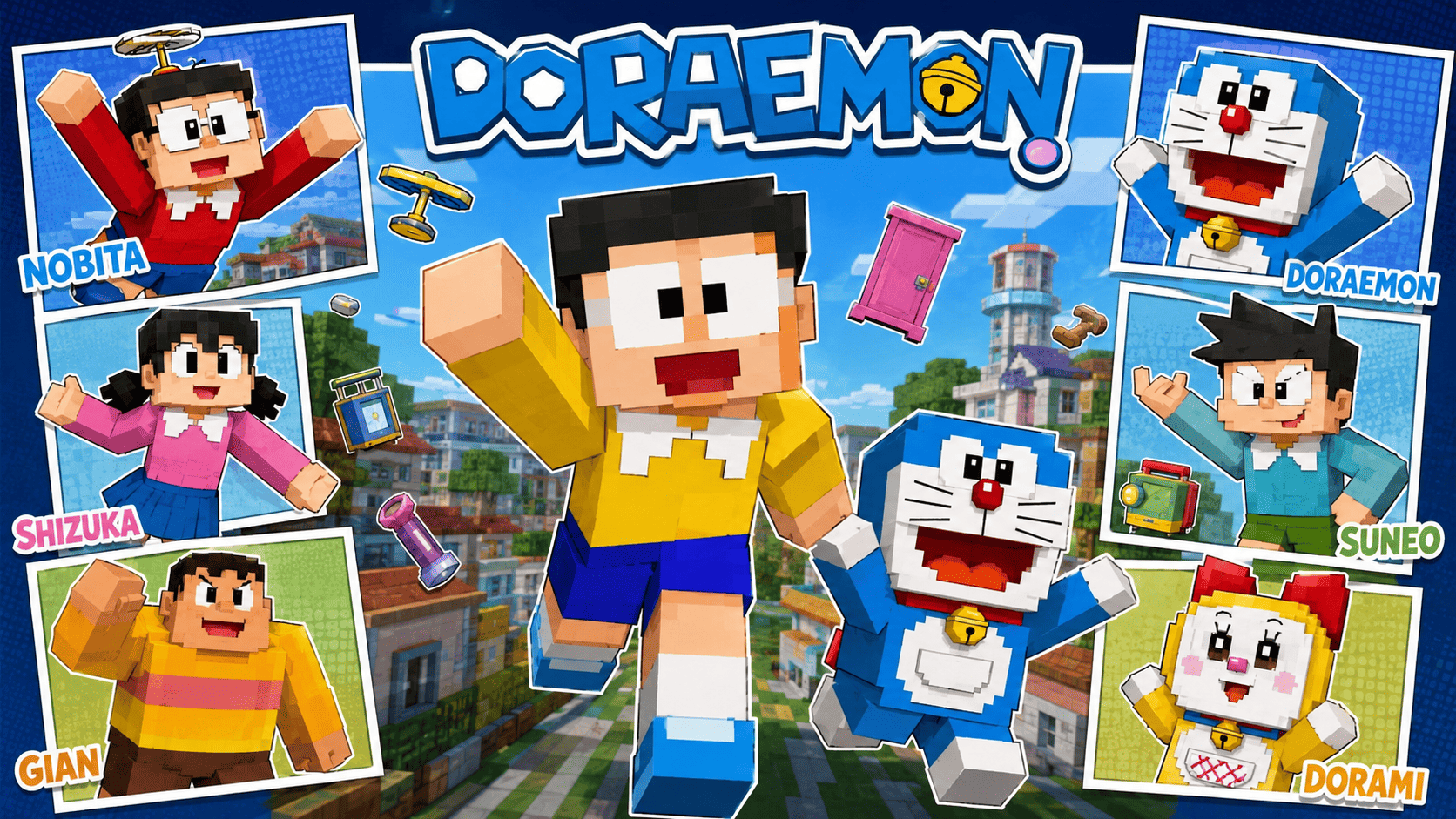
Ultimate Doraemon SkinPack
Step into the wonderful world of Doraemon with the Ultimate Doraemon SkinPack for Minecraft Bedrock Edition. This exciting collection brings together some of the most beloved characters from the iconic Doraemon universe, allowing fans to recreate their favorite adventures inside Minecraft.
Whether you're exploring survival worlds, building futuristic cities, roleplaying with friends, or simply showing off your favorite character, this skin pack offers a fun and nostalgic experience. Each skin has been carefully designed in Minecraft's pixel-art style while preserving the recognizable appearance of the original characters.
✦ Included Skins
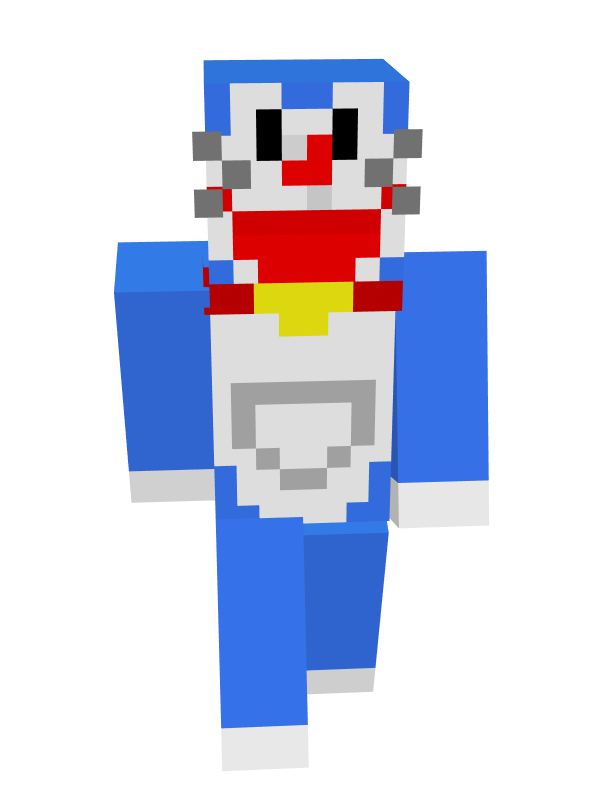
- Doraemon
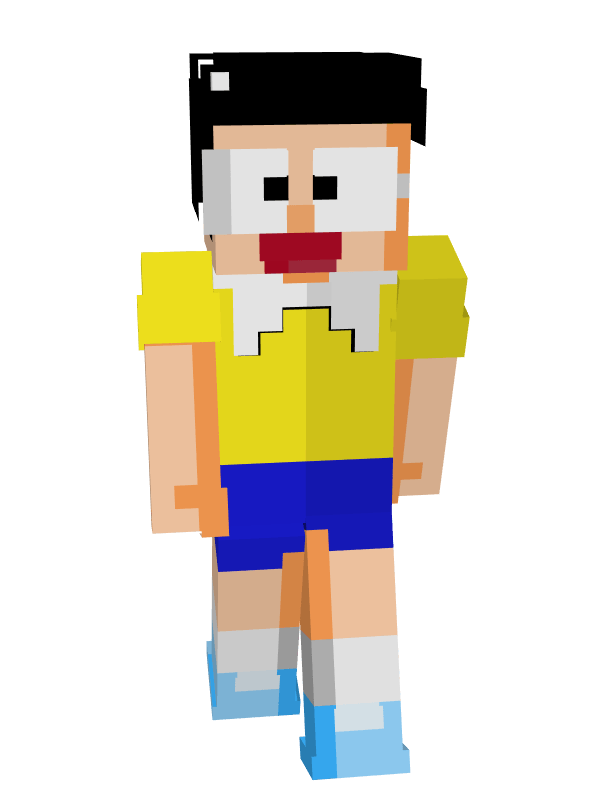
- Nobita Nobi
- Suneo Honekawa
- Takeshi "Gian" Goda
- Shizuka Minamoto
- Dorami
✦ Features
- 6 unique Doraemon-themed character skins.
- Inspired by the classic Doraemon anime and manga series.
- High-quality pixel-art designs with recognizable details.
- Perfect for roleplay, survival, creative, and multiplayer gameplay.
- Great for anime and cartoon fans.
- Lightweight and performance-friendly.
- Easy installation process.
- Compatible with Minecraft Bedrock Edition.
✦ Why You'll Love This Pack
The Ultimate Doraemon SkinPack brings together the main cast of one of the world's most beloved animated franchises. Play as Doraemon and use your imagination to create futuristic adventures, become Nobita during survival journeys, or roleplay with friends using Gian, Suneo, Shizuka, and Dorami.
With multiple iconic characters included in a single pack, players can enjoy a complete Doraemon-themed experience across their Minecraft worlds. It's the perfect collection for fans who want to bring childhood memories and anime-inspired fun into Bedrock Edition.
✦ Installation Guide
- Scroll down and download the Skin Pack.
- Open the downloaded file using ZArchiver or any file manager app.
- Tap Open With and choose Minecraft.
- Wait for Minecraft to import the Skin Pack automatically.
- Open Dressing Room or Change Skin.
- Navigate to the imported Skin Pack.
- Select any skin you want to use.
- Start your adventure and enjoy your new look.
✦ Compatibility
- Minecraft Bedrock Edition Supported ✅
- Works on Android, iOS, Windows, and Console ✅
- Multiplayer Friendly ✅
- Easy To Install ✅
- No Extra Addons Required ✅
Made by BedrockForge
Images 👇🏻 + More Skin In Pack
- Edition: Minecraft Bedrock
- File type: .mcpack
- Minecraft versions listed: 26.0.02, 26.0, 26.3
- How to install: Download the .mcpack skin pack. → Open it — Minecraft imports it. → Open the Dressing Room and select the skin.
- Where to get it: Opens on CurseForge — not every file is mirrored on our own servers.
Install steps are the general flow for this file type — How to apply a custom Minecraft skin walks through it step by step.
- Pack type: .mcpack — a single pack
- Complete pack — everything it depends on is inside the file
- Download size: 15 KB
- Download link checked 26 Aug 2026 — working
These come from our own check of the pack file, not from the source page.