
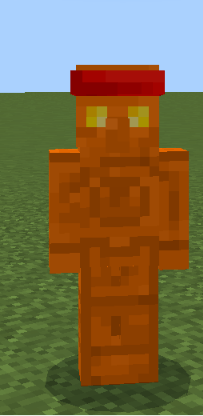
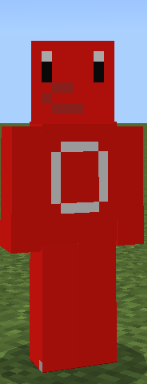
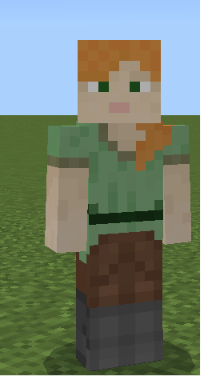
Welcome to the [Dream Gamings123 skin pack] for Minecraft Bedrock Edition!This custom skin pack includes a variety of unique designs perfect for multiplayer servers, survival worlds, or roleplaying with friends. Inside this pack, you will find a total of [around 5] high-quality skins, including [Copper Golem with bandana], [Red Robot], and [Alexes].How to install:
Simply download the.mcpackfile, double-click or tap it, and Minecraft will automatically import the skins directly into your dressing room. Enjoy the pack! he might be proud of you for now...
Quick facts
- Edition: Minecraft Bedrock
- File type: .mcpack
- Minecraft version listed: 26.20
- How to install: Download the .mcpack skin pack. → Open it — Minecraft imports it. → Open the Dressing Room and select the skin.
- Where to get it: Opens on CurseForge — not every file is mirrored on our own servers.
Install steps are the general flow for this file type — How to apply a custom Minecraft skin walks through it step by step.
Verified by MCModsHub
- Pack type: .mcpack — a single pack
- Complete pack — everything it depends on is inside the file
- Download size: 10 KB
- Download link checked 26 Aug 2026 — working
These come from our own check of the pack file, not from the source page.