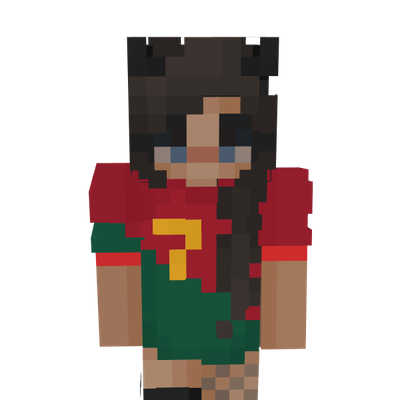
Cristiano Ronaldo Girl Skin
Show your love for football with the Ronaldo Girl Skin for Minecraft Bedrock Edition. Featuring a stylish character design inspired by Cristiano Ronaldo…
⬇ Download on CurseForge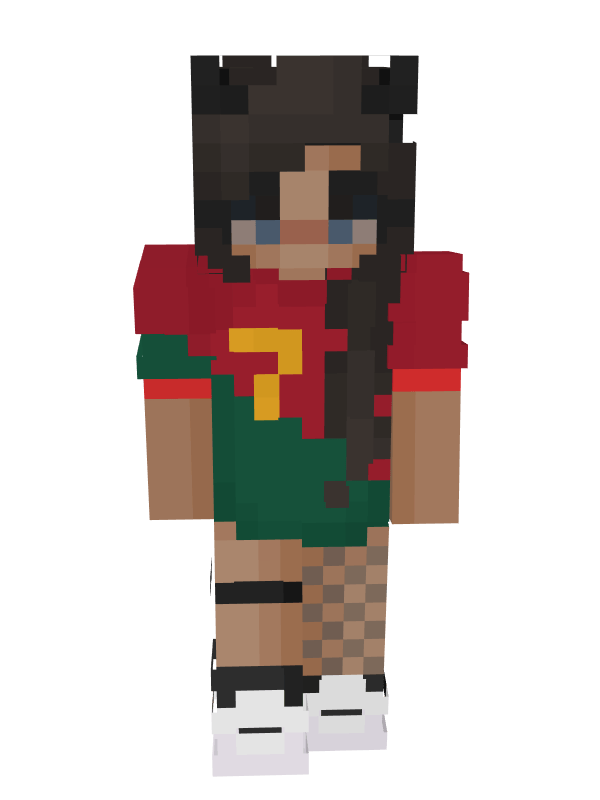
Ronaldo Girl Skin
Show your passion for football and one of the greatest players of all time with the Ronaldo Girl Skin for Minecraft Bedrock Edition. This stylish skin combines a modern girl character design with inspiration from Cristiano Ronaldo, creating a unique look that stands out in any Minecraft world.
Featuring detailed hair, casual clothing, and a jersey-inspired outfit, this skin is perfect for football fans who want to bring their love for the game into Minecraft. Whether you're exploring survival worlds, playing with friends, or joining multiplayer servers, the Ronaldo Girl Skin adds a fun and distinctive appearance to your character.
✦ Features
- Unique Ronaldo-inspired girl character design.
- High-quality pixel art details.
- Perfect for football fans.
- Suitable for survival, creative, and multiplayer gameplay.
- Clean and stylish appearance.
- Easy installation process.
- Compatible with Minecraft Bedrock Edition.
✦ Why You'll Love This Skin
If you're a football enthusiast and a Minecraft player, this skin offers the perfect combination of both worlds. Inspired by the legendary Cristiano Ronaldo, this design brings sporty energy and personality to your Minecraft adventures while maintaining a clean and fashionable appearance.
✦ Installation Guide
- Scroll down and download the skin file.
- Open Minecraft Bedrock Edition.
- Go to Dressing Room.
- Select Edit Character.
- Choose Owned Skins and tap Import.
- Select the downloaded skin file.
- Equip the skin and start playing.
✦ Compatibility
- Minecraft Bedrock Edition Supported ✅
- Works on Android, iOS, Windows, and Console ✅
- Multiplayer Friendly ✅
- Easy To Install ✅
Made by BedrockForge
- Edition: Minecraft Bedrock
- File type: .mcpack
- Minecraft versions listed: 26.0.02, 26.0, 26.10
- How to install: Download the .mcpack skin pack. → Open it — Minecraft imports it. → Open the Dressing Room and select the skin.
- Where to get it: Opens on CurseForge — not every file is mirrored on our own servers.
Install steps are the general flow for this file type — How to apply a custom Minecraft skin walks through it step by step.
- Pack type: .mcpack — a single pack
- Complete pack — everything it depends on is inside the file
- Download size: 4 KB
- Download link checked 26 Aug 2026 — working
These come from our own check of the pack file, not from the source page.