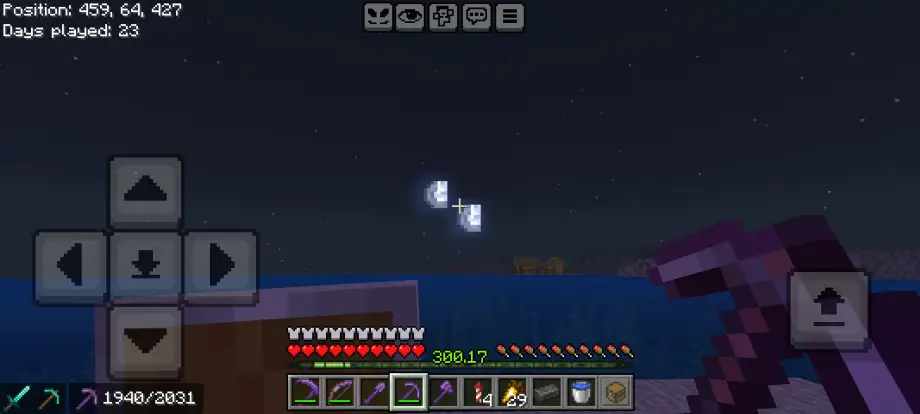
Two Moons Texture Pack for Minecraft Bedrock 1.21.130
Bedrock texture pack listed for Minecraft 1.12–1.21. File opened and checked on 4 Oct 2026; installs from the MC Bedrock Mods app on Android.
A lightweight Bedrock resource pack that adds a second moon to Minecraft's night sky, creating a mysterious, vanilla-friendly atmosphere.
⬇ Download🌙 Two Moons – Bedrock Port (Minecraft Resource Pack)
Two Moons – Bedrock Port is a lightweight, vanilla-friendly resource pack that adds a second moon to Minecraft’s night sky for Bedrock Edition players on mobile, console, and Windows.
✨ Features
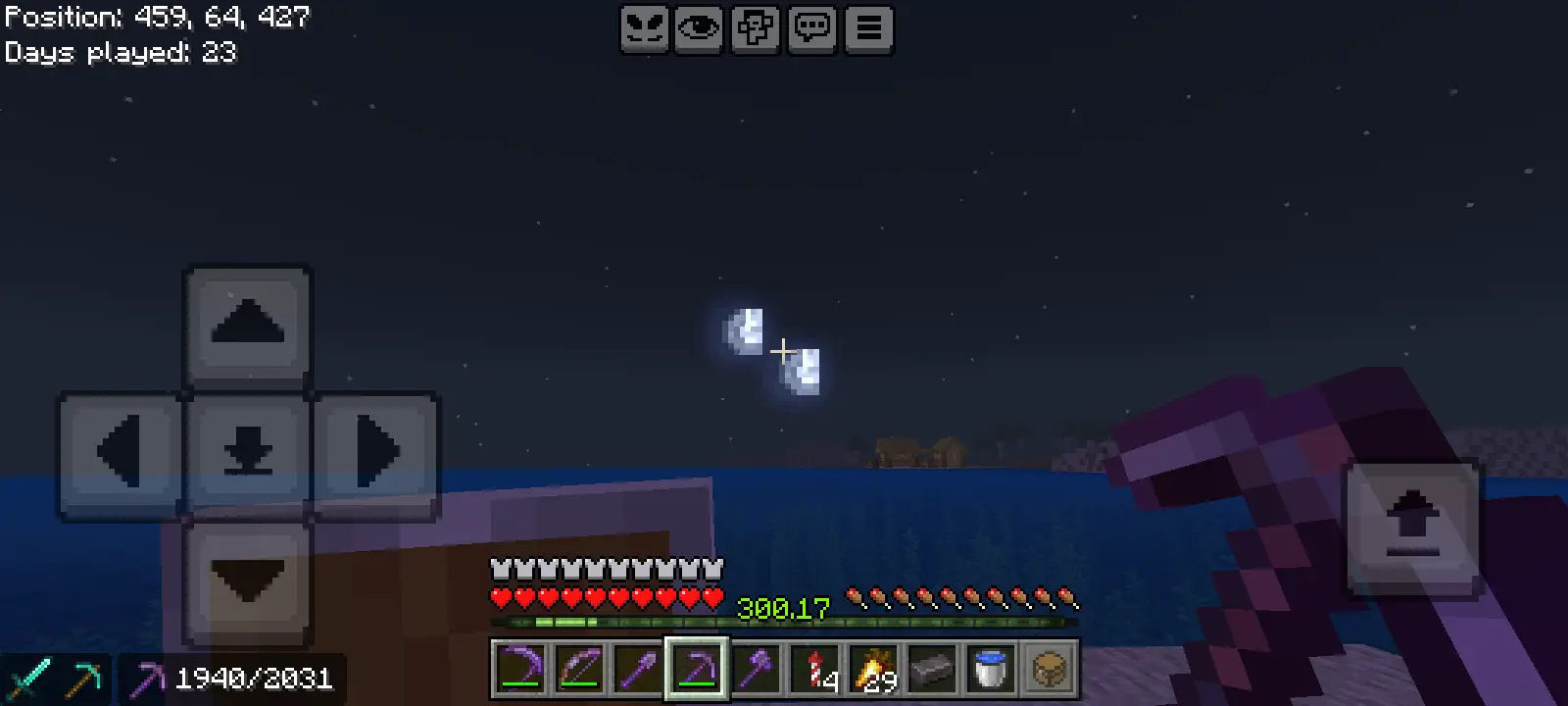
- 🌙 Two Moons in the Night Sky — The pack replaces the default moon texture so that two moons appear in the sky at night, creating a distinctive celestial look.
- 🎮 Vanilla-Friendly Style — Designed to blend perfectly with Minecraft’s default textures without altering the core visual style.
- ⚡ Lightweight Resource Pack — Very small file size and minimal changes, making it compatible with most other packs and add-ons.
- 📱 Bedrock Edition Compatible — Ported to work with Minecraft Bedrock Edition across multiple platforms.
🏗 Perfect for Fantasy Worlds — Great for RPG maps, sci-fi builds, custom servers, or immersive survival worlds.
📦 Compatibility
- Minecraft Bedrock Edition
- Works alongside most texture packs (as long as they do not override the moon texture)
- Recommended to place above other packs in the resource pack stack if conflicts occur
⚠️ Notes
This project is a port of the original Java Edition resource pack. Only compatibility adjustments were made so it works with Minecraft Bedrock Edition. The visual design and concept remain the work of the original creators.
👥 Credits
Original Resource Pack
- Lunar Eclipse Studios – Original creators of the Two Moons resource pack.
Original Contributors
- Lexlim
- Bret06
Bedrock Port
- HumaneHet
📜 License & Disclaimer
This port respects the license of the original project. Please credit the original creators when redistributing or modifying the pack.
This project is not affiliated with or endorsed by Mojang Studios or Microsoft.
✅ If you enjoy the pack, consider supporting the original creators and checking out their other projects.
📷 Screenshot
- Edition: Minecraft Bedrock
- File type: .mcpack
- Minecraft version listed: 1.21.130
- How to install: Download the .mcpack. → Open it — Minecraft imports it under Resource Packs. → Activate it in Global Resources, or for one world under Resource Packs → Available.
- Where to get it: In MCModsHub, or directly above on this page.
Install steps are the general flow for this file type — How to install Minecraft Bedrock texture packs walks through it step by step.
- Pack type: .mcpack — a single pack
- Manifest requires Minecraft 1.12.1 or newer
- Complete pack — everything it depends on is inside the file
- Download link checked 18 Jun 2026 — working
- Mirrored on our own servers — the download does not depend on the original host
These come from our own check of the pack file, not from the source page.