ChatJoin Plus Texture Pack for Minecraft Bedrock 1.21.130
Bedrock texture pack listed for Minecraft 1.20–1.21. File opened and checked on 7 Oct 2026; installs from the MC Bedrock Mods app on Android.
Minimalist texture pack that redesigns Join and Leave chat messages for a cleaner, stylish, and lightweight chat experience.
⬇ DownloadChatJoin+
ChatJoin+ is a small but impactful texture pack that redesigns the default Join and Leave chat messages to look cleaner, more minimalist, and way more satisfying to see. No more plain and boring system text — every time a player joins or leaves, the notification feels fresh, stylish, and polished.
This pack is perfect for players who care about details. Whether you're playing on a survival server with friends, a private realm, or a busy public server, ChatJoin+ makes your chat look organized and professional without being distracting or over-the-top.
What makes it different?
- ✔️ Clean and minimalist message style
- ✔️ Balanced colors that are easy on the eyes
- ✔️ Simple but eye-catching symbols
- ✔️ Lightweight and performance-friendly
- ✔️ Achievement friendly — safe for legit survival gameplay
This pack is great for:
- ✔️ Survival multiplayer worlds
- ✔️ SMP servers
- ✔️ Realms and private friend groups
- ✔️ Public servers that want a cleaner chat look
- ✔️ Content creators who want aesthetic chat on screen
- ✔️ Players who love minimalist and clean UI styles
- ✔️ Anyone who cares about small details that make a big difference
ChatJoin+ is designed to blend smoothly with most UI packs and resource packs. It doesn’t try to overpower your interface — it enhances it. The goal is simple: upgrade the chat experience while keeping everything minimal and aesthetic.
It may only change system messages, but the difference feels noticeable.
Joining a server feels more welcoming.
Leaving a server feels smoother and more polished.
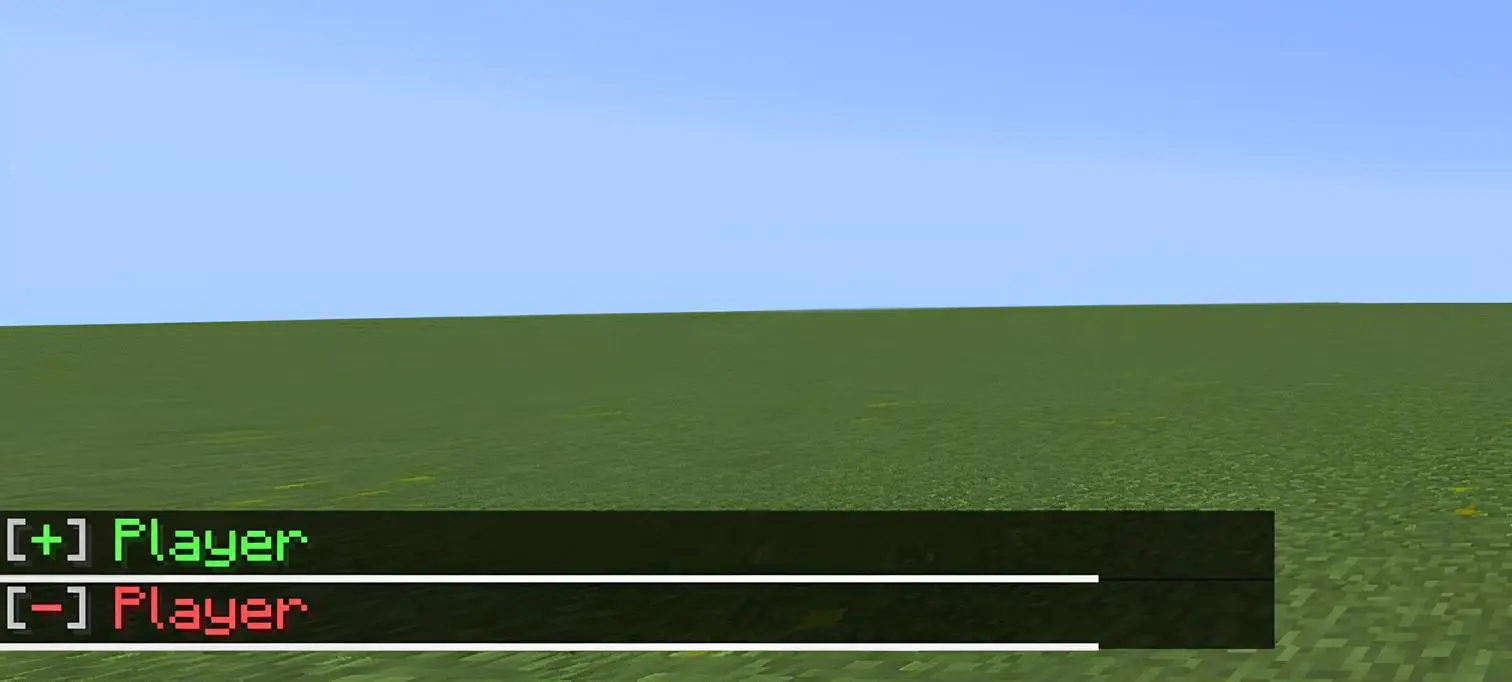
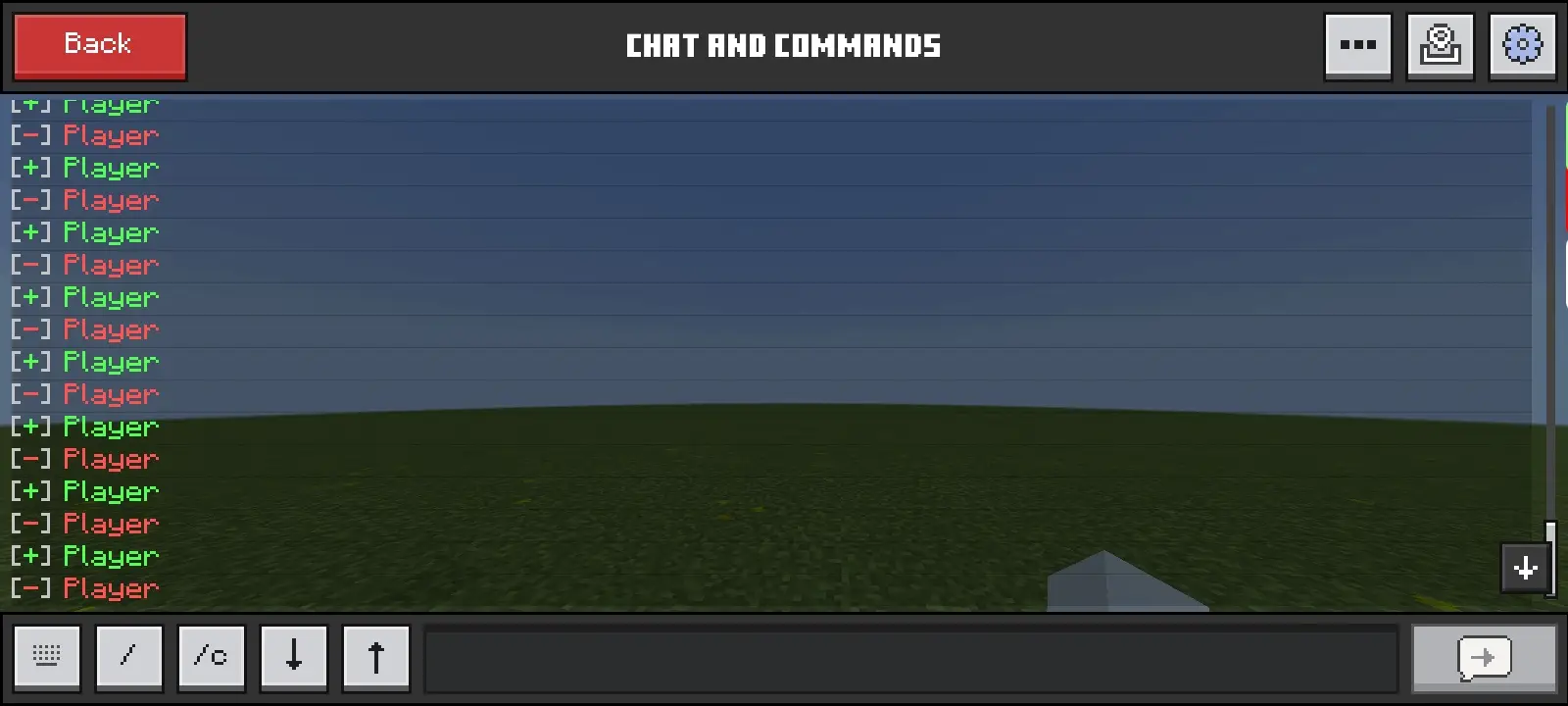
ChatJoin+ — small change, big vibe. 🔥
Checkout the Biggest texture pack we've ever made Here
Updated on February 25, 2026
- Fixed join and leave messages not showing on Realms.
- Edition: Minecraft Bedrock
- File type: .mcpack
- Minecraft version listed: 1.21.130
- How to install: Download the .mcpack. → Open it — Minecraft imports it under Resource Packs. → Activate it in Global Resources, or for one world under Resource Packs → Available.
- Where to get it: In MCModsHub, or directly above on this page.
Install steps are the general flow for this file type — How to install Minecraft Bedrock texture packs walks through it step by step.
- Pack type: .mcpack — a single pack
- Manifest requires Minecraft 1.20.0 or newer
- Complete pack — everything it depends on is inside the file
- Download link checked 18 Jun 2026 — working
- Mirrored on our own servers — the download does not depend on the original host
These come from our own check of the pack file, not from the source page.