
Texture packsBedrock
PvP HUD v1.1 Texture Pack for Minecraft
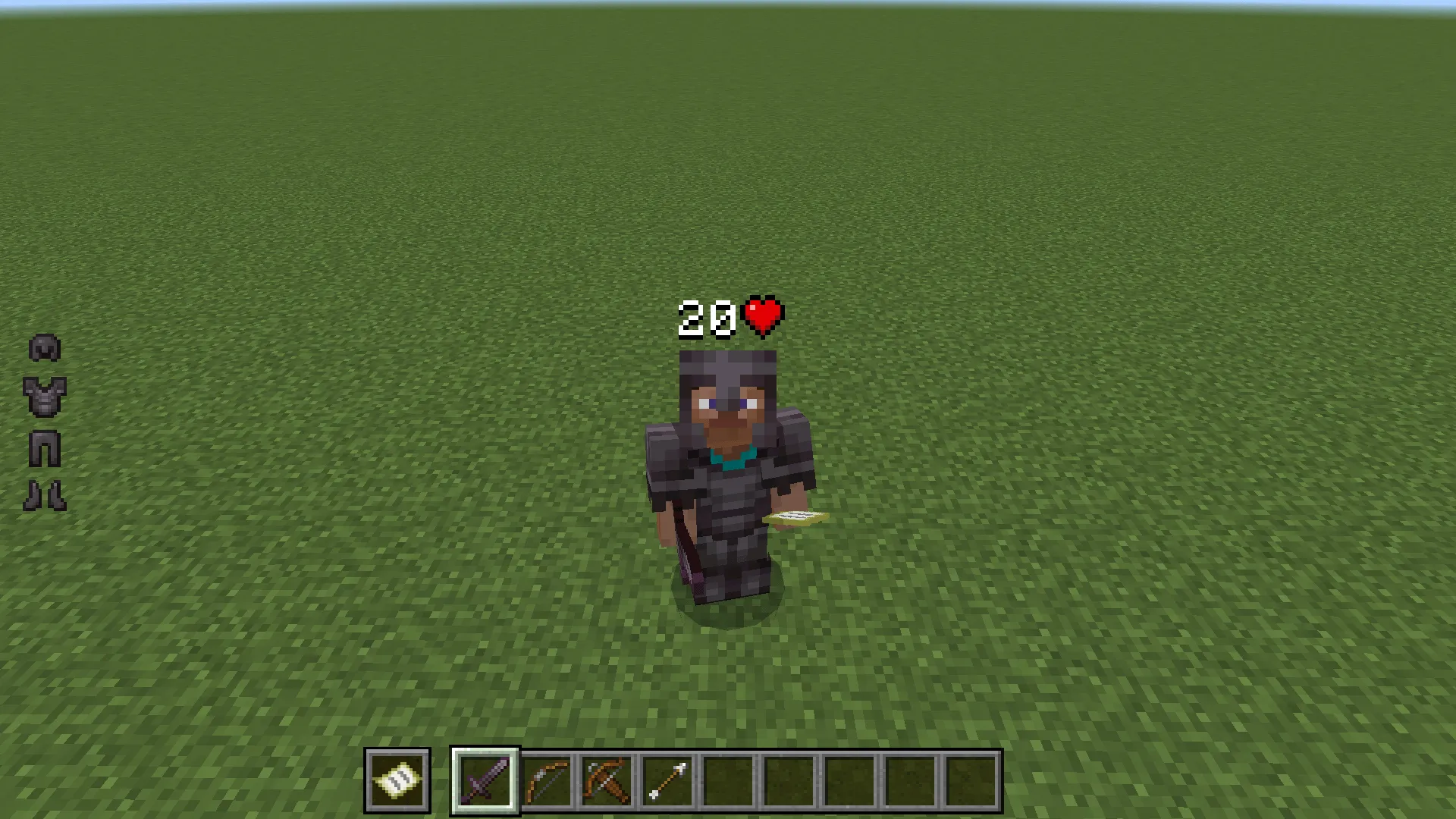
This texture pack creates additional slots displaying your armour and items held in your offhand.
⬇ DownloadOpen in MCModsHubGet it on Google Play →This texture pack creates additional slots displaying your armor and items held in your offhand.
UPDATE: Player hearts are displayed above head (only included in v1.1).
NOTE: Currently the armor hud and offhand slot don't show durability. Armour hud does not display player/mob heads and carved pumpkin. Offhand slot displays tipped arrows and regular arrows. (This will most likely be changed in V2). Skins from the marketplace will be replaced with a Steve skin, this won't happen to custom skins imported from your device (this only happens in v1.1).

Updated on November 19
- Re-added v1 file to the download options for those of you who didn't want the health indicator
Verified by MCModsHub
- Pack type: .mcaddon — behaviour and resource pack in one file
- Complete pack — everything it depends on is inside the file
- Download link checked 18 Jun 2026 — working
- Mirrored on our own servers — the download does not depend on the original host
These come from our own check of the pack file, not from the source page.
Explore more