
Texture packsBedrock
Super Handling Resource Pack for Minecraft Bedrock
Bedrock texture pack listed for Minecraft 1.13. File opened and checked on 29 Sep 2026; installs from the MC Bedrock Mods app on Android.
⬇ DownloadA very useful resource pack for the bedrock version of Minecraft. It can make it easier for you to find things or put things away, and so on.
This is a very powerful handling function, it may even lead to server ban!
Features:
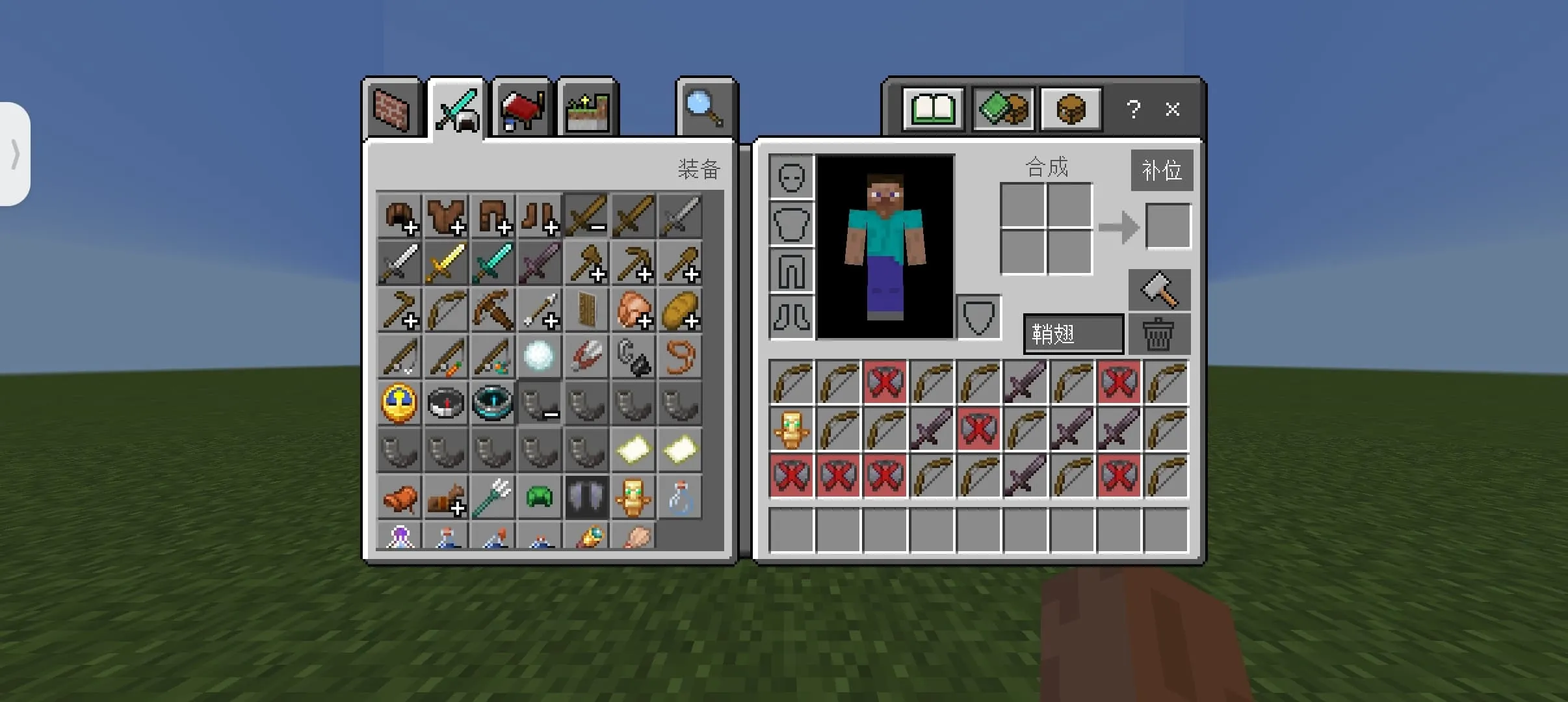
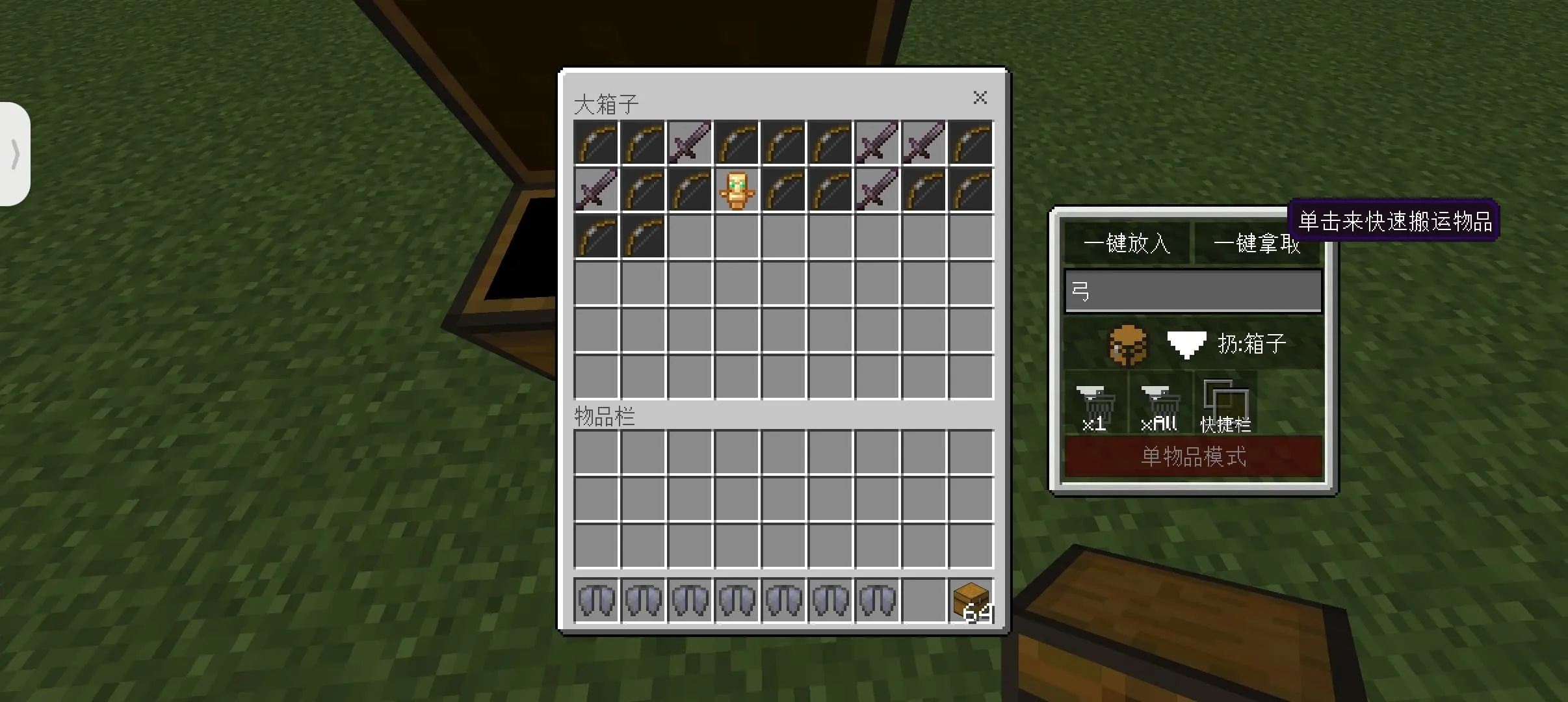
- Move items or specify types of items with one click.
- Specified types of items.
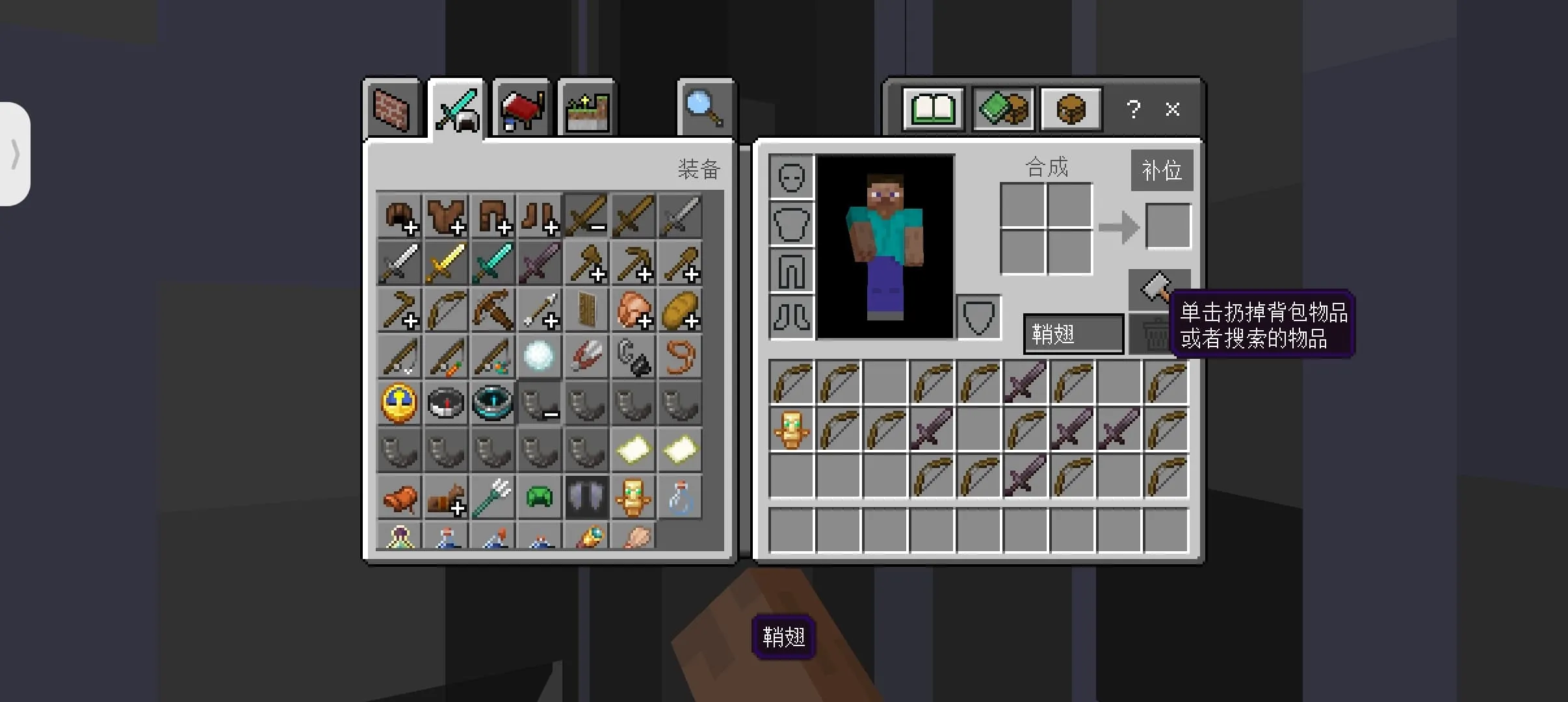
- Throw box items or backpack items with one click.
- And one-click discard items, backpack replenishment button.
- The replenishment button can penetrate armor with one click and replenish hot bar items with one click.
- Quickly trade with villagers with one click.
Fifth generation update content:
- Optimized frame rate.
- Added search and select items.
- Joined villagers and trade quickly with one click.
- Added one-click synthesis button.
Note:
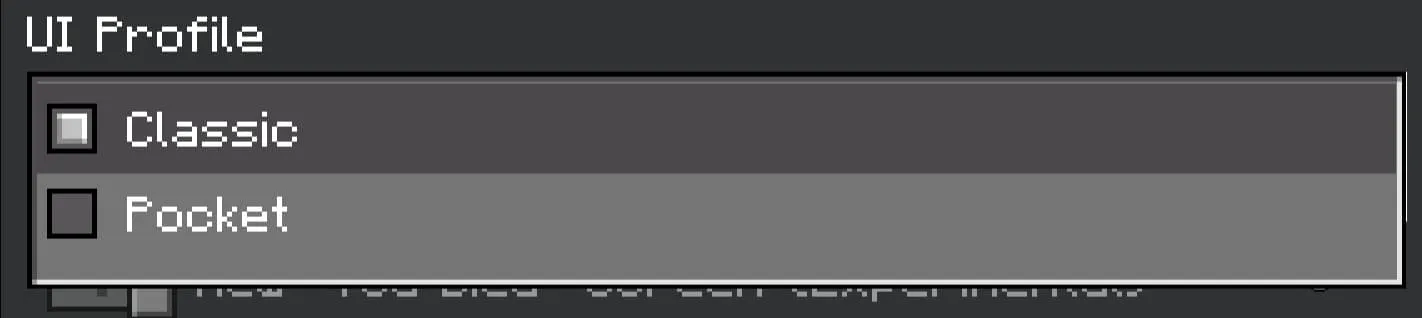
Set the UI Profile to "Classic", otherwise, the pack won't work!
Updated on March 25
- Fixed bugs
- Optimized UI
- Optimized handle
- New fast synthesis
- Reworked backpack interface UI
Quick facts
- Edition: Minecraft Bedrock
- File type: .mcpack
- How to install: Download the .mcpack. → Open it — Minecraft imports it under Resource Packs. → Activate it in Global Resources, or for one world under Resource Packs → Available.
- Where to get it: In MCModsHub, or directly above on this page.
Install steps are the general flow for this file type — How to install Minecraft Bedrock texture packs walks through it step by step.
File checked by MCModsHub
- Pack type: .mcpack — a single pack
- Manifest requires Minecraft 1.13.0 or newer
- Complete pack — everything it depends on is inside the file
- Download link checked 18 Jun 2026 — working
- Mirrored on our own servers — the download does not depend on the original host
These come from our own check of the pack file, not from the source page.