Texture packsBedrock
X-Ray Texture Pack for Minecraft Bedrock
Bedrock texture pack listed for Minecraft 1.9–1.19. File opened and checked on 26 Sep 2026; installs from the MC Bedrock Mods app on Android.
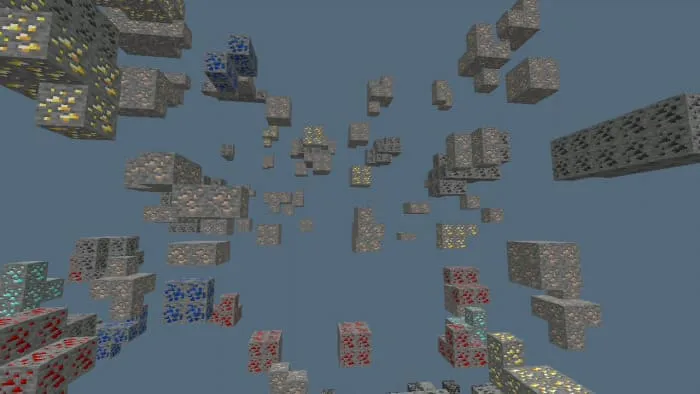
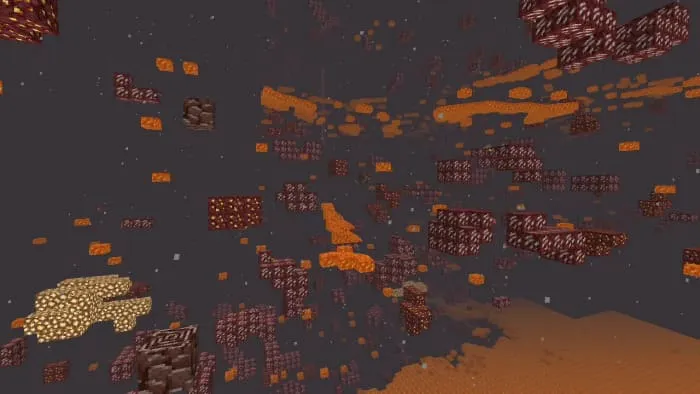
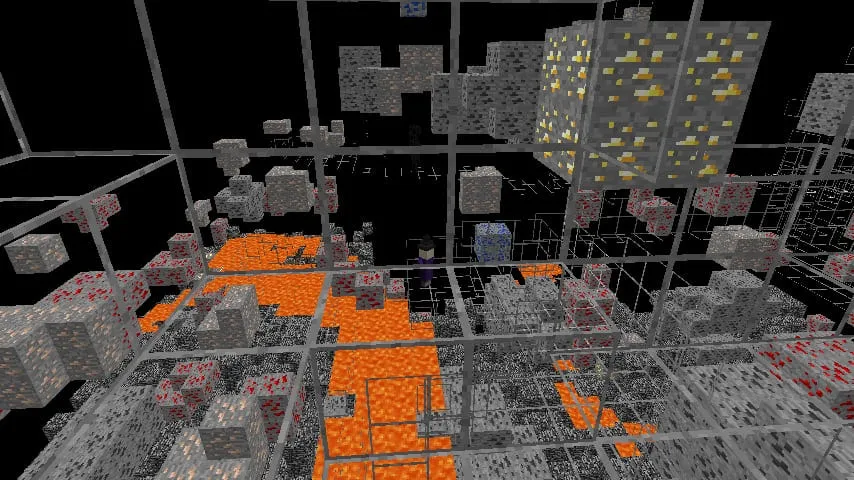
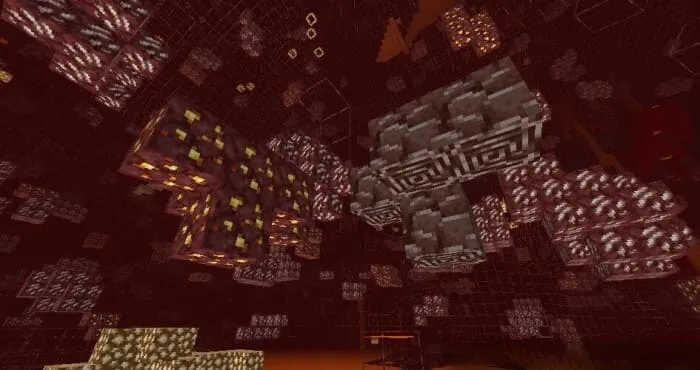
⬇ DownloadX-Ray is a functional texture pack to see through blocks to see ores.
- X-Ray without outline already support 1.18.30+ and 1.19+
- X-Ray with outline support only 1.18.20 and lower version
Video Preview
Screenshots
Without Outline

With Outline

Warning from the author
- X-Ray Outline Only Support 1.18.20 and Lower Version (Doesn't Support Render Dragon Engine)
- X-Ray Outline Doesn't Support Windows 10
- Don't Use This Texture Pack In Server Or You Will Get Banned
- Required Turn OFF Smooth Lightning and Fancy Graphics
- Tested In Mobile Device And Windows 10
- You Can Modify Packs But Don't Claim This As Your Packs
Installation
Android
- Download the X-Ray using one of the links below
- Select "Share" and then, "Open in Minecraft" or just tap it.
- Minecraft should open and say "X-Ray was successfully imported"
- If that doesn't work, click "Share"
- "Save to files"
- Go to "My Device/Minecraft/games/com.mojang/resource_packs"
- Click "Save"
Desktop
- Download the X-Ray using the links below
- Execute the "X-Ray by FelixTW.mcpack"
- Minecraft should open and say "X-Ray was successfully imported"
- If that didnt work, open File Explorer
- Navigate to "C:\Users\Username\AppData\Local\Packages\Microsoft.MinecraftUWP_8wekyb3d8bbwe\LocalState\games\com.mojang\resource_packs"
- Now move the "X-Ray by FelixTW.mcpack" into this Folder
- Next time you open Minecraft, the X-Ray should appear in your Resource Packs
Updated on March 26
- Updated Descriptions
- X-Ray Outline Doesn't Support Windows 10
- X-Ray Outline Doesn't Support Version 1.18.30++ and Doesn't Support Windows 10
Quick facts
- Edition: Minecraft Bedrock
- File type: .mcpack
- Minecraft versions listed: 1.18.30, 1.19, 1.18.20
- How to install: Download the .mcpack. → Open it — Minecraft imports it under Resource Packs. → Activate it in Global Resources, or for one world under Resource Packs → Available.
- Where to get it: In MCModsHub, or directly above on this page.
Install steps are the general flow for this file type — How to install Minecraft Bedrock texture packs walks through it step by step.
File checked by MCModsHub
- Pack type: .mcaddon — behaviour and resource pack in one file
- Manifest requires Minecraft 1.9.0 or newer
- Complete pack — everything it depends on is inside the file
- Download link checked 18 Jun 2026 — working
- Mirrored on our own servers — the download does not depend on the original host
These come from our own check of the pack file, not from the source page.