
Animated Menu: Venom — Marvel Rivals
Bedrock texture pack listed for Minecraft 1.21–26.x. File opened and checked on 18 Oct 2026; installs from the MC Bedrock Mods app on Android.
Venom from Marvel Rivals dominates your Minecraft menu — massive symbiote stance, iconic grin, dark black and white art style with low-poly geometric…
⬇ Download on CurseForge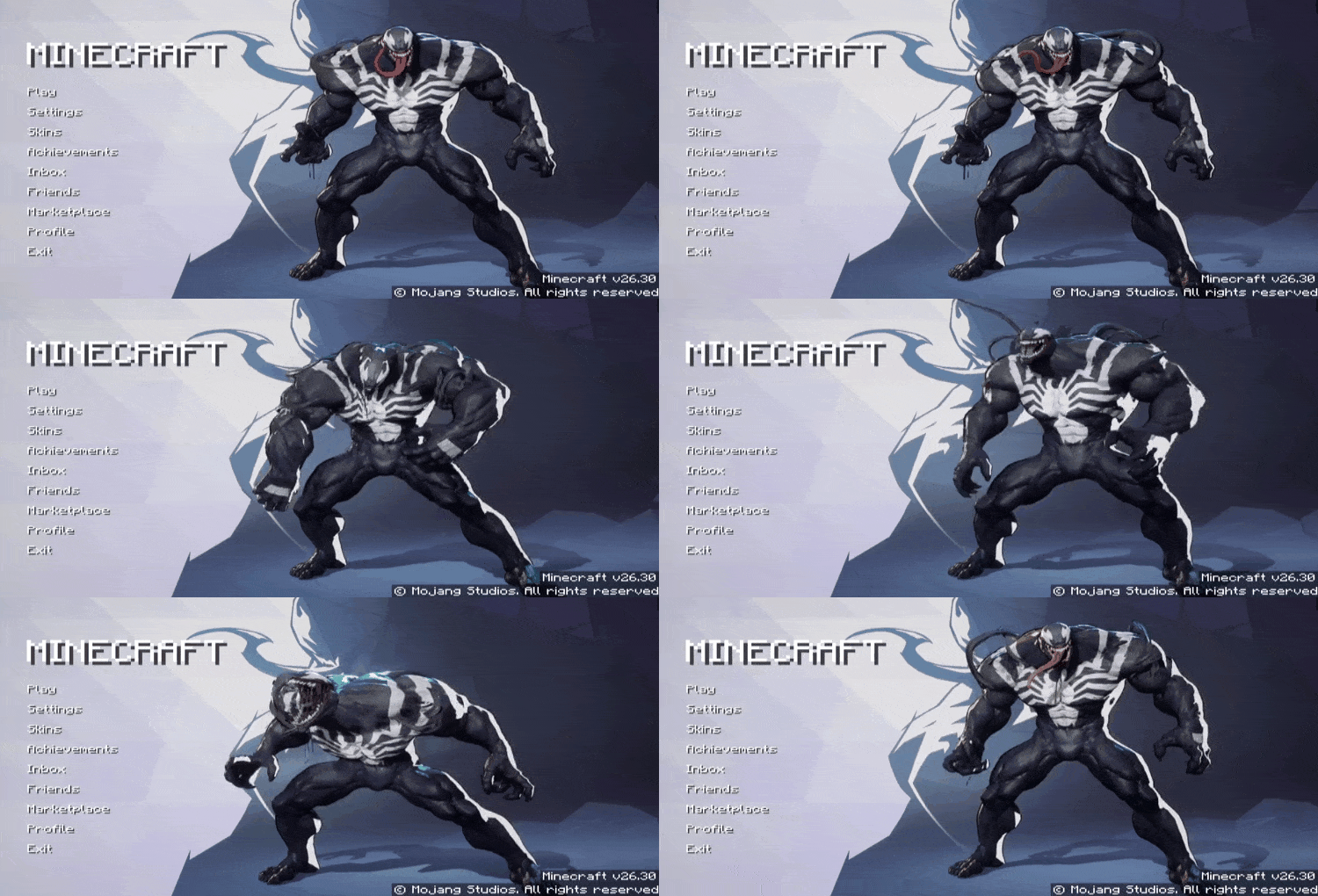
We are Venom. And now Venom is your Minecraft menu. Marvel Rivals' Venom stands front and center — massive, menacing, and ready to make your main menu the most intimidating screen you've ever seen.
What It Changes
- Replaces the default menu background with an animated Venom scene
- Dark black and white symbiote color scheme with low-poly geometric background
- Marvel Rivals art style — detailed, high contrast, and powerful
- Smooth seamless loop animation in the background
- Clean menu layout fully preserved
The Vibe
Raw, dark, and absolutely massive. Venom's full stance with that iconic grin and tongue makes every game launch feel like you're about to do something dangerous. Perfect for players who like their menu with a little threat.
Pure Aesthetic, Zero Gameplay Impact
UI-only pack. No gameplay changes, no performance hit. Just Venom, staring you down every time you open the game.
Launch the game. We are Venom.
- Edition: Minecraft Bedrock
- File type: .mcpack
- Minecraft version listed: 26.30
- How to install: Download the .mcpack. → Open it — Minecraft imports it under Resource Packs. → Activate it in Global Resources, or for one world under Resource Packs → Available.
- Where to get it: Opens on CurseForge — not every file is mirrored on our own servers.
Install steps are the general flow for this file type — How to install Minecraft Bedrock texture packs walks through it step by step.
- Pack type: .mcpack — a single pack
- Manifest requires Minecraft 1.21.0 or newer
- Complete pack — everything it depends on is inside the file
- Download size: 22.5 MB
- Download link checked 6 Oct 2026 — working
These come from our own check of the pack file, not from the source page.